
Your dev articles, one terminal away.
Installation · Features · Usage · Keybindings · Feed Sources
DevSync is a high-performance terminal UI for discovering and reading developer articles. It aggregates 46+ RSS feeds from top engineering blogs, news sites, and research outlets — with AI-powered summarization, bookmarks, smart sorting, and a polished TUI built in Rust.
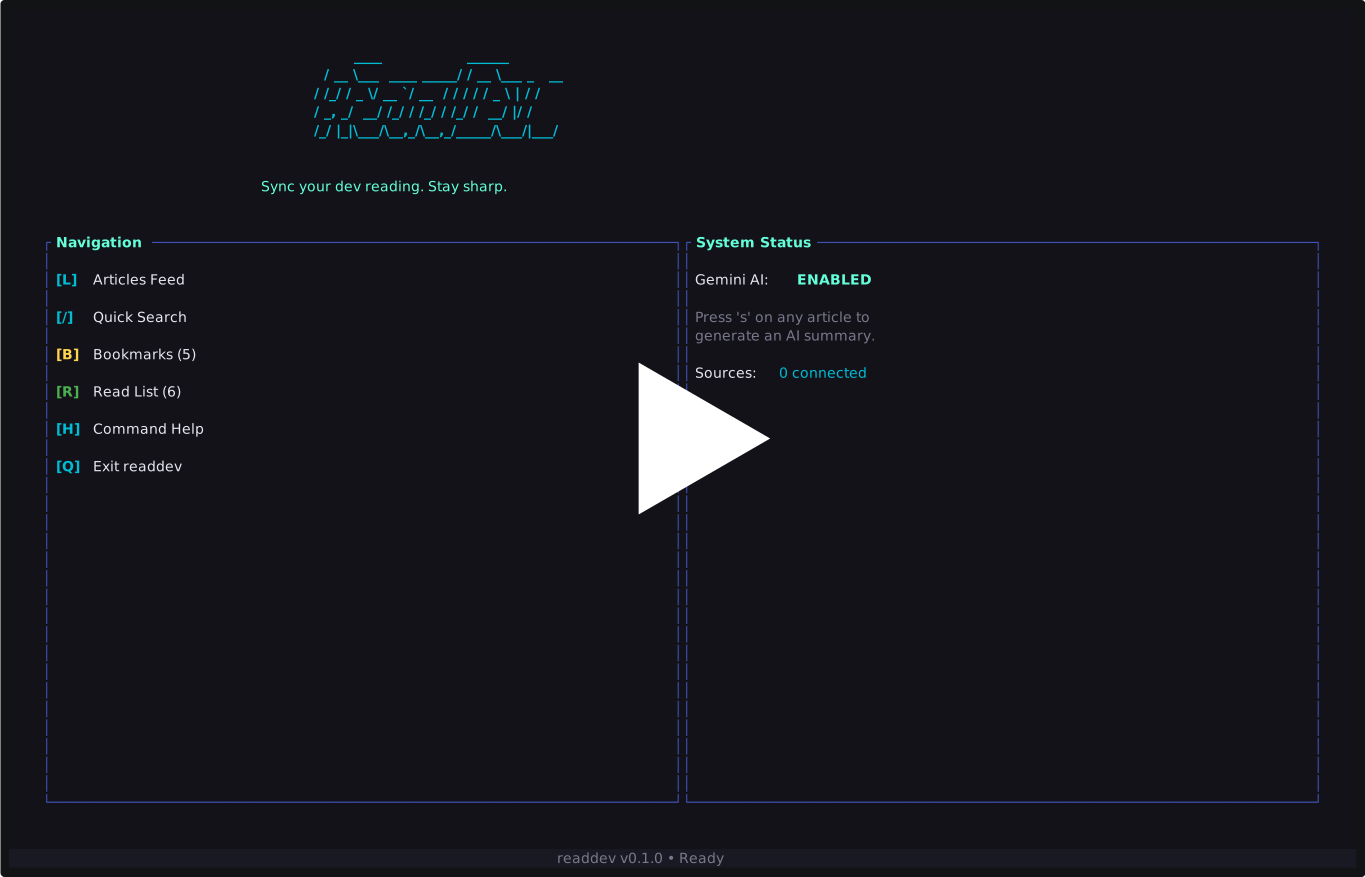
- 46+ built-in RSS feed sources — Dev.to, Hacker News, Lobsters, Hashnode, Netflix Tech, Cloudflare, and many more
- AI-powered article summarization — Get structured summaries via Google Gemini without leaving the terminal
- Bookmarks & read list — Save articles for later and track your reading history
- Smart article sorting — Articles ranked by source priority, freshness, and age decay
- Tag-based filtering — Filter by All, Frontend, Backend, Systems, Research, or News
- Source-specific filtering — Drill down to articles from a single source
- Vi-style navigation —
j/k, Page Up/Down, Home/End, and search with/ - Local caching — 10-minute TTL cache for instant startup
- Custom RSS feeds — Add your own sources with configurable priority levels
- Seen article tracking — Already-read articles are dimmed and sorted below new ones
- Clipboard support — Copy AI summaries to your clipboard
- Command prompt — In-app
:commands for adding sources, setting API keys, and more - Two-phase async loading — Priority sources load instantly, remaining feeds fetch in the background
curl --proto '=https' --tlsv1.2 -LsSf https://github.com/zeyadetman/devSync/releases/latest/download/installer.sh | shRequires Rust 1.85+.
git clone https://github.com/zeyadetman/devSync.git
cd devSync
cargo build --release
cp target/release/devsync /usr/local/bin/devsync# Launch the TUI
devsync
# Jump directly to the article list
devsync --list
# Search articles by keyword
devsync --search "rust"
# Clear the local feed cache
devsync --clear-cache
# Add a custom RSS feed source
devsync add --name "My Blog" --url "https://example.com/rss" --priority high
# Reset seen articles history
devsync reset| Key | Action |
|---|---|
L |
Open article feed |
/ |
Quick search |
B |
Open bookmarks |
R |
Open read list |
? |
Help |
: |
Command prompt |
Q |
Quit |
| Key | Action |
|---|---|
j / Down |
Move down |
k / Up |
Move up |
PgUp / PgDn |
Page up / down |
Home / End |
Jump to top / bottom |
Enter |
Open article in browser |
/ |
Search / filter |
s |
Summarize with AI |
b |
Toggle bookmark |
f |
Filter by source |
Tab / Shift+Tab |
Cycle tags |
: |
Command prompt |
Esc |
Clear filter / go back |
Q |
Quit |
| Key | Action |
|---|---|
o |
Open original article |
c |
Copy summary to clipboard |
Esc |
Back to article list |
| Key | Action |
|---|---|
j / k |
Navigate |
Enter |
Open article |
b |
Remove bookmark |
Esc |
Back to home |
Q |
Quit |
| Command | Action |
|---|---|
:add <name> <url> [--priority high|medium|low] |
Add a custom RSS source |
:key <API_KEY> |
Set your Gemini API key |
:reset |
Clear seen articles history |
DevSync uses Google Gemini to generate structured article summaries with key highlights, technical details, and industry impact — right in your terminal.
To enable it:
- Get a free API key from Google AI Studio
- Set it in DevSync: launch the app, press
:, then typekey YOUR_API_KEY
The summarization status is shown on the home screen.
Dev.to, Hacker News, Lobsters, Hashnode, Reddit r/programming, FreeCodeCamp, TechCrunch, ByteByteGo
Smashing Magazine, A List Apart, Vercel, web.dev, Josh Comeau, Sidebar.io, CSS-Tricks, Prisma
Netflix Tech, Uber Engineering, Discord, Meta Engineering, GitHub Engineering, Slack Engineering, LinkedIn Engineering, Pinterest Engineering, Dropbox Tech, Canva Engineering, Square Engineering, Airbnb Engineering, InfoQ, Quastor, Mux Blog
Cloudflare, The New Stack, Mozilla, AWS Architecture, MongoDB, PostgreSQL, Elasticsearch, CockroachDB, Tailscale
Microsoft Research, Google Research, IEEE Spectrum, The Morning Paper, Quanta Magazine, ACM TechNews
DevSync stores data in your system directories:
| Data | macOS | Linux |
|---|---|---|
| Feed cache | ~/Library/Caches/ |
~/.cache/ |
| Bookmarks, read list, seen articles, custom sources, API key | ~/Library/Application Support/ |
~/.local/share/ |
Cache expires after 10 minutes. Use --clear-cache to force a fresh fetch.