Explore, query, and visualize your databases — all in one app.





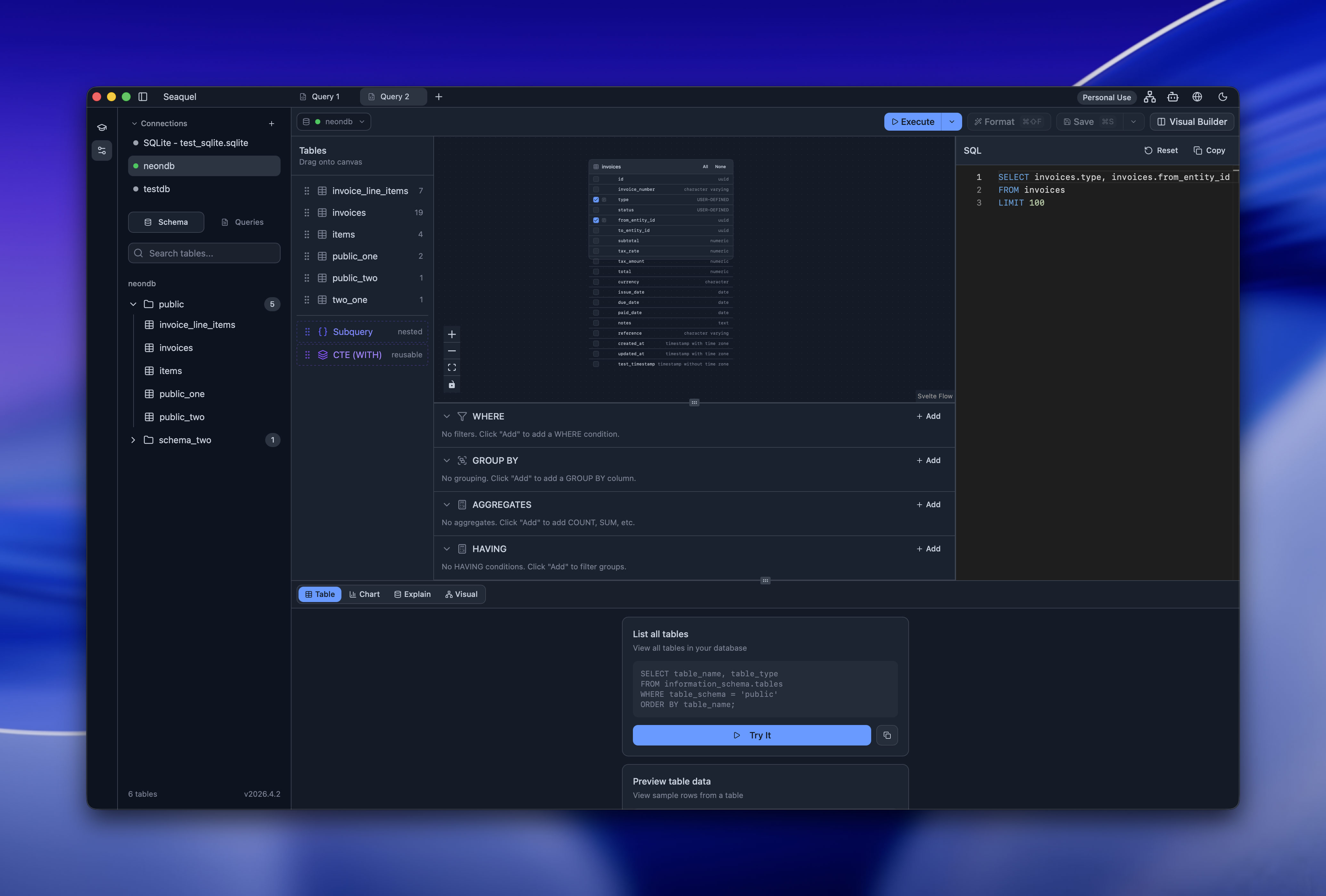
Works with 6 database engines. No account required. Free and open source.
Try it in your browser in seconds.
- SQL editor — Syntax highlighting, formatting, parameter support, and Monaco-based editing
- Inline result editing — INSERT, UPDATE, and DELETE rows directly from the results table
- Visual query builder — Drag-and-drop canvas for building queries without SQL
- AI assistant — Get help writing and understanding SQL queries
- SQL learning sandbox — Interactive challenges to practice SQL
- Schema browser — Explore tables, columns, indexes, constraints, and more
- Entity Relationship Diagrams — Auto-generated ERDs with PNG/SVG export
- EXPLAIN/ANALYZE visualizer — Understand query plans with hot path detection
- Database statistics — Dashboard with table sizes, row counts, and index usage
- Data visualization — Bar, line, pie, and scatter charts from query results
- CSV/JSON export — Export query results to CSV or JSON
- Query sharing — Share queries via Git repositories
- Connection import — Import connections from DBeaver and TablePlus
- Multi-project — Organize connections and queries across projects
- Themes — Light and dark modes with a built-in theme editor
- Internationalization — Available in English, Spanish, German, French, Arabic, and Korean
- Command palette — Quick access to all actions via keyboard
- SSH tunneling — Connect securely through SSH tunnels
- Auto-updates — Stay current with automatic update notifications
| Seaquel | DBeaver | TablePlus | DataGrip | pgAdmin | |
|---|---|---|---|---|---|
| Open source | ✅ | ✅ | ❌ | ❌ | ✅ |
| Multi-database | ✅ | ✅ | ✅ | ✅ | ❌ |
| Browser demo | ✅ | ❌ | ❌ | ❌ | ❌ |
| ERD generation | ✅ | ✅ | ✅ | ✅ | ❌ |
| Visual query builder | ✅ | ✅ | ❌ | ❌ | ✅ |
| EXPLAIN visualizer | ✅ | ✅ | ❌ | ✅ | ✅ |
| Free | ✅ | Freemium | Paid | Paid | ✅ |
| Lightweight | ✅ | ❌ | ✅ | ❌ | ✅ |
Download Seaquel for your platform from seaquel.app/download.
| Platform | Architectures |
|---|---|
| macOS | Intel (x86_64), Apple Silicon (ARM64) |
| Linux | x86_64, ARM64 |
| Windows | x86_64, ARM64 |
Want to try it first? Check out the browser demo (powered by DuckDB WASM).
| Feature | PostgreSQL | MySQL | MariaDB | SQLite | MSSQL | DuckDB |
|---|---|---|---|---|---|---|
| Connect & query | ✅ | ✅ | ✅ | ✅ | ✅ | ✅ |
| Schema browser | ✅ | ✅ | ✅ | ✅ | ✅ | ✅ |
| EXPLAIN visualizer | ✅ | ✅ | ✅ | ✅ | ✅ | ✅ |
| ERD generation | ✅ | ✅ | ✅ | ✅ | ✅ | ✅ |
| Inline editing | ✅ | ✅ | ✅ | ✅ | ✅ | ✅ |
| Statistics dashboard | ✅ | ✅ | ✅ | ✅ | ✅ | ✅ |
- Discord — Chat, ask questions, share feedback
- GitHub Issues — Bug reports and feature requests
Contributions are welcome! Here's how to get started:
- Browse the open issues to find something to work on
- For larger changes, open an issue first to discuss your approach
- Fork the repo, create a branch, and submit a pull request
Use mise to install the required toolchain:
mise installThis installs Node.js and Rust as defined in mise.toml.
git clone https://github.com/webstonehq/seaquel.git
cd seaquel
npm installnpm run tauri dev # Start development (frontend + Tauri)
npm run tauri build # Build production app
npm run check # Type checking
npm run check:watch # Type checking (watch mode)- Tauri — Native app shell with Rust backend
- SvelteKit — App framework
- Svelte — UI with runes-based reactivity
- TypeScript — Type safety
- Tailwind CSS — Styling
- Rust — Backend plugins and system integration