


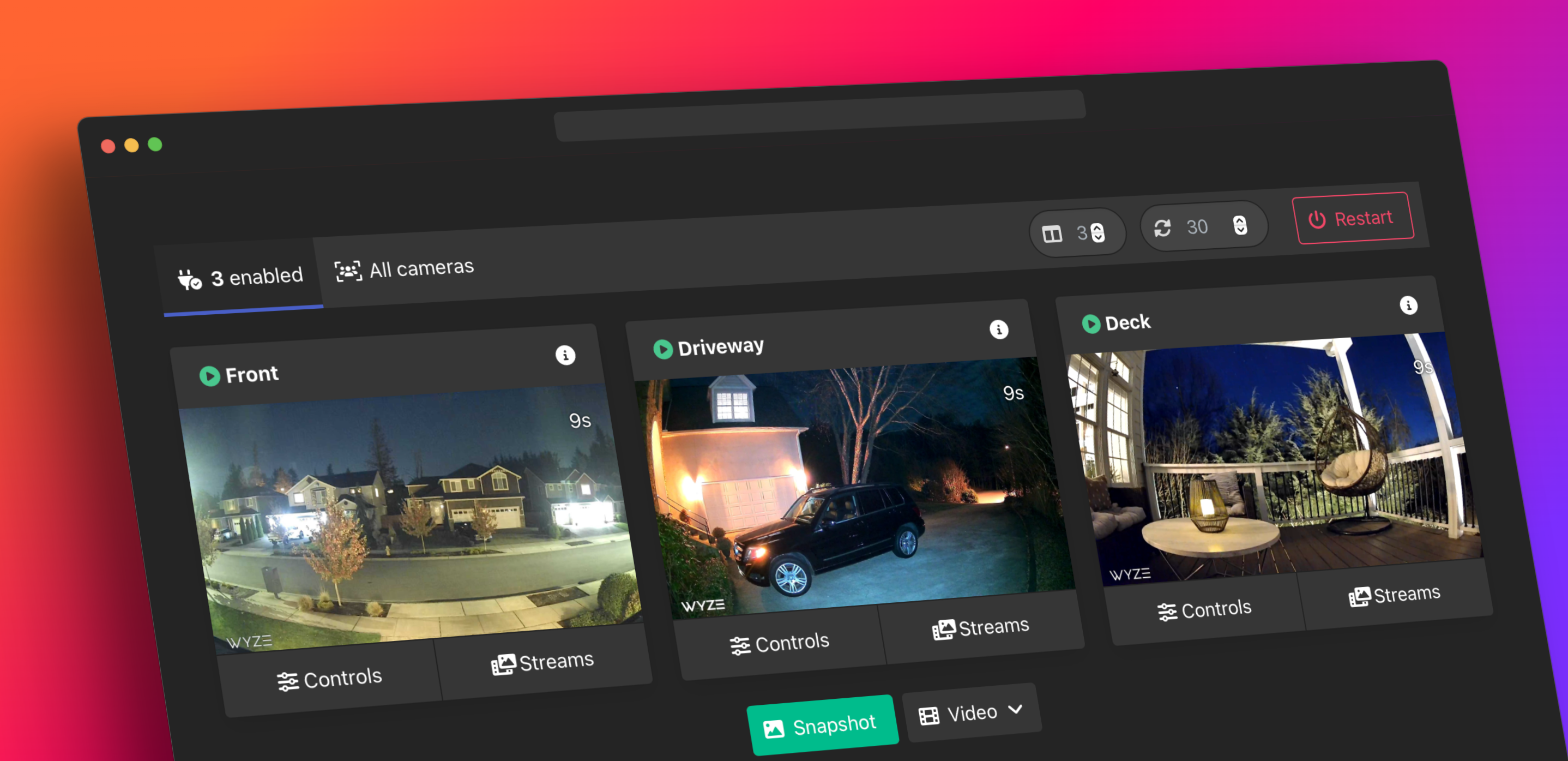
Create local WebRTC, RTSP, RTMP, and HLS streams for Wyze cameras without custom firmware. This fork focuses on newer Wyze camera behavior, Home Assistant packaging, and the real limitations and runtime behavior validated for the 4.2 release.
- No camera firmware mods required.
- Home Assistant add-on with visible Wyze login fields by default.
- WebRTC/KVS-backed bridge path for modern Wyze models.
- Native Home Assistant
go2rtcRTSP sidecar on:19554for supported 4.2 workflows.
- Home Assistant and root Docker runtimes now share the same native
go2rtcbootstrap path, with the supported RTSP sidecar surface on:19554. - Camera metadata,
/health/details, and the Web UI now expose per-camera native-vs-bridge selection plus granularHDandSDfeed publishing controls. frontend.py,site.js, andindex.htmlare normalized across the three runtime trees where behavior should match, while preserving the intentional dev add-on:55000talkback loopback port.- API-first native talkback remains limited to native-selected cameras, with uploaded-audio talkback validated on native-selected V4 paths.
- Public docs and add-on/package version surfaces are aligned for the
4.2.7release.
- Fixes Home Assistant
HL_CAM3PSD-only routing so validated nativego2rtc-sdfeeds can stay available even when the bridge-managed-subpath is intentionally absent or unreliable. - Keeps ordinary V3-class substreams on the established bridge WebRTC/KVS path instead of broadly forcing them onto the TUTK fallback, while still letting
HL_CAM3PandHL_CAM4take the special-case paths that were actually validated.
- Fixes the remaining Home Assistant ingress asset-path gap by switching the last hardcoded Web UI JavaScript includes to ingress-aware
url_for('static', ...)calls, including the dedicated/webrtc/<camera>page. - Makes the native
go2rtcsidecar alias refresh follow the bridge's live published/apicatalog when available, so disabled or filtered cameras and unsupportedHL_BCHD feeds are no longer prepared as native aliases just because/api/wyzereturned a helper URL.
- Refreshes preserved native
go2rtcWyze aliases from the current/api/wyzehelper output at startup instead of freezing them when a seeded config already exists. - Installs
curlin the runtime images so the sidecar refresh helper can actually reach the localgo2rtcAPI from the running add-on.
- Fixes Home Assistant feed-selection precedence so explicit
CAM_OPTIONSHDandSDvalues override stale saved per-camera feed settings. - Stops creating a competing bridge-managed
-subpath when the SD feed is native-selected, which preventsnorth-yard-subchurn from surviving an explicitSD=falsesetting.
- Fixes the Web UI asset path regression that could leave the app page effectively unstyled even though camera content still rendered.
- Makes the frontend bind its own
static/andtemplates/directories explicitly in all three runtime trees and uses ingress-aware template asset URLs so CSS and JS resolve correctly under Home Assistant ingress and normal app routing.
- Hardens MQTT motion semantics for Home Assistant and Scrypted workflows.
- Fixes the BOA/LAN motion topic so MQTT publishes land on
wyzebridge/<camera>/motioninstead of the wrong double-prefixed path. - Normalizes BOA/LAN motion payloads to the same
1and2contract already used by the API motion path. - Uses bridge receipt time for event-driven motion latching and checks expiry from the monitor loop so
motion=2no longer depends on a later UI or API poll.
- Fixes Home Assistant per-camera feed defaults so explicit
CAM_OPTIONSHDandSDvalues apply at runtime even when/config/wyze_camera_settings.jsonis absent. - Fixes the bundled Home Assistant native
go2rtcsidecar so it no longer keeps the upstream default WebRTC listener on:8555, which blocked Frigate startup on shared Home Assistant hosts. - Normalizes preserved
/config/go2rtc_wyze.yamllistener blocks on startup so staleapi,rtsp, orwebrtcsettings cannot silently bring the:8555conflict back.
| Platform | Guide |
|---|---|
| Home Assistant add-on | Install Guide |
| Docker / Compose | Docker Install Guide |
| Upgrade from an older fork | Upgrade Guide |
The 4.2 release documents the current validated ceilings rather than promising ideal output on every camera.
| Model | Default path | Main stream | Substream | Current 4.2 limit |
|---|---|---|---|---|
| Wyze Cam V3 | Bridge WebRTC/KVS | Validated up to 1920x1080 on V3-class paths |
Supported on firmware 4.36.10+; validated V3-class substream paths have reached 1920x1080 |
QUALITY values do not force a higher resolution than the camera/firmware actually provides |
| Wyze Cam V3 Pro | Bridge WebRTC/KVS | Validated up to 2560x1440 |
Supported on firmware 4.58.0+; a bridge -sub alias is not proof of a true low-bandwidth split on every install |
On the Home Assistant validation host, the native go2rtc -sd alias reached 640x360 while bridge-managed -sub remained unreliable |
| Wyze Cam V4 | Bridge WebRTC/KVS, plus HA native go2rtc on :19554 |
Standard bridge path may remain 640x360; validated HA native go2rtc main reached 2560x1440 |
Standard bridge substream is not a reliable high/low split; validated HA native go2rtc sub reached 640x360 |
TUTK fallback is not a reliable quality-rescue path in 4.2 |
| Wyze Bulb Cam | Bridge RTC/WHEP, plus HA native go2rtc on :19554 |
Validated compatibility, with current 4.2 main ceiling of 640x360 |
No validated distinct main/sub split in 4.2; -sd may mirror the same 640x360 feed |
No software-only 2K path has been validated in this release |
Full caveats, firmware notes, and public limitations live in Camera Support.
- Supported native sidecar surface:
rtsp://<home-assistant-host>:19554/<camera-name> - Native
-sdaliases may be available when the camera exposes a meaningful second stream. - The sidecar API on
:11984is an internal implementation detail and is not part of the stable public interface. - The visible add-on name is
Docker Wyze Bridge, while the existing Home Assistant slug stays in place for migration stability. - The Home Assistant add-on now keeps required login fields at the top, trims the HA form down to common day-to-day settings, uses much clearer optional-setting descriptions, and supports per-camera feed selection through
CAM_OPTIONSand the Web UI with independentHDandSDtoggles, per-feed kbps targets, surfaced feed resolution labels, and disabled controls for unsupported feeds. Rare power-user knobs are kept out of the HA form so the page stays manageable. On the March 29, 2026 validation host, the live dev add-on at:55000now shows Bulb Cam styleHD disabled / SD enabledstate correctly and completed a browser-driven settings round-trip on a supported camera. - The March 29, 2026
4.2.1bugfix follow-up also fixed an important Home Assistant defaulting gap: explicit per-cameraCAM_OPTIONSHDandSDvalues now apply as the runtime defaults even when/config/wyze_camera_settings.jsonis absent, so anSD-only setup no longer depends on a hidden saved-settings file. - The
4.2.4follow-up closes the remaining Home Assistant precedence gap: explicit add-onCAM_OPTIONSHDandSDbooleans now also beat stale saved per-camera values, and a native-selected SD feed no longer creates a competing bridge-managed-subpath. - The
4.2.5follow-up also refreshes preserved nativego2rtcWyze aliases from the live helper output on every startup, so stale helper URLs do not keep a camera likenorth-yardpinned to an old producer address after the box or camera IP changes. - The March 29, 2026
4.2.1release also fixes a Home Assistant Frigate startup conflict: the bundled nativego2rtcsidecar now disables its default WebRTC listener so it no longer silently grabs host port8555. - The current
4.2.2follow-up hardens MQTT motion semantics for Home Assistant and Scrypted workflows: the BOA/LAN motion path now publishes on the correctwyzebridge/<camera>/motiontopic with the same1/2payload contract as the API motion path, and event-driven motion expiry now uses bridge receipt time plus a deterministic monitor-loop expiry check somotion=2does not depend on a later UI/API poll. - On the March 29, 2026 validation host, the follow-up Frigate CPU tuning also validated a safe live pattern for non-Wyze Scrypted cameras: keep record-only cameras out of detect, split active detect cameras onto Scrypted rebroadcast main/sub inputs (
recordon main,detecton sub), and if the HA host is an Intel N100 class box, prefer camera-scoped Frigatepreset-vaapienablement on only the proven active detect cameras instead of a blanket global hwaccel switch. - On the March 29, 2026 validation host, a later Scrypted HKSV repair pass confirmed that Wyze MQTT motion cameras can fail for different per-camera reasons even when the MQTT path is shared.
HAMSTERneeded bothHomeKit -> RTP Sender = ScryptedandStreams -> RTSP Parser = FFmpeg (TCP).South Yardfirst neededHomeKit -> RTP Sender = Scrypted, but that alone only got Scrypted to finish the motion-recording session; HomeKit still did not keep a clip. A deeper live compare against workingDeckshowedSouth Yardwas the oddh264/aacpath with unset/non-monotonic timestamp warnings, whileDeckwash264/pcm_s16be. The follow-up live fix forSouth Yardenabled bothHomeKit -> Transcode AudioandHomeKit -> Transcode Video, which removed the visible timestamp warnings from the HomeKit recording path while preserving successfulmotion recording finishedlogs. - A later live isolation pass created a fresh
South Yard 2RTSP clone to separate stream problems from trigger problems. The clone used the samesouth-yard-sdsource and could still finish HomeKit recording sessions on the external MQTT/custom-motion path, but the user only saw an actual HomeKit clip after that clone was switched toOpenCV Motion Detectionand real visual motion. ProductionSouth Yardwas then cleaned up to use OpenCV motion directly, the test clone was deleted, and the dedicatedSouth Yard Wyze Motionhelper device was removed. A stricter March 30 retest then replayed a fake MQTT1 -> 2pulse through rebuilt custom-motion wiring. The final clean result used a fresh dedicated MQTT helper, disabledOpenCV Motion Detection, reselected that helper inCustom Motion Sensor, and then restarted Scrypted before replaying the pulse. Without the restart, the helper received the MQTT payloads but the camera did not reliably follow them. After the restart,South Yardflipped to motion and Scrypted loggedmotion recording startingandmotion recording finishedfor the fake pulse. Production was restored to OpenCV afterward, and the investigation handoff is captured intasks/docker-wyze-bridge-south-yard-motion-handoff-2026-03-29.md.
- 4.2 Release Notes
- Camera Support and Limits
- Home Assistant Add-on Docs
- Troubleshooting Guide
- Upgrade Guide
This fork builds on work from several upstream projects:
idisposable/docker-wyze-bridgeakeslo/docker-wyze-bridgekroo/wyzecamaler9/mediamtxAlexxIT/go2rtc
The Home Assistant native sidecar work in 4.2 bundles go2rtc from AlexxIT/go2rtc, which is licensed under MIT. See THIRD_PARTY_NOTICES.md.
Important
This project is not affiliated with Wyze Labs, Inc. Use at your own risk.