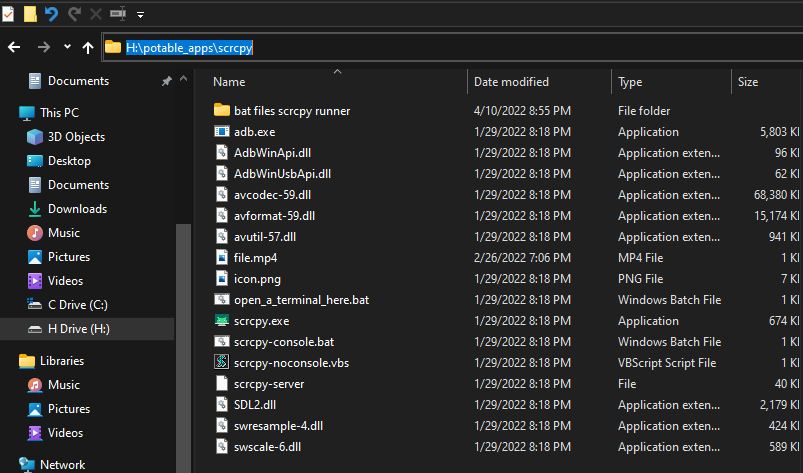
- true wireless.bat
- partially wireless.bat
To screen cast wirelessly using scrcpy u will need to enter repeated data again and again,
i.e u have to enconter below mentioned commands to conect wirelessly
- adb pair 23.23.12.3:50500 #for example
- enter paring code : 40505 #for example
- adb tcpip 5555
- enter ip address : 23.23.12.3
- then start the scrcpy
*So this .bat files will only accept the data from user and the command will use this data to run the scrcpy screen casting
*Where [true wireless.bat] dont need USB cable to start the scrcpy cmd Which works on wireless debugging feature
*And [partially wireless.bat] helps to connect both wirelessly and wired connections to start scrcpy cmd but for initial setup u need to have USB cable until cmd promt displays you to remove usb cable
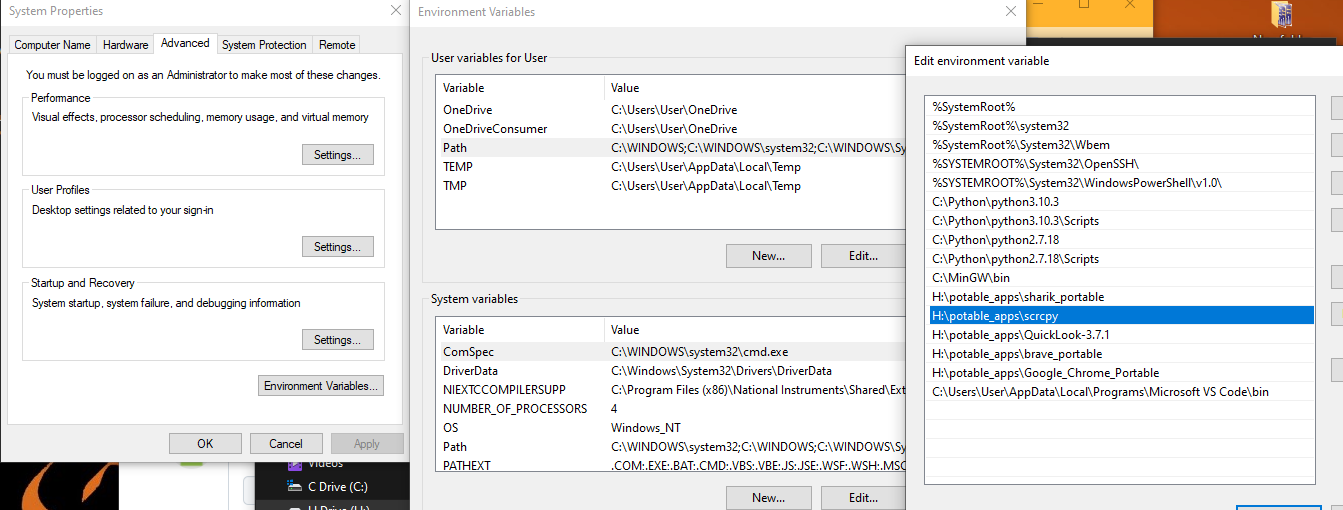
NOTE:----> u need to set the scrcpy folder location to user path variable in Environment variable The scrcpy folder is Copied from official scrcpy repo