


Terminal-based interactive explorer for Ash Framework applications, built on ExRatatui.
Navigate your domains, resources, attributes, actions, and relationships — without leaving the terminal.
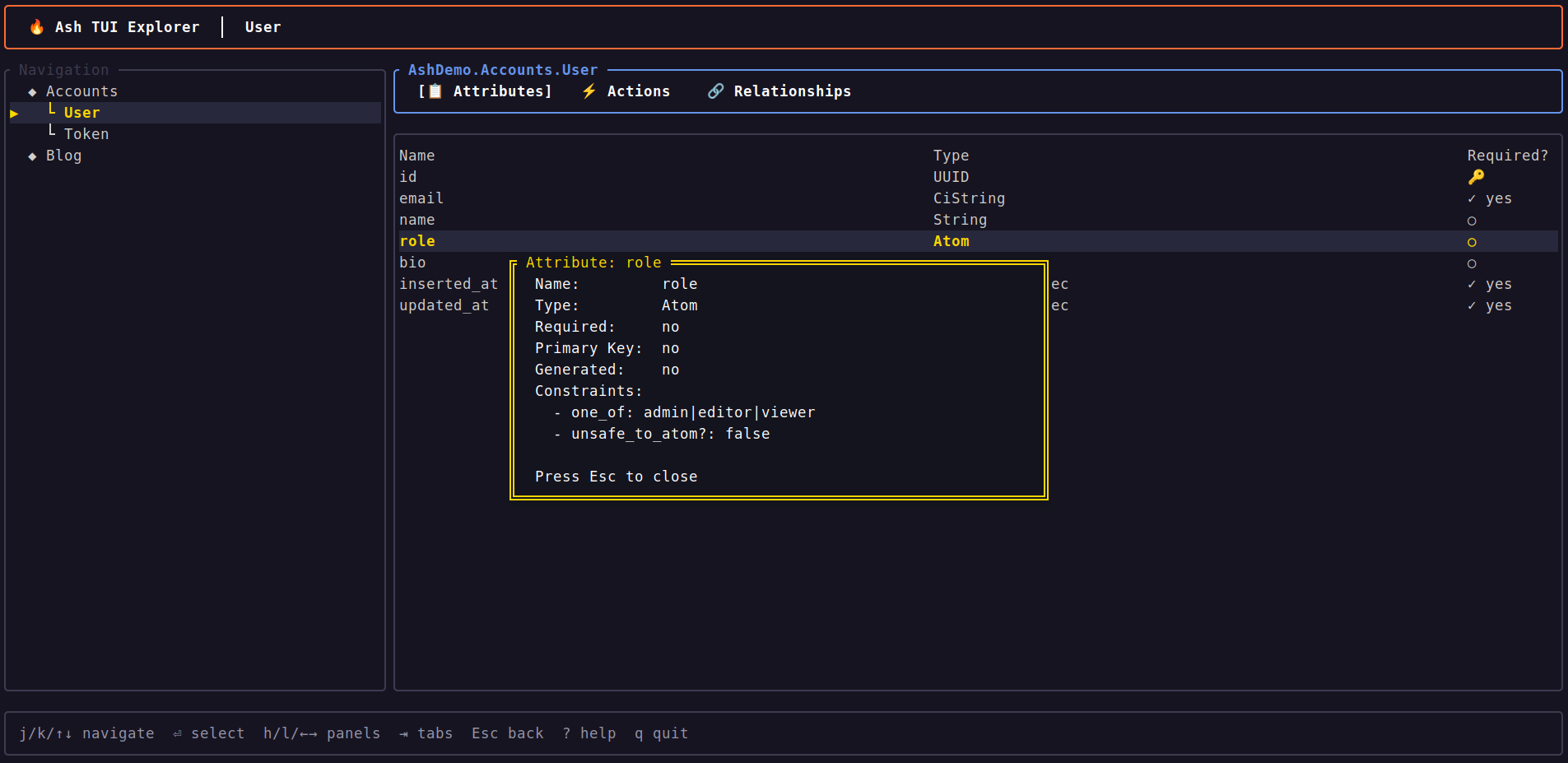
- Two-panel navigable interface with domain/resource tree
- Three detail tabs: Attributes, Actions, Relationships
- Attribute detail overlay — press Enter for full details including constraints, with checkbox indicators for boolean fields
- Relationship navigation with breadcrumb trail and back stack
- Resource search/filter — press
/to filter the navigation panel - Scrollbar indicators when lists overflow the viewport
- Vim keybindings (
j/k/h/l) and arrow key support - Tab switching with
Tabor1/2/3 - Help overlay
- No database connection needed — reads compile-time metadata only
mix ash.tuitask for instant launch
┌─ Search ─────────────┐ ┌─ Accounts.User ─────────────────────┐
│ / search...           │ │  Attributes │ Actions │ Relationships│
├─ Navigation ─────────┤ ├──────────────────────────────────────┤
│  ◆ Accounts          │ │ Name        Type       Required?     │
│    └ User ◀          │ │ ────        ────       ────────      │
│    └ Token           │ │ :id         :uuid      🔑 auto      │▒
│  ◆ Blog              │ │ :email      :ci_string ✓ yes        │▒
│                      │ │ :name       :string    ○             │
│                      │ │ :role       :atom      ○             │
│                      │ │                                      │
└──────────────────────┘ └──────────────────────────────────────┘
 j/k navigate  / search  Enter select  ? help  q quit
Add ash_tui to your dependencies (:dev only recommended):
def deps do
  [
    {:ash_tui, "~> 0.2", only: :dev}
  ]
endLaunch the explorer from your Ash project:
mix ash.tuiThe OTP app is auto-detected from your mix.exs. To specify it explicitly:
mix ash.tui --otp-app my_appYou can also launch programmatically:
AshTui.explore(:my_app)AshTui uses Ash's compile-time introspection API to load your domain model:
mix ash.tui
  → Mix.Task.run("app.start")
  → Ash.Info.domains(otp_app)
  → Ash.Domain.Info.resources(domain)
  → Ash.Resource.Info.attributes/actions/relationships(resource)
  → Pre-loaded into navigable state struct
  → ExRatatui.App renders it
No database connection is needed. The tool reads the shape of your app, not its data.
| Key | Action |
|---|---|
j / Down |
Move selection down |
k / Up |
Move selection up |
h / Left |
Focus navigation panel |
l / Right |
Focus detail panel |
Enter |
Select item / drill into relationship / show attribute detail |
Esc |
Go back / close overlay |
| Key | Action |
|---|---|
Tab |
Cycle through tabs |
1 |
Attributes tab |
2 |
Actions tab |
3 |
Relationships tab |
| Key | Action |
|---|---|
/ |
Start filtering resources |
Enter |
Accept filter |
Esc |
Clear filter and cancel |
| Key | Action |
|---|---|
? |
Toggle help overlay |
q |
Quit |
The examples/ash_demo directory contains a small Ash application with two domains (Accounts and Blog) for trying out the explorer:
cd examples/ash_demo
mix deps.get
mix ash.tuiSee CONTRIBUTING.md for development setup and guidelines.
AshTui is built on ExRatatui, a general-purpose terminal UI library for Elixir. If you're interested in improving the underlying rendering, widgets, or layout engine, contributions to ExRatatui are very welcome as well.
MIT — see LICENSE.