



4YA Store is a full-stack e-commerce web application developed as a final year project (PFE). Beyond traditional e-commerce capabilities, its standout feature is a deeply integrated Personalized Recommendation System. By leveraging advanced Machine Learning algorithms, 4YA Store dynamically adapts to user behaviors, serving highly tailored product recommendations in real-time.
- Modern Storefront: A lightning-fast, highly responsive Single Page Application built with React.
- AI-Driven Recommendations: Uses Singular Value Decomposition (SVD) and collaborative filtering models to rank and recommend items based on interaction history.
- Smart Fallback Mechanisms: Gracefully handles "Cold-Start" scenarios, providing default or rating-based suggestions for new users when interaction data is scarce.
- Contextual Rule Engine: Implements dynamic business logic (filtering out out-of-stock items, hiding currently viewed products, category enforcement) above the SVD output.
- Automated Seeding: Instantly provisions the SQLite database with default e-commerce products, users, and scenarios to guarantee a seamless developer experience out of the box.
- Dockerized Environment: A fully containerized setup for a one-click multi-service launch.
| Homepage | Product Details |
|---|---|
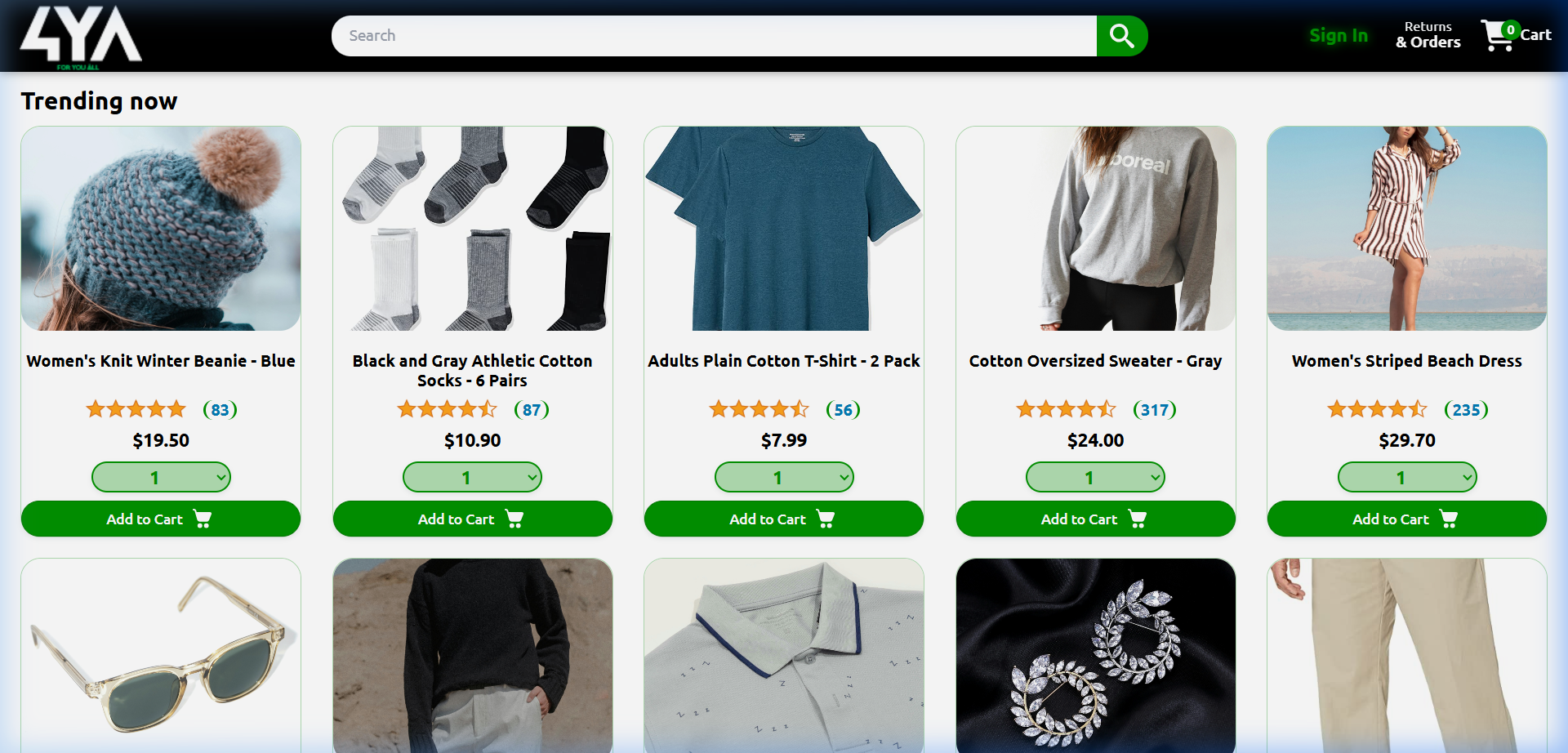 |
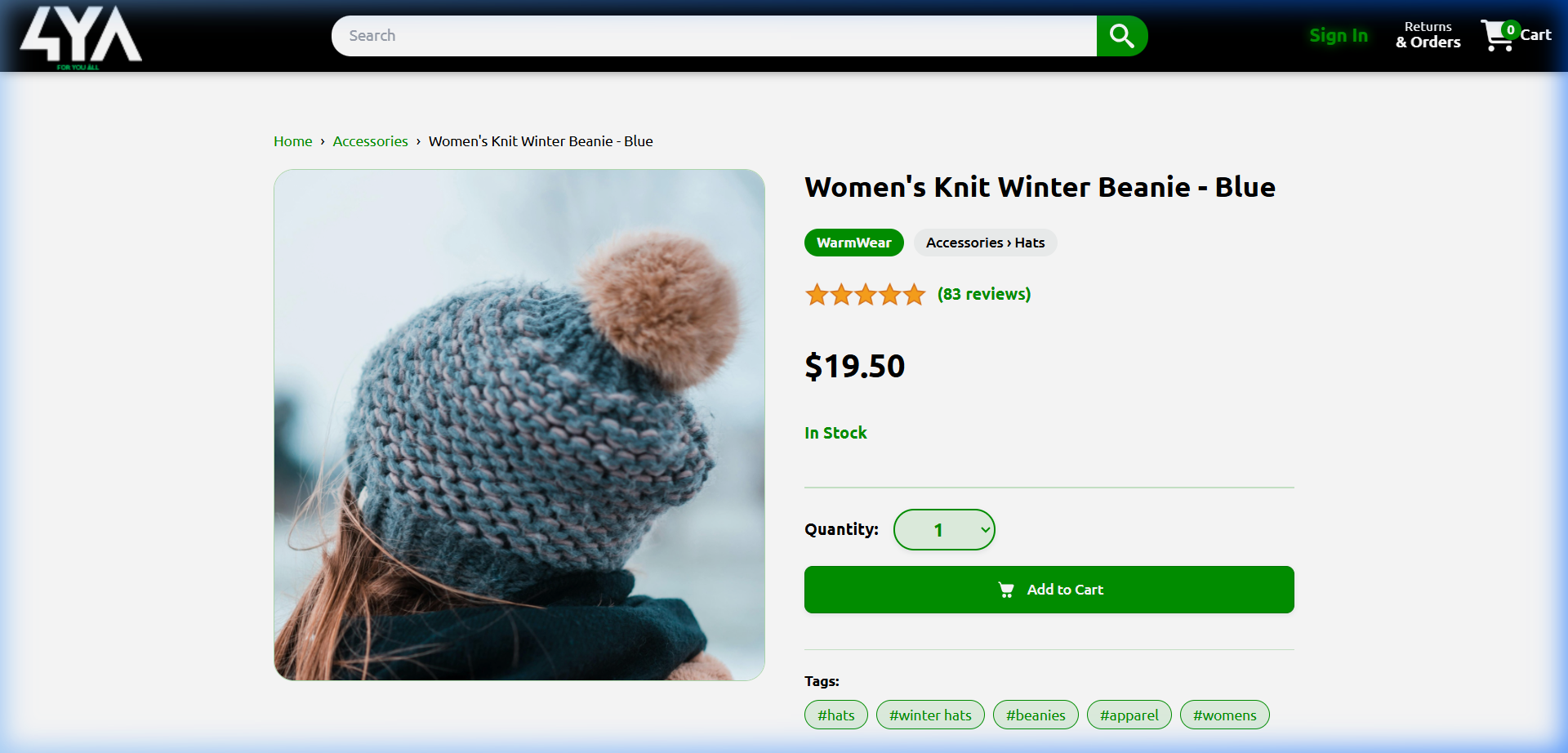 |
Our solution follows a decoupled, microservices-oriented architecture:
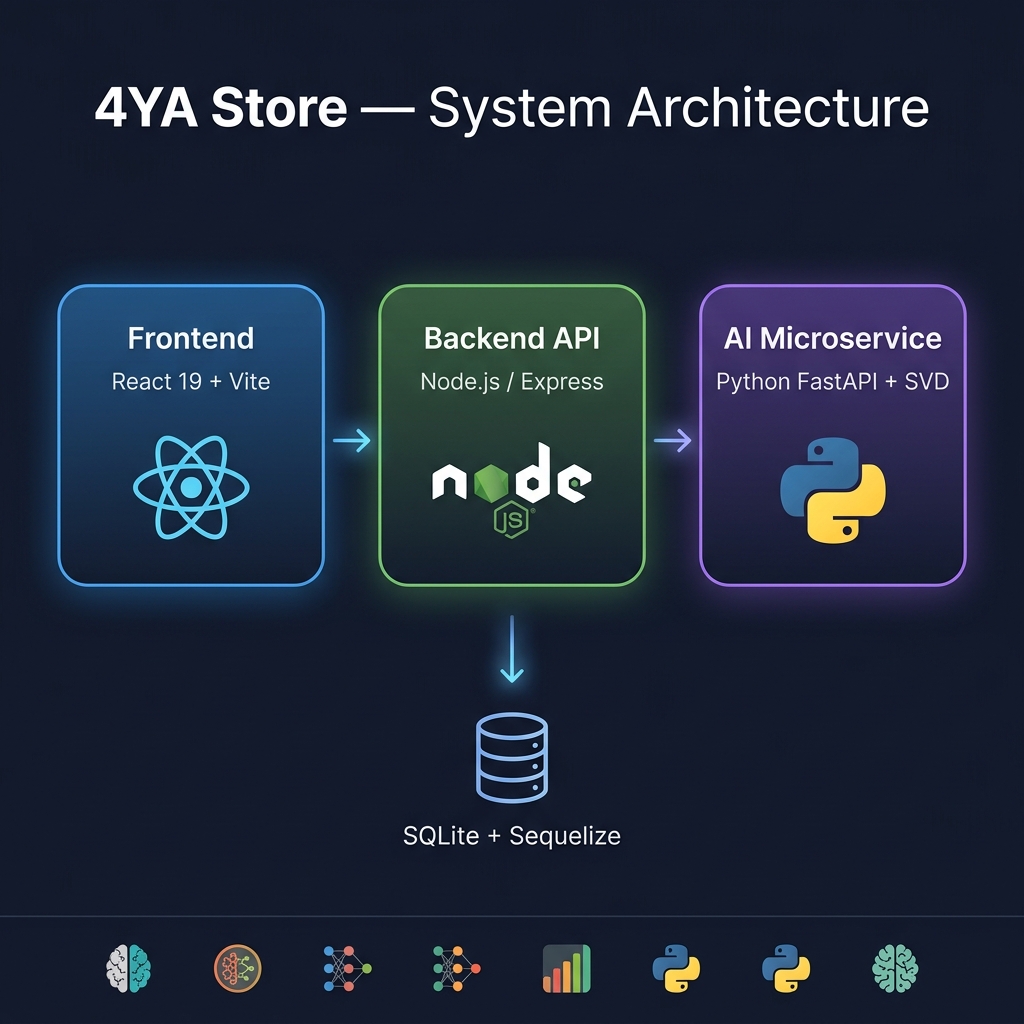
- Jupyter Notebooks (
reco_sys): Used for data mining, model training, and comparing Content-Based, Collaborative Filtering, and Hybrid algorithms. - AI Microservice (
backend/svd_service): A lightweight Python service using pre-trainedLightFM/Surprisemodels (.pkl) to infer user preferences and map them to product IDs. - Node.js API Gateway (
backend): Bridges the frontend with the Python AI module. It orchestrates user sessions, executes business logic, and aggregates data. - React Client (
frontend): The UI layer capturing user events, displaying catalog data safely routed from the node backend, and rendering personalized components.
The fastest and most reliable way to run the 4YA Store is by using Docker Compose. It spins up the UI, the backend server, and the Python recommender service, automatically linking and exposing them correctly.
- Docker & Docker Compose installed and running.
- Clone the repository and navigate into the root directory:
git clone <repository_url>
cd 4YA_Store- Start all services using Docker Compose:
docker-compose up --build -d- Access the application:
- Frontend (Store UI): http://localhost
- Backend API: http://localhost:3691
- Python SVD Service: http://localhost:8000
(Note: The database is automatically seeded upon backend startup. To stop the application, run docker-compose down)
(Legacy Manual Setup)
Click to view instructions for running manually (without Docker)
cd backend/svd_service
pip install -r requirements.txt
python server.py # Runs on http://localhost:8000cd backend
npm install
npm run dev # Runs on http://localhost:3691cd frontend
npm install
npm run dev # Runs on http://localhost:51734YA_Store/
├── backend/ # Express.js API + SQLite DB
│ ├── models/ # Sequelize ORM Definitions
│ ├── routes/ # API endpoints
│ ├── recommender/ # Business rule post-processing
│ └── svd_service/ # Python AI Microservice layer
├── frontend/ # React UI Client
│ ├── src/components/ # Reusable React components
│ ├── src/pages/ # View specific pages
│ └── src/utils/ # Axios interceptors, formatting helpers
├── reco_sys/ # Model Training & Exploratory Data Analysis
├── pics/ # Documentation assets and screenshots
├── docker-compose.yml # Multi-container orchestration
└── README.md # Project documentation
Developed as an academic capstone module requirement (PFE).