Telestrator (video marker) for OBS.
配合OBS使用的實況繪圖軟件。
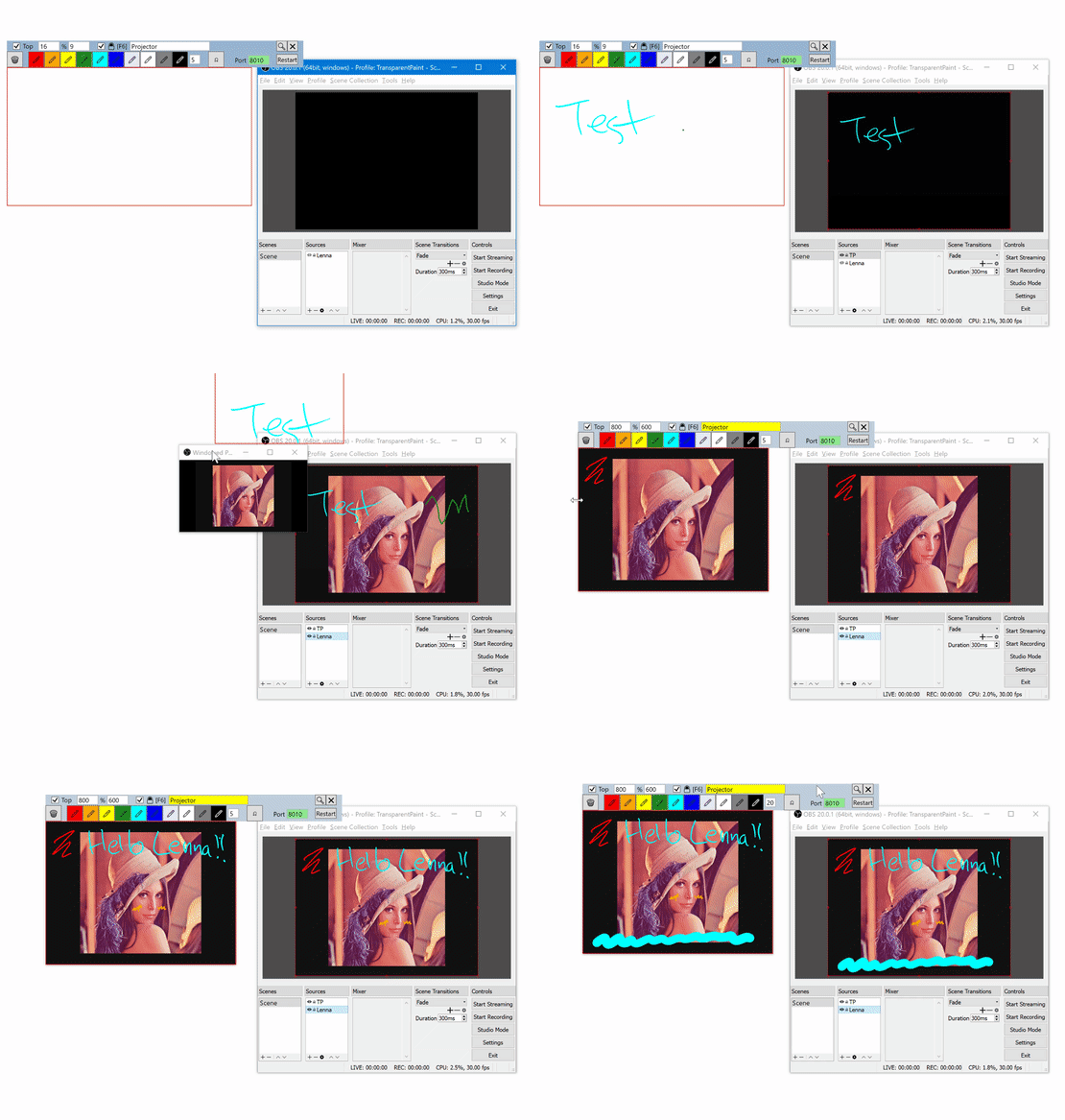
TransparentPaint accepts stylus(pen)/touch/mouse drawing on a transparent canvas, snapped to a particular window (e.g. a OBS source projector). The drawing output is available for HTTP streaming and can be included by OBS BrowserSource. The output can also be displayed on a chroma-keyed window.
Just copy, unzip and run.
.NET Framework 4.6.1 must be installed first.
- Launch
TransparentPaint- You don't have to allow for firewall access, because we are accessing it locally
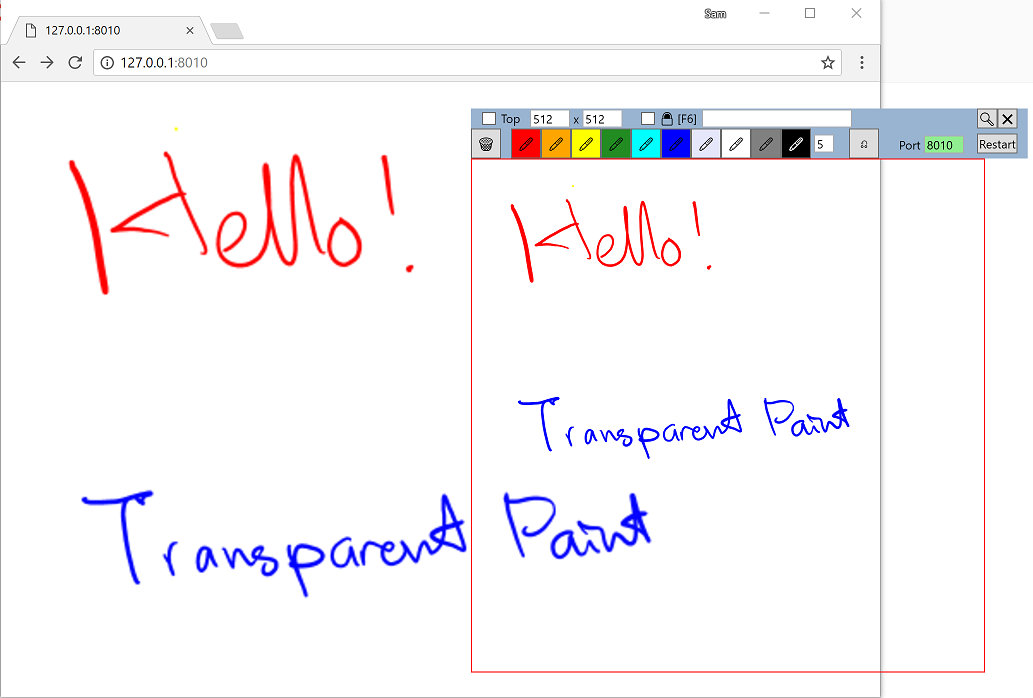
- Open http://127.0.0.1:8010 with Chrome (Only tested on Chrome)
- Use mouse/stylus/touch to draw something on
TransparentPaint - Some strokes should appear on the chrome.
- Launch
OBS - Stream the strokes to OBS
- Create a new BrowserSource
- Untick local file, URL: http://127.0.0.1:8010
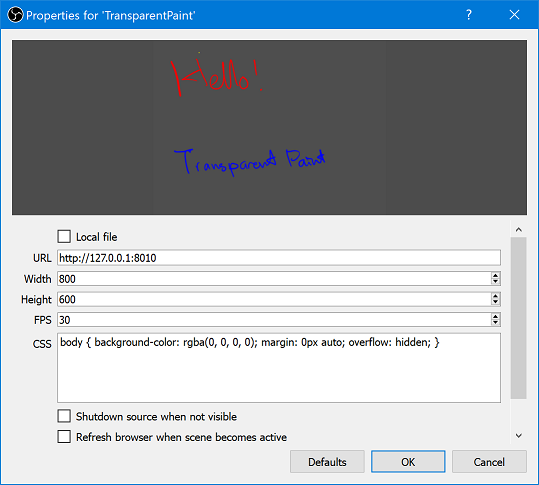
- Untick local file, URL: http://127.0.0.1:8010
- Create a new BrowserSource
- To overlay the
TransparentPaintover the video- Right click on your video source, then select
Windowed Projector - In the
TransparentPaint, in the text box near the padlock icon, typeProjector - Check the padlock, or F6
- The
TransparentPaintshould snap to the your source projector.
- Right click on your video source, then select
- Now you can draw with mouse/stylus/touch
- Hotkeys
- F1: Clear canvas
- F2: Undo
- F6: Snap toggle
- The
Zoombutton creates a cloned window with Green chroma key, which might be useful in some sistuation. - Config and logs are saved at
%LOCALAPPDATA%\TransparentPaint - Tested with Windows 10 + OBS 20.0.1
The source code is released under the MIT License.
The binaries include the following libraries, and their licensing terms are:
-
The HTTP streamed output does not include ink currently drawing by stylus/touch.
I have described this in the Stackoverflow, if someone knows the answer please let me know.
- The ink will appear only after the stylus or finger is up.
- mouse is fine though.
- .Net framework 4.6.1 - deprecated / end of life, but can be still installed
- NuGet packages
Id                                  Versions                                 ProjectName
--                                  --------                                 -----------
CommonServiceLocator                {1.3}                                    TransparentPaint
log4net                             {2.0.8}                                  TransparentPaint
Microsoft.Tpl.Dataflow              {4.5.24}                                 TransparentPaint
MvvmLight                           {5.3.0.0}                                TransparentPaint
MvvmLightLibs                       {5.3.0.0}                                TransparentPaint
- build environment capable of building C# solutions (tested on Microsoft Visual Studio Community 2019 Version 16.11.27)
- make sure that NuGet.org is available in your nuget sources (add nuget source pointing to
https://api.nuget.org/v3/index.jsonso that Nuget can restore the dependencies packages in case it's not)

Once the above is set and available, the solution should be buildable inside Visual Studio and the resulting Exe (goes to TransparentPaint\bin\Debug\TransparentPaint.exe) won't be complained about by your windows defender.
Happy drawing!