High-resolution UI for the character, dressing room, and inspect windows with Midnight-style design and quality of life features
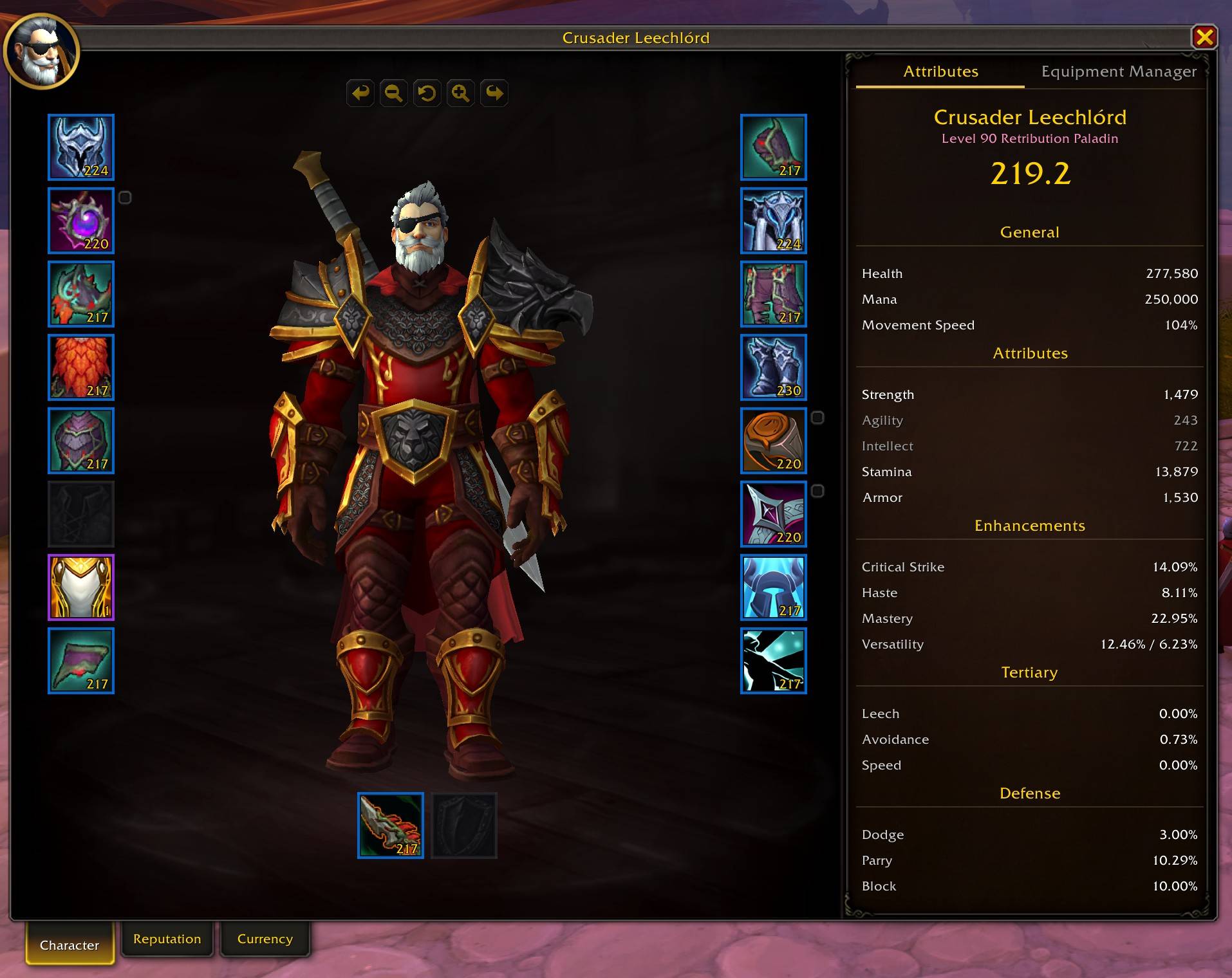
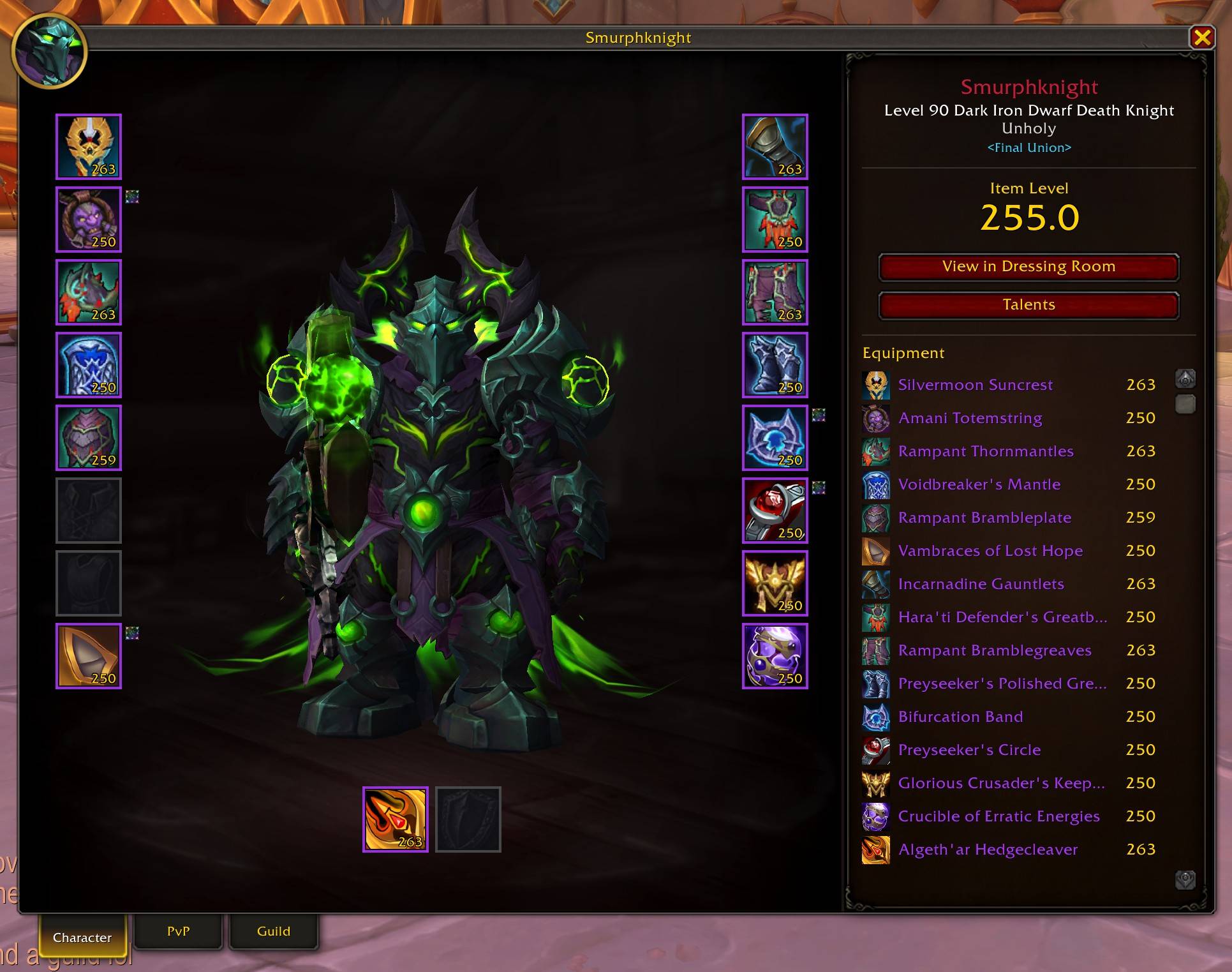
- 3x larger window with a clean design inspired by the new Midnight UI
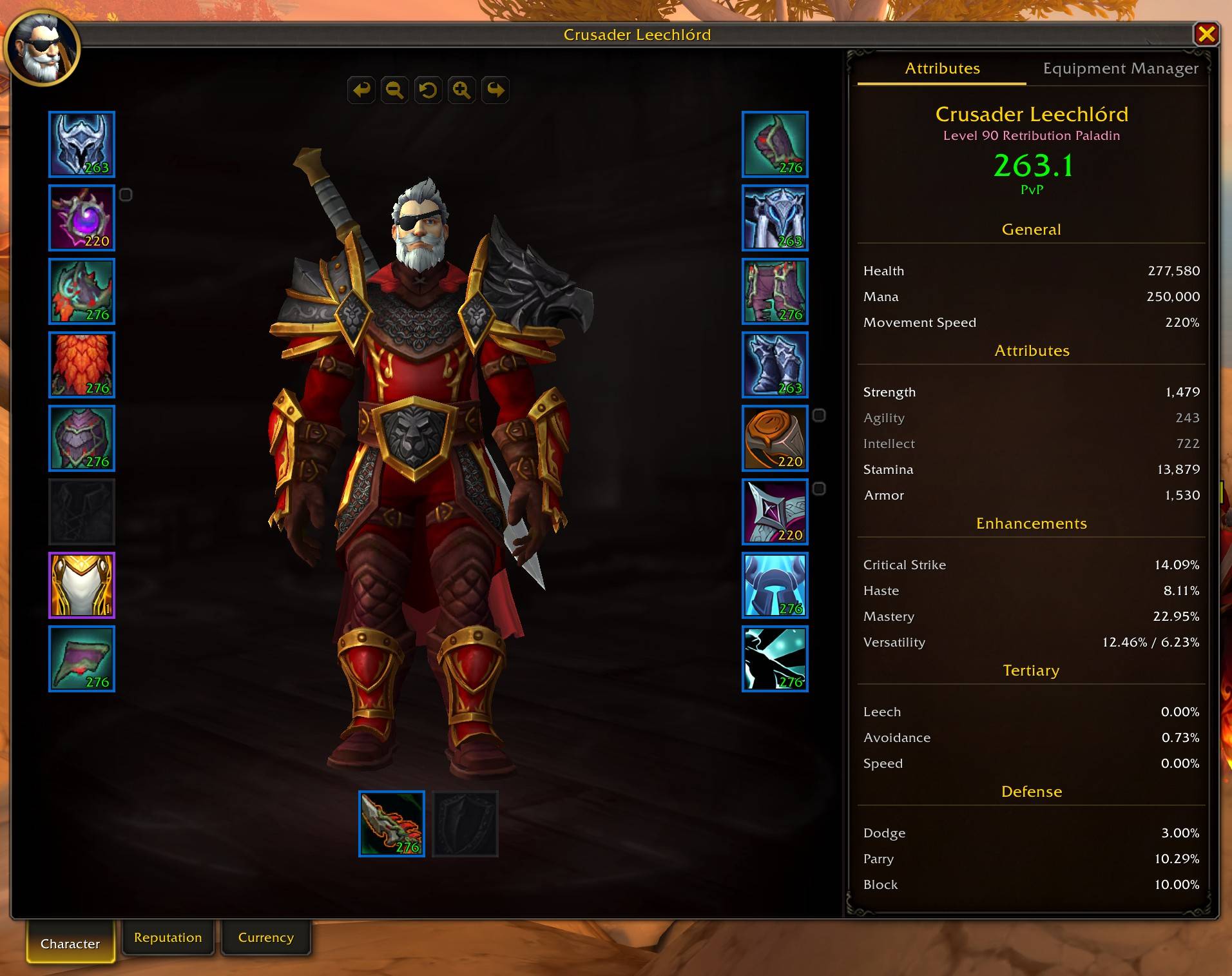
- Per-slot item level, quality-colored borders, gem/socket indicators, cooldown overlays
- Click your name to change title, specialization shown in subtitle
- Equipment Manager tab to save, load, rename, and delete gear sets
- PvP Item Levels show for items and your character while in PvP content
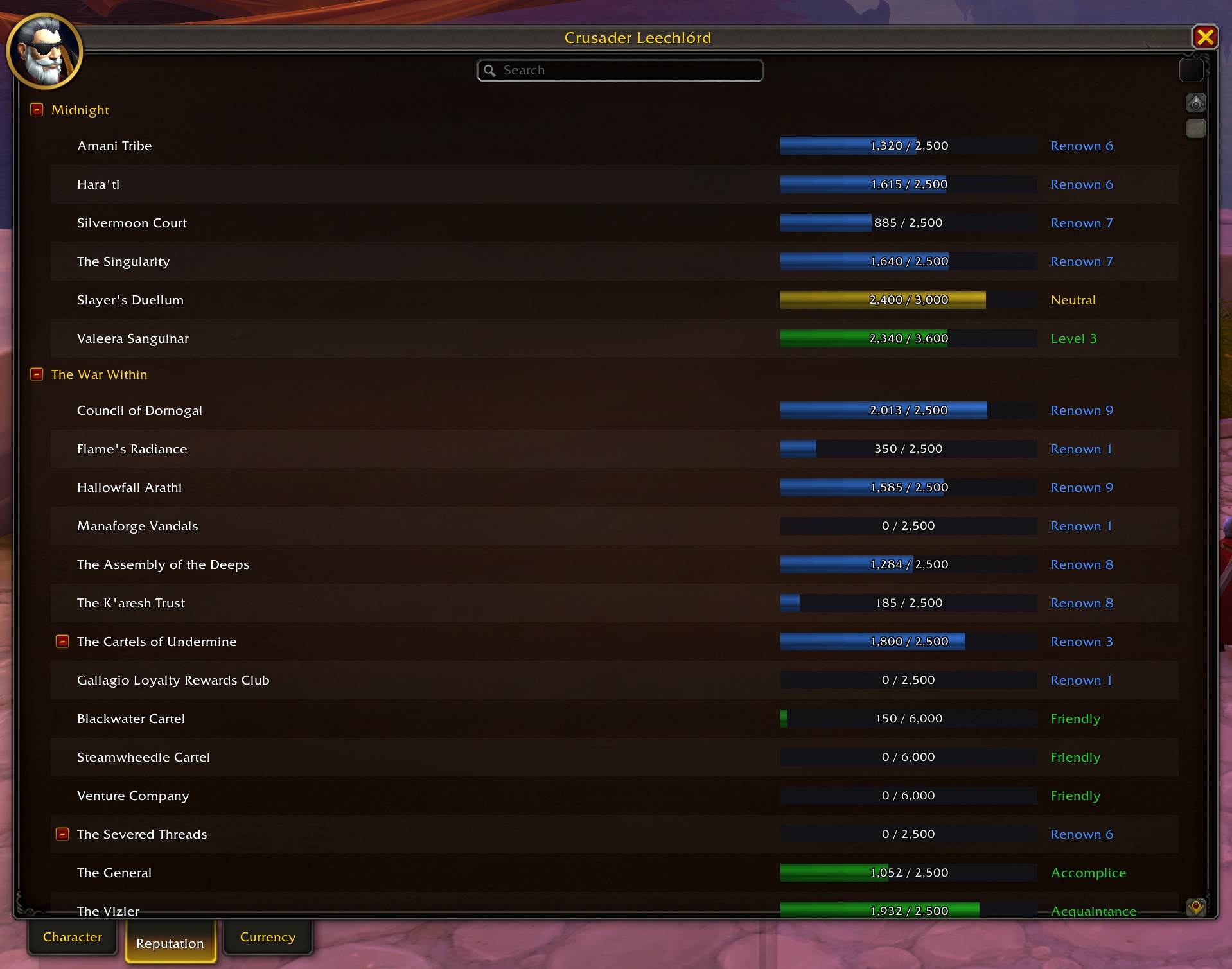
- Reputation tab with search, filters, color-coded standing bars, and detail panel
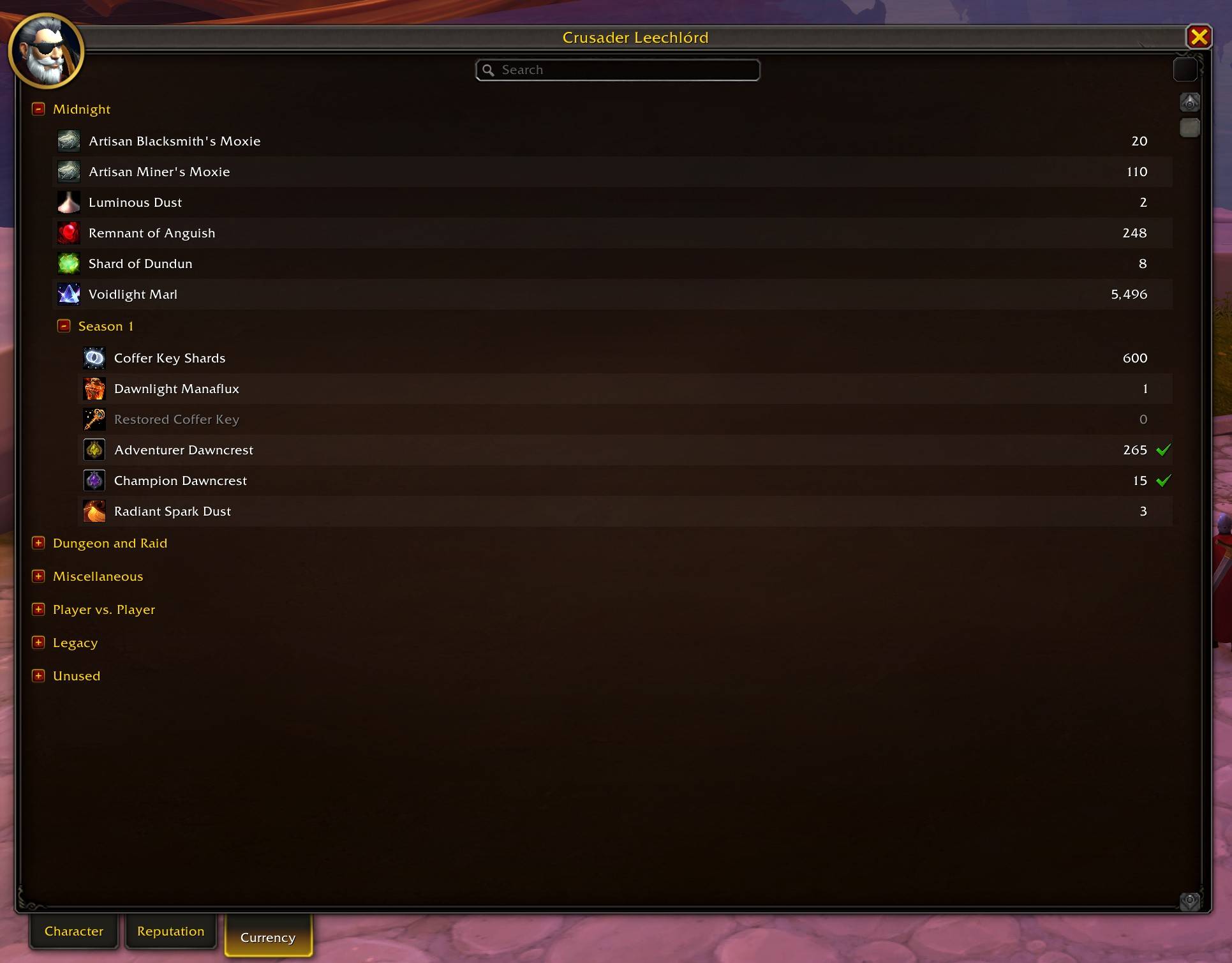
- Currency tab with search, filters, backpack tracking (Shift+click), and transfer log
- Movement Speed tracking based on stats and the current movement mode
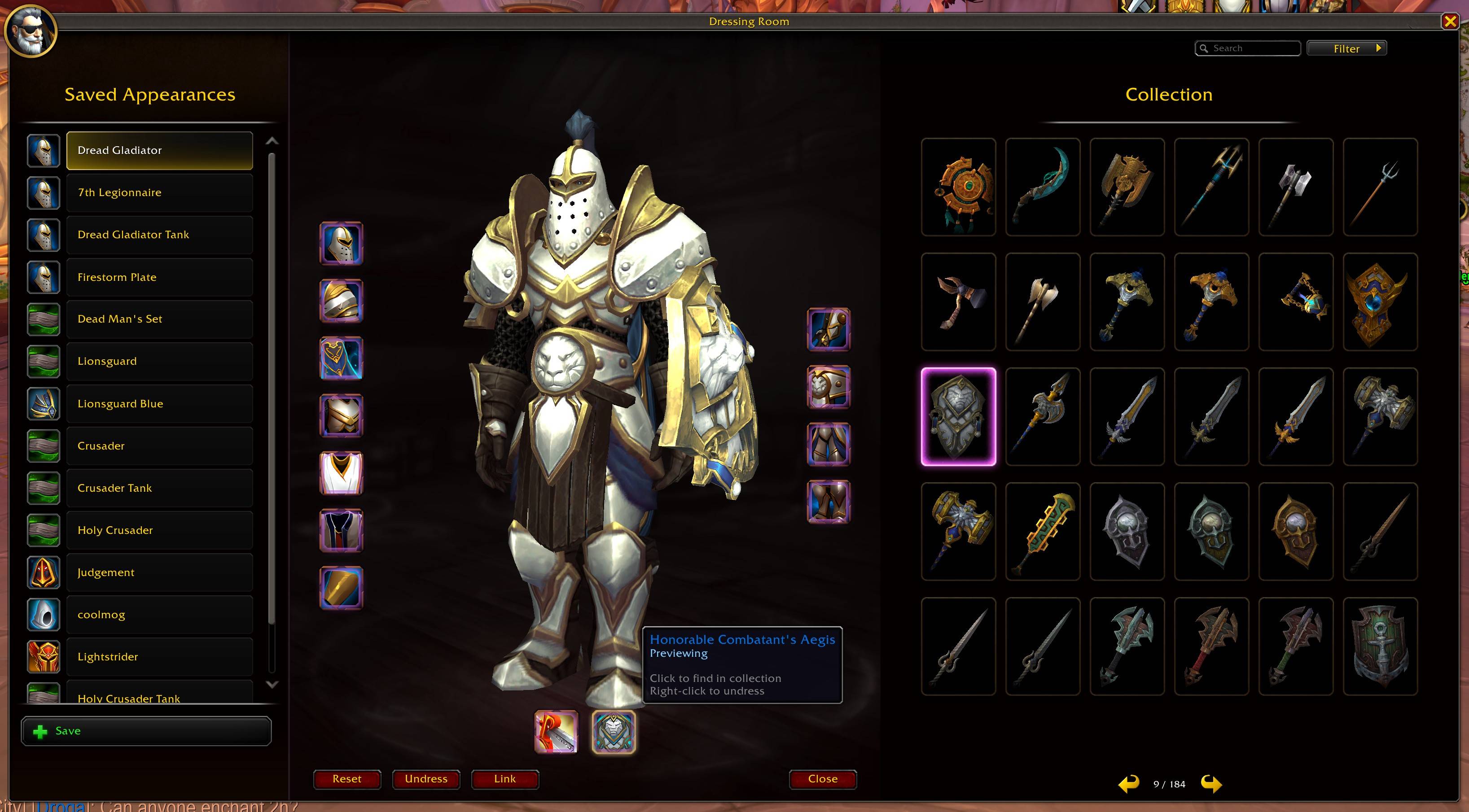
- Full Transmog-style 3-panel layout with outfit list, character preview, and built-in appearances browser
- 5x6 model grid with search, source filters, and paging
- All weapon types shown in a single merged list per weapon slot
- Click any appearance to preview it instantly; previewed items are highlighted with page navigation
- Click equipment slots to browse appearances, right-click to undress
- Save and load custom outfit sets
- Click any item slot being previewed to view it in your collection instantly
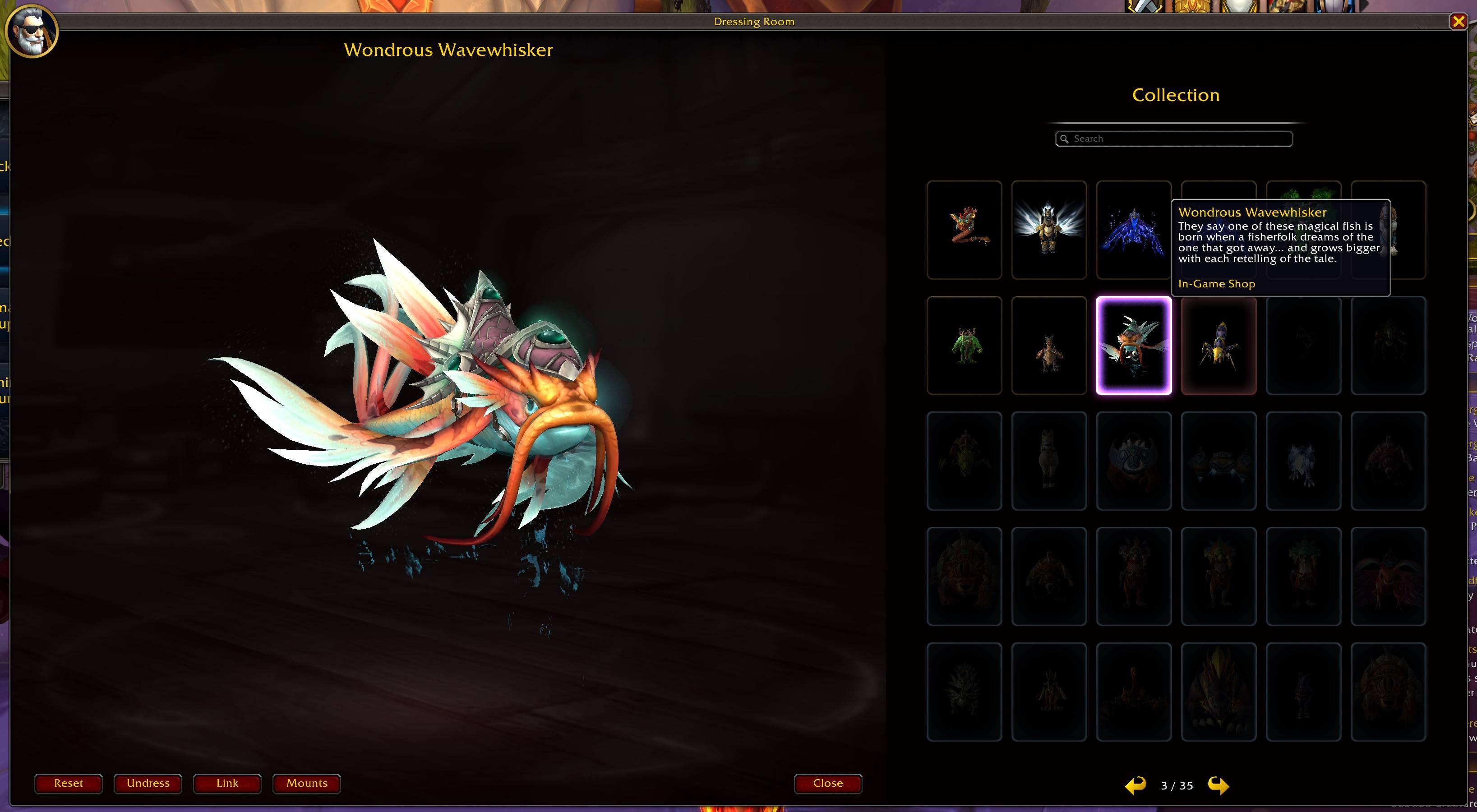
- Mount preview mode with 3D model browser, search, and paging across all mounts in the game
- Ctrl+click any mount link or click the Mounts button to browse and preview mounts
- Same design as the character panel with 3D model and 18 equipment slots
- Item level, specialization, and class-colored name display
- Character, PvP, and Guild tabs matching the legacy inspect window
- View in Dressing Room and View Talents buttons
- PvP tab shows honor level, arena ratings, solo shuffle, RBG, and blitz ratings
- Guild tab shows tabard, name, faction, rank, and member count
- Combat lockout option to prevent Character window from opening mid-fight
- Preview any item in the dressing room and then click the item slot to view it in your collection
- Search & Filter support for the Reputation and Currency tabs to quickly find what you need
- Preview mounts in the dressing room with a dedicated mount browser, search, and paging across all mounts in the game
- All windows remember their position between sessions
- Download from CurseForge or GitHub.
- Place the
ModernCharacterUIfolder in yourInterface\AddOnsdirectory.
/mcu config or Interface > AddOns > Modern Character UI.
- Override Legacy Character Panel: On
- Override Legacy Dressing Room: On
- Override Legacy Inspect Window: On
- Block Opening in Combat: On
/mcu: Toggle character panel/mcu config: Open settings
Found a bug or have a suggestion? Visit the issue tracker on GitHub.
Pull requests are welcome on the GitHub repository.
Released under the MIT License.
