


A comprehensive, production-ready Reflex web application framework with AI-powered features, enterprise user management, and Mantine UI components.
Appkit is a full-featured web application framework built on Reflex that combines modular, reusable components with production-grade infrastructure. It serves as both a functional application and a showcase for building robust Python web applications with AI integrations, multi-tenant support, and professional UI patterns.
Appkit is structured as a workspace of specialized modules, each solving specific problems:
appkit-mantine - Comprehensive Mantine UI wrapper for Reflex
- 50+ production-ready Mantine input components with full type safety
- Text inputs, date pickers, number inputs, masked inputs, rich editors, and more
- Inheritance-based architecture eliminates 40+ common properties duplication
- Complete examples and integration patterns
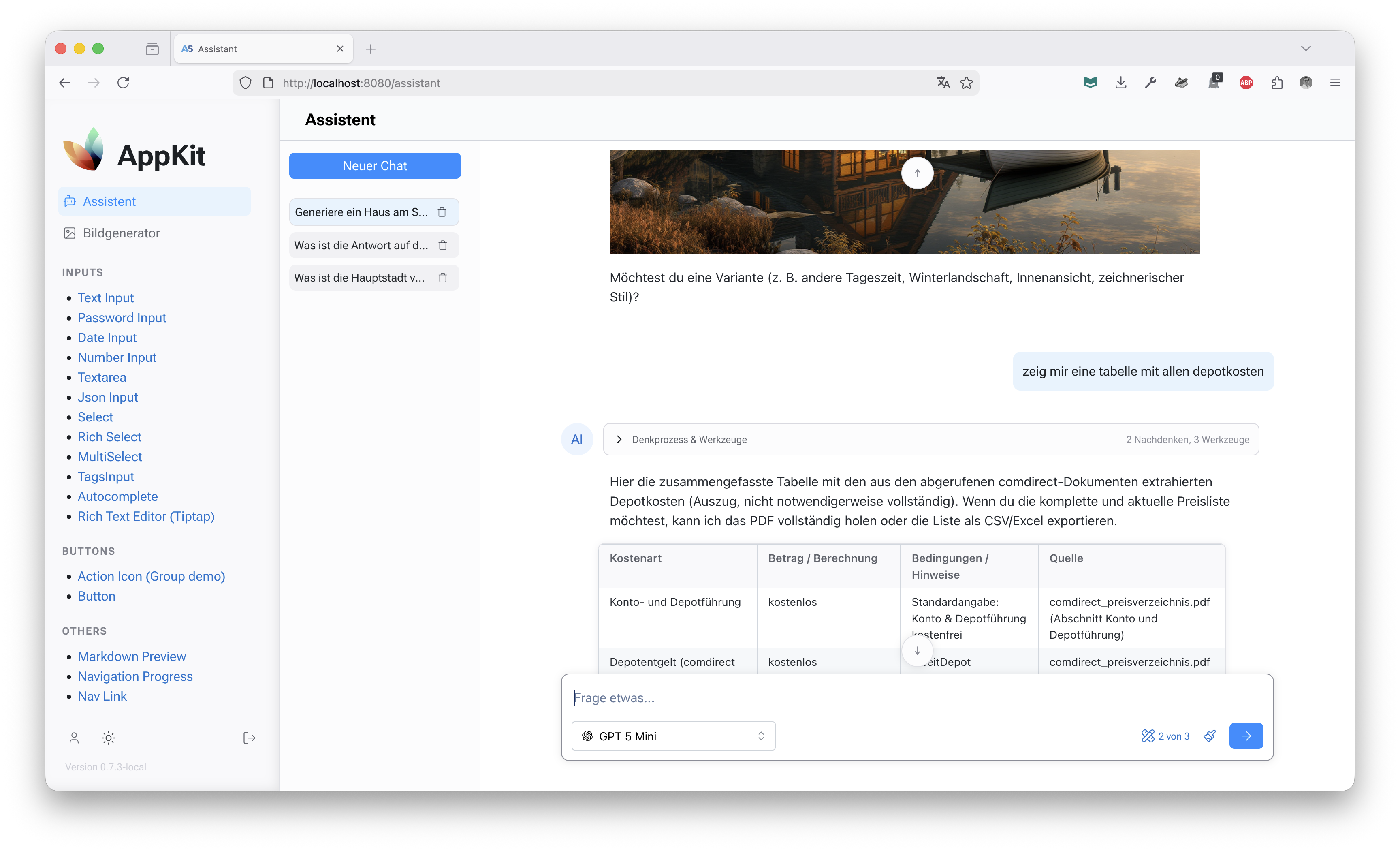
appkit-assistant - AI assistant with MCP server integration
- OpenAI-powered conversational interface
- Multi-model support (OpenAI, Perplexity, etc.)
- Model Context Protocol (MCP) server management
- Secure server credential handling with encryption
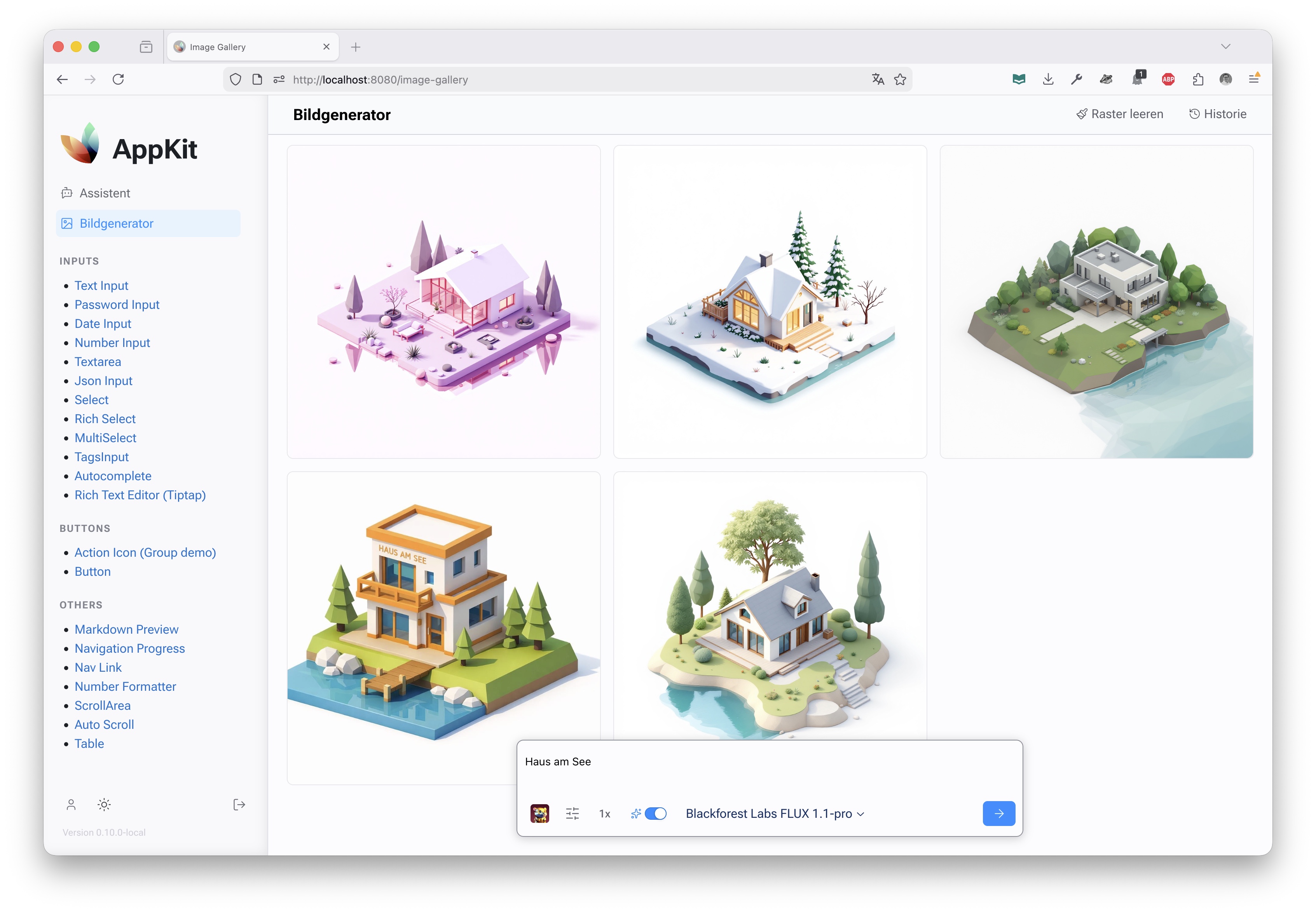
appkit-imagecreator - Multi-AI image generation
- Google Gemini and OpenAI integration
- Unified API for image generation workflows
- Production-ready error handling and streaming
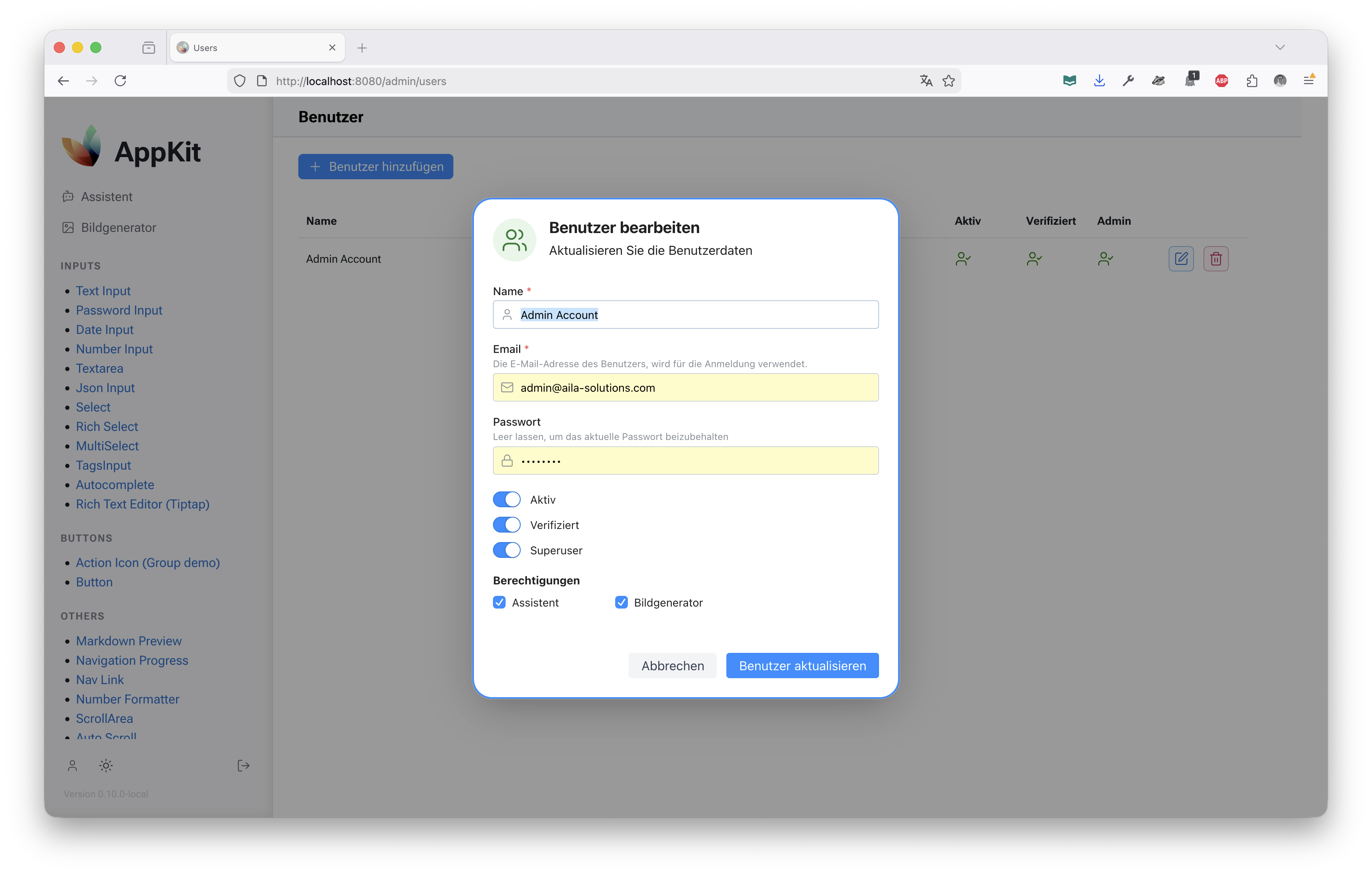
appkit-user - Enterprise user management
- OAuth2 authentication (GitHub, Azure, custom providers)
- Role-based access control (RBAC)
- Multi-tenant user profiles and project organization
- Session management and security
appkit-commons - Shared utilities and data models
- Database models and ORM integration
- Common configuration and settings
- Logging and error handling utilities
appkit-ui - Layout and styling components
- Responsive page templates
- Navigation components
- Common UI patterns and utilities
- AI-First Architecture - Built-in support for OpenAI, Google Gemini, and MCP server integrations
- Enterprise Ready - Multi-tenant support, RBAC, OAuth2 authentication, and secure credential management
- Type-Safe UI - Full type annotations across 50+ Mantine components with IDE autocomplete
- Modular Design - Workspace-based architecture allows independent component use
- Production Infrastructure - Database migrations, logging, configuration management, and Docker support
- Clean Architecture - Inheritance-based component design and clear separation of concerns
- Modern Stack - Python 3.13+, Reflex 0.8.24+, React 18, SQLAlchemy 2.0, Pydantic, Alembic
- Python 3.13 or higher
- PostgreSQL (for development)
Clone and install the development environment:
git clone https://github.com/jenreh/appkit.git
cd appkit

# Install dependencies with uv (includes all workspace components)
uv sync

# Run migrations
uv run alembic upgrade head

# Start the development server
uv run reflex run
Access the application at http://localhost:3000
To use appkit-mantine in your own Reflex project:
# Using uv
uv add appkit-mantine

# Using pip
pip install appkit-mantine
import reflex as rx
import appkit_mantine as mn
class DemoState(rx.State):
value: str = ""
def index() -> rx.Component:
return rx.container(
mn.input(
placeholder="Type something...",
value=DemoState.value,
on_change=DemoState.set_value,
),
)
app = rx.App()
app.add_page(index)appkit/
├── app/ # Main Reflex application
│ ├── pages/ # Application pages
│ │ ├── examples/ # Component showcase examples
│ │ ├── assistant/ # AI assistant interface
│ │ ├── image_creator.py # Image generation UI
│ │ └── users.py # User management
│ └── components/ # Shared UI components
├── components/ # Workspace modules
│ ├── appkit-mantine/ # Mantine UI wrapper components
│ ├── appkit-assistant/ # AI assistant integration
│ ├── appkit-imagecreator/ # Image generation
│ ├── appkit-user/ # User authentication & management
│ ├── appkit-ui/ # Layout & UI utilities
│ └── appkit-commons/ # Shared utilities & models
├── alembic/ # Database migrations
├── configuration/ # Configuration files
└── assets/ # CSS, JavaScript, and static assets
# Install dependencies
make install

# Run the development server
make reflex

# Run with debug logging
make reflex-debug

# Run tests
make test

# Format and lint code
make format
make lint

# Database operations
make db-migrate          # Run migrations
make db-migrate-history  # Show migration history
make db-migrate-down # Downgrade one revisionAppkit uses SQLAlchemy 2.0 with Alembic for migrations:
# Run all pending migrations
uv run alembic upgrade head

# Create new migration
uv run alembic revision --autogenerate -m "Description of changes"

# View current migration status
uv run alembic currentEnvironment-specific configurations are in configuration/:
config.yaml- Default configurationconfig.local.yaml- Local development overridesconfig.docker_test.yaml- Docker test environmentlogging.yaml- Logging configuration
Set APP_ENV to load specific configs:
export APP_ENV=local
reflex runBuild and run the application in Docker:
# Build the container
docker build -t appkit .

# Run with compose
docker-compose up

# The application will be available at http://localhost
The Docker setup includes:
- Multi-stage build for optimized images
- Caddy reverse proxy for static file serving
- Automatic database migrations on startup
- Production-optimized Reflex export
- Credentials are managed through environment variables and never committed to source control
- Sensitive MCP server headers are encrypted in the database
- OAuth2 tokens use secure session management
- Database connections use SSL/TLS in production
- PKCE is enforced for OAuth2 flows
Tip: Review security considerations when deploying to production. Use a secrets management service like Azure Key Vault or AWS Secrets Manager.
- Mantine Components - API reference and examples for all UI components
- Configuration - Environment and application settings
- Database Migrations - Schema evolution history
All Mantine input components inherit from MantineInputComponentBase, providing 40+ common properties without duplication:
# Only define component-specific props
class NumberInput(MantineInputComponentBase):
    tag = "NumberInput"
    min: Var[int | float] = None
    max: Var[int | float] = None
    decimal_scale: Var[int] = None
# label, placeholder, required, etc. inherited automaticallyAppkit includes enterprise-grade Model Context Protocol support with secure credential management:
# Manage MCP servers with automatic encryption/decryption
mcp_server = MCPServer(
    name="my-server",
    url="sse://localhost:3000",
    auth_type="headers",
    auth_config={...}  # Automatically encrypted
)Built-in support for organizations, projects, and role-based access:
# OAuth2 login with automatic profile creation
user = await authenticate_oauth(provider="github", code=code)
# Profile automatically includes role and organization contextThis project is in active development (v0.13.1). While core functionality is stable and used in production, the API may evolve. Check the GitHub releases for version-specific changes.
Note: Component APIs in appkit-mantine are stable. Higher-level application features may change between releases.