

Ship complex features with AI agents that actually understand your codebase. Research, spec, implement — then wake up to completed code ready for review.
- Quick Start
- How It Works
- Key Workflows
- Commands & Skills Reference
- Workflow SDK
- Autonomous Execution (Ralph)
- Supported Agents
- TUI Features
- Configuration
- Installation Options
- Updating & Uninstalling
- Telemetry
- Troubleshooting
- FAQ
- Contributing
- License
- Credits
- macOS, Linux, or Windows (PowerShell 7+ required on Windows — install guide)
- At least one coding agent installed and logged in:
- Claude Code — run
claudeand complete authentication - OpenCode — run
opencodeand complete authentication - GitHub Copilot CLI — run
copilotand complete authentication
- Claude Code — run
Devcontainer (recommended):
Tip
Devcontainers isolate the coding agent from your host system, reducing the risk of destructive actions like unintended file deletions or misapplied shell commands. This makes them the safest way to run Atomic.
Use the Dev Containers extension for VS Code or DevPod to spawn and manage your devcontainers.
Add a single feature to your .devcontainer/devcontainer.json — this installs Atomic, the coding agent, and all dependencies automatically.
your-project/
├── .devcontainer/
│   └── devcontainer.json   ← add the feature here
├── src/
└── ...
Here are some examples to get started:
Ubuntu:
Windows:
{
"image": "mcr.microsoft.com/devcontainers/base:windows",
"features": {
"ghcr.io/flora131/atomic/claude:latest": {} // or /opencode:latest or /copilot:latest
}
}| Feature | Reference | Agent |
|---|---|---|
| Atomic + Claude Code | ghcr.io/flora131/atomic/claude:latest |
Claude Code |
| Atomic + OpenCode | ghcr.io/flora131/atomic/opencode:latest |
OpenCode |
| Atomic + Copilot CLI | ghcr.io/flora131/atomic/copilot:latest |
Copilot CLI |
Each feature installs the Atomic CLI, all shared dependencies (bun, cocoindex-code, playwright-cli), agent-specific configurations (agents, skills), and the agent CLI itself. Features are versioned in sync with Atomic CLI releases.
macOS / Linux (standalone):
curl -fsSL https://raw.githubusercontent.com/flora131/atomic/main/install.sh | bashWindows PowerShell (standalone):
irm https://raw.githubusercontent.com/flora131/atomic/main/install.ps1 | iexcd your-project
atomic initSelect your coding agent when prompted. The CLI configures your project automatically.
Start a chat session and run /init to generate CLAUDE.md and AGENTS.md:
atomic chat -a <claude|opencode|copilot>/init
This explores your codebase using sub-agents and generates documentation that gives coding agents the context they need.
Research → Spec → Implement → PR
# Research the codebase
/research-codebase Describe your feature or question
/clear
# Create a specification (review carefully — it becomes the contract)
/create-spec research-path
/clear
# Implement
/ralph "<prompt-or-spec-path>"
# Commit and ship
/gh-commit
/gh-create-prIf something breaks, use the debugging agent:
Use the debugging agent to create a debugging report for [error message]
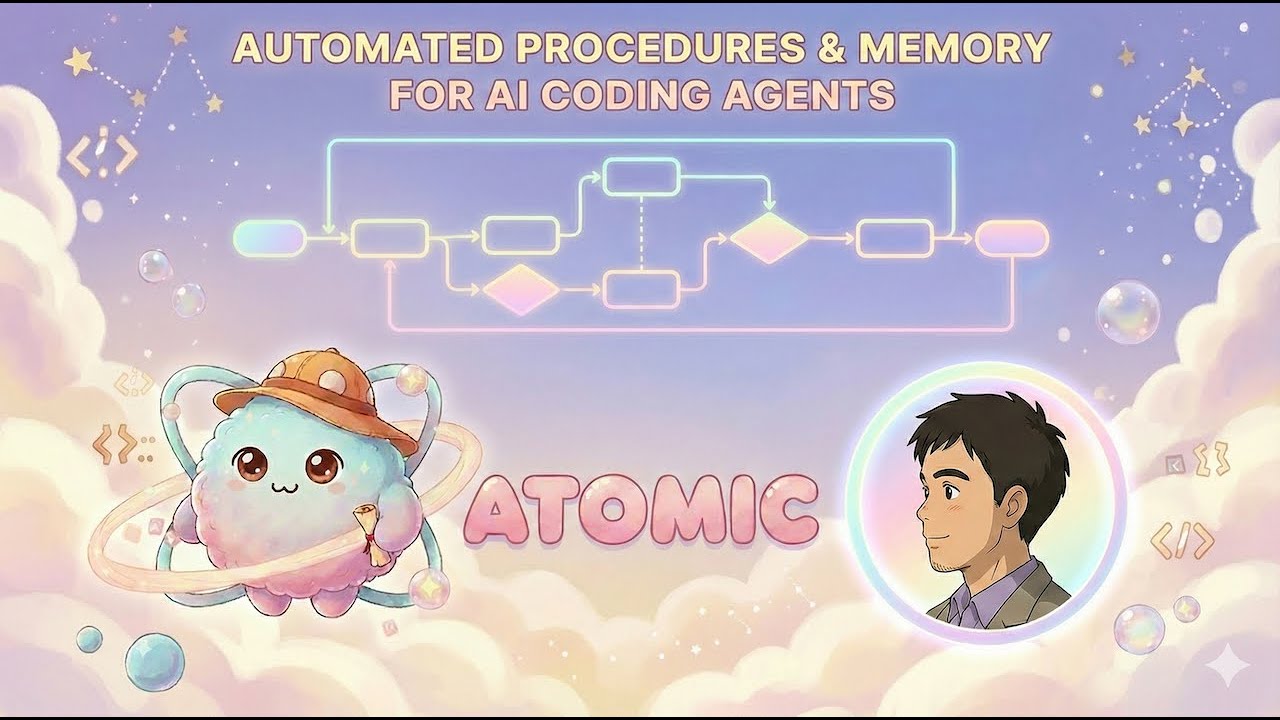
You own the decisions. Agents own the execution.
Research → Specs → Execution → Outcomes → Specs (persistent memory)
↑ ↓
└────────────────────────────────────┘
Every feature follows this cycle. Specs and research become memory for future sessions. You review at two critical points: after research (did the agent understand the codebase?) and after the spec (is the plan correct?).

Not just bug fixes — scoped, multi-file features that require architectural understanding:
- Database migrations across large codebases
- Entire new services (e.g., building a complete GraphRAG service from scratch)
- Features spanning dozens of files that need to understand existing patterns first
- Exploring different implementation approaches — spec it out, try one framework, revert, try another
The /research-codebase command dispatches specialized sub-agents to:
- Understand how authentication flows work in an unfamiliar codebase
- Track down root causes by analyzing code paths across dozens of files
- Search through docs, READMEs, and inline documentation
- Get up to speed on a new project in minutes instead of hours
Run multiple research sessions simultaneously to evaluate different approaches:
# Terminal 1: Research LangChain approach
atomic chat -a claude "/research-codebase Research implementing GraphRAG using \
LangChain's graph retrieval patterns. Look up langchain-ai/langchain for \
graph store integrations."
# Terminal 2: Research Microsoft's GraphRAG
atomic chat -a claude "/research-codebase Research implementing GraphRAG using \
Microsoft's GraphRAG library. Look up microsoft/graphrag for their \
community detection pipeline."
# Terminal 3: Research LlamaIndex approach
atomic chat -a claude "/research-codebase Research implementing GraphRAG using \
LlamaIndex's property graph index. Look up run-llama/llama_index."Each agent spawns sub-agents that query DeepWiki, pull external documentation, and cross-reference with your codebase. Then run /create-spec on each research doc, spin up git worktrees, and run /ralph in each — wake up to three complete implementations on separate branches.
Works identically with
atomic chat -a opencodeandatomic chat -a copilot.
| Command | Description |
|---|---|
atomic init |
Interactive project setup |
atomic chat |
Start TUI chat with a coding agent |
atomic config set <k> <v> |
Set configuration values |
atomic update |
Self-update (binary installs only) |
atomic uninstall |
Remove installation (binary installs only) |
| Flag | Default | Description |
|---|---|---|
-a, --agent <name> |
(required) | Agent: claude, opencode, copilot |
-w, --workflow |
false |
Enable graph workflow mode |
-t, --theme <name> |
"dark" |
UI theme: dark, light |
-m, --model <name> |
(none) | Model override |
[prompt...] |
(none) | Initial prompt |
| Command | Arguments | Description |
|---|---|---|
/help |
Show available commands | |
/clear |
Clear messages and reset session | |
/compact |
Compact context to reduce token usage | |
/model |
[model|list|select] |
View/switch model |
/mcp |
[enable|disable] |
Toggle MCP servers |
/theme |
[dark|light] |
Toggle theme |
/agents |
List discovered sub-agents | |
/exit |
Exit chat | |
/init |
Generate CLAUDE.md and AGENTS.md |
|
/research-codebase |
"<question>" |
Analyze codebase and document findings |
/create-spec |
"<research-path>" |
Generate technical specification |
/explain-code |
"<path>" |
Explain code in detail |
/gh-commit |
Create a Git commit | |
/gh-create-pr |
Commit, push, and open a PR | |
/sl-commit |
Create a Sapling commit | |
/sl-submit-diff |
Submit to Phabricator | |
/ralph |
"<prompt>" |
Run autonomous implementation |
Invoked automatically by commands. Use /agents to see all available.
| Agent | Purpose |
|---|---|
codebase-analyzer |
Analyze implementation details of components |
codebase-locator |
Locate files, directories, and components |
codebase-pattern-finder |
Find similar implementations and examples |
codebase-online-researcher |
Research using web sources |
codebase-research-analyzer |
Deep dive on research topics |
codebase-research-locator |
Find documents in research/ directory |
debugger |
Debug errors, test failures, unexpected behavior |
| Skill | Purpose |
|---|---|
testing-anti-patterns |
Prevent common testing mistakes |
prompt-engineer |
Best practices for prompts |
frontend-design |
Production-grade frontend interfaces |
The Workflow SDK (@bastani/atomic-workflows) lets you define custom multi-agent workflows using a type-safe, chainable DSL. Workflows orchestrate AI agents in structured pipelines with conditional branching, loops, and human-in-the-loop checkpoints.
Place workflow files in either location to have them automatically discovered as slash commands in Atomic:
| Location | Scope |
|---|---|
.atomic/workflows/ |
Project-local (checked into your repo) |
~/.atomic/workflows/ |
Global (available in all projects) |
No installation required — Atomic discovers .ts workflow files in these directories at startup. The @bastani/atomic-workflows package is provided by the runtime.
Tip: You can ask Atomic to create workflows for you:
Use your workflow-creator skill to create a workflow that plans, implements, and reviews a feature.
Create .atomic/workflows/my-workflow.ts:
import { defineWorkflow } from "@bastani/atomic-workflows";
export default defineWorkflow({
name: "my-workflow",
description: "Plan, implement, and review",
})
.version("1.0.0")
.stage({
name: "plan",
agent: "planner",
description: "⌕ PLANNER",
prompt: (ctx) => `Decompose this into tasks:\n${ctx.userPrompt}`,
outputMapper: (response) => ({ tasks: JSON.parse(response) }),
})
.stage({
name: "implement",
agent: null,
description: "⚡ EXECUTOR",
prompt: (ctx) =>
`Execute these tasks:\n${JSON.stringify(
ctx.stageOutputs.get("plan")?.parsedOutput
)}`,
outputMapper: () => ({}),
})
.stage({
name: "review",
agent: "reviewer",
description: "🔍 REVIEWER",
prompt: (ctx) => `Review the implementation against: ${ctx.userPrompt}`,
outputMapper: (response) => ({ reviewResult: JSON.parse(response) }),
})
.compile();The workflow name becomes a slash command. Run it in any Atomic chat session:
atomic chat -a claude
# then type: /my-workflow "your prompt here"| Method | Purpose |
|---|---|
.stage({ ... }) |
Run an agent session (LLM-powered) |
.tool({ ... }) |
Run a deterministic function (no LLM) |
.askUserQuestion({ ... }) |
Pause for user input |
| Method | Purpose |
|---|---|
.if(condition) / .elseIf() / .else() / .endIf() |
Conditional branching |
.loop({ maxCycles }) / .endLoop() |
Bounded loops |
.break(condition) |
Early exit from a loop |
| Method | Purpose |
|---|---|
.version("1.0.0") |
Set SemVer version |
.argumentHint("<file-path>") |
CLI usage hint |
.compile() |
Required — terminal method that produces the compiled workflow |
.stage({
name: "analyze", // Unique identifier
agent: "planner", // Agent definition name (or null for defaults)
description: "⌕ ANALYZE", // Display label
prompt: (ctx) => "...", // Build the prompt from context
outputMapper: (response) => // Extract structured data from response
({ key: JSON.parse(response) }),
sessionConfig: { // Optional: per-stage model overrides
model: { claude: "claude-opus-4-20250514" },
reasoningEffort: { claude: "high" },
},
disallowedTools: { // Optional: per-provider tool exclusions
claude: ["AskUserQuestion"],
opencode: ["question"],
copilot: ["ask_user"],
},
})Define shared state with built-in reducers that control how updates merge across stages:
export default defineWorkflow({
name: "stateful-workflow",
description: "Workflow with shared state",
globalState: {
findings: { default: () => [], reducer: "concat" },
score: { default: 0, reducer: "max" },
tasks: { default: () => [], reducer: "mergeById", key: "id" },
},
})
// ... stages ...
.compile();Available reducers: replace (default), concat, merge, mergeById, max, min, sum, or, and, or a custom (current, update) => result function.
Review loop with early exit
defineWorkflow({ name: "review-loop", description: "Iterative review" })
.stage({ name: "implement", agent: null, description: "⚡ IMPLEMENT",
prompt: (ctx) => ctx.userPrompt, outputMapper: () => ({}) })
.loop({ maxCycles: 5 })
.stage({ name: "review", agent: "reviewer", description: "🔍 REVIEW",
prompt: (ctx) => `Review against: ${ctx.userPrompt}`,
outputMapper: (r) => ({ reviewResult: JSON.parse(r) }) })
.break(() => (state) => state.reviewResult?.allPassing === true)
.stage({ name: "fix", agent: null, description: "🔧 FIX",
prompt: (ctx) => `Fix issues from review`, outputMapper: () => ({}) })
.endLoop()
.compile();Human-in-the-loop approval
.askUserQuestion({
name: "approve",
question: {
question: "Approve this plan?",
options: [{ label: "Yes" }, { label: "No" }],
},
outputMapper: (answer) => ({ approved: answer === "Yes" }),
})
.if((ctx) => ctx.state.approved)
.stage({ name: "implement", agent: null, description: "⚡ IMPLEMENT",
prompt: (ctx) => ctx.userPrompt, outputMapper: () => ({}) })
.else()
.stage({ name: "re-plan", agent: "planner", description: "⌕ RE-PLAN",
prompt: (ctx) => `Re-plan: ${ctx.userPrompt}`,
outputMapper: (r) => ({ plan: JSON.parse(r) }) })
.endIf()Conditional branching
defineWorkflow({ name: "triage", description: "Route by type" })
.stage({ name: "classify", agent: "planner", description: "⌕ CLASSIFY",
prompt: (ctx) => `Classify: ${ctx.userPrompt}`,
outputMapper: (r) => ({ type: JSON.parse(r).type }) })
.if((ctx) => ctx.stageOutputs.get("classify")?.parsedOutput?.type === "bug")
.stage({ name: "fix-bug", agent: null, description: "🔧 FIX",
prompt: (ctx) => `Fix the bug`, outputMapper: () => ({}) })
.elseIf((ctx) => ctx.stageOutputs.get("classify")?.parsedOutput?.type === "feature")
.stage({ name: "build", agent: null, description: "⚡ BUILD",
prompt: (ctx) => `Build the feature`, outputMapper: () => ({}) })
.else()
.stage({ name: "research", agent: "researcher", description: "🔍 RESEARCH",
prompt: (ctx) => `Research: ${ctx.userPrompt}`,
outputMapper: (r) => ({ findings: r }) })
.endIf()
.compile();| Property | Type | Description |
|---|---|---|
ctx.userPrompt |
string |
Original user input |
ctx.stageOutputs |
ReadonlyMap<string, StageOutput> |
Prior stage outputs |
ctx.tasks |
readonly TaskItem[] |
Current task list |
ctx.state |
TState |
Typed workflow state |
ctx.abortSignal |
AbortSignal |
Cancellation signal |
Run atomic workflow verify to check your workflow for structural correctness:
- All nodes reachable from start
- All paths reach an end node
- No deadlocks
- All loops have bounded iterations
- State reads have preceding writes
- Models and agent names are valid
- Every workflow file must use
export defaultwith.compile()at the end - Node names must be unique across all node types
- Every
.if()needs.endIf(), every.loop()needs.endLoop() .break()can only appear inside loops- Agents reference markdown definition files in your agent config directory
For complete documentation, see the Workflow SDK package.

The Ralph Wiggum Method enables multi-hour autonomous coding sessions. After approving your spec, let Ralph work in the background while you focus on other tasks.
- Task Decomposition — A
plannersub-agent breaks your spec into a structured task list with dependency tracking - Worker Loop — Dispatches
workersub-agents for ready tasks, executing up to 100 iterations - Review & Fix — A
reviewersub-agent audits the implementation; if issues are found, afixersub-agent generates corrective tasks that re-enter the worker loop
atomic chat -a <claude|opencode|copilot># From a prompt
/ralph "Build a REST API for user management"
# From a spec file
/ralph "specs/YYYY-MM-DD-my-feature.md"
Best practice: Run Ralph in a separate git worktree to isolate autonomous execution:
git worktree add ../my-project-ralph feature-branch
cd ../my-project-ralph
atomic chat -a claude
# /ralph "Build the auth module"| Agent | Command | Config Folder | Context File |
|---|---|---|---|
| Claude Code | atomic chat -a claude |
.claude/ |
CLAUDE.md |
| OpenCode | atomic chat -a opencode |
.opencode/ |
AGENTS.md |
| GitHub Copilot CLI | atomic chat -a copilot |
.github/ |
AGENTS.md |
| Shortcut | Action |
|---|---|
Ctrl+O |
Open transcript view |
Ctrl+C |
Interrupt current operation |
atomic chat -a claude --theme light # via CLI flag
/theme dark # via slash commandReference files using @ mentions with autocomplete.
Toggle verbose output to see agent activity, tool calls, and token usage.
Created automatically during atomic init. Resolution order:
- Local:
.atomic/settings.json - Global:
~/.atomic/settings.json
{
"version": 1,
"scm": "github",
"model": {
"claude": "sonnet",
"copilot": "gpt-4o"
},
"reasoningEffort": {
"claude": "high"
},
"lastUpdated": "2026-02-12T12:00:00.000Z"
}| Field | Type | Description |
|---|---|---|
version |
number | Config schema version (currently 1) |
scm |
string | Source control: github or sapling |
model |
object | Default model per agent (e.g. "claude": "opus") |
reasoningEffort |
object | Reasoning effort per agent (e.g. "claude": "high") |
lastUpdated |
string | ISO 8601 timestamp |
You can also set the model per session via CLI flag or interactively during chat:
# CLI flag (single session only)
atomic chat -a claude -m opus
# Interactive selector (persists to global settings)
/model selectThe /model select command opens an interactive picker that also lets you set reasoning effort for models that support it.
| Agent | Folder | Skills | Context File |
|---|---|---|---|
| Claude Code | .claude/ |
.claude/skills/ |
CLAUDE.md |
| OpenCode | .opencode/ |
.opencode/skills/ |
AGENTS.md |
| GitHub Copilot | .github/ |
.github/skills/ |
AGENTS.md |
Install a specific version
macOS / Linux:
curl -fsSL https://raw.githubusercontent.com/flora131/atomic/main/install.sh | bash -s -- v1.0.0Windows PowerShell:
iex "& { $(irm https://raw.githubusercontent.com/flora131/atomic/main/install.ps1) } -Version v1.0.0"Install a prerelease version
Warning: Prerelease versions may contain breaking changes or bugs. Use for testing only.
macOS / Linux:
curl -fsSL https://raw.githubusercontent.com/flora131/atomic/main/install.sh | bash -s -- --prereleaseWindows PowerShell:
iex "& { $(irm https://raw.githubusercontent.com/flora131/atomic/main/install.ps1) } -Prerelease"Custom install directory
macOS / Linux:
ATOMIC_INSTALL_DIR=/usr/local/bin curl -fsSL https://raw.githubusercontent.com/flora131/atomic/main/install.sh | bashWindows PowerShell:
$env:ATOMIC_INSTALL_DIR = "C:\tools"; irm https://raw.githubusercontent.com/flora131/atomic/main/install.ps1 | iexDevcontainer examples
Atomic + Claude in a Rust project:
{
"image": "mcr.microsoft.com/devcontainers/rust:latest",
"features": {
"ghcr.io/flora131/atomic/claude:latest": {}
},
"remoteEnv": {
"ANTHROPIC_API_KEY": "${localEnv:ANTHROPIC_API_KEY}"
}
}Atomic + Copilot in a Python project:
{
"image": "mcr.microsoft.com/devcontainers/python:3.12",
"features": {
"ghcr.io/flora131/atomic/copilot:latest": {}
},
"remoteEnv": {
"GH_TOKEN": "${localEnv:GH_TOKEN}"
}
}Atomic + OpenCode in a Go project:
{
"image": "mcr.microsoft.com/devcontainers/go:1.22",
"features": {
"ghcr.io/flora131/atomic/opencode:latest": {}
}
}Source control selection
During atomic init, you'll select your source control system:
| SCM Type | CLI Tool | Code Review | Use Case |
|---|---|---|---|
| GitHub / Git | git |
Pull Requests | Most projects |
| Sapling + Phabricator | sl |
Phabricator Diffs | Stacked workflows |
Sapling + Phabricator: Ensure .arcconfig exists in your repo root. Use /sl-commit and /sl-submit-diff.
Windows note: Sapling templates use the full path & 'C:\Program Files\Sapling\sl.exe' to avoid conflicts with PowerShell's sl alias.
atomic updateatomic uninstall # Interactive uninstall
atomic uninstall --dry-run # Preview what will be removed
atomic uninstall --keep-config # Keep config, remove binary only
atomic uninstall --yes # Skip confirmationManual uninstall
macOS / Linux:
rm -f ~/.local/bin/atomic
rm -rf ~/.local/share/atomic
rm -rf ~/.atomic/.claude ~/.atomic/.opencode ~/.atomic/.copilotWindows PowerShell:
Remove-Item "$env:USERPROFILE\.local\bin\atomic.exe" -Force
Remove-Item "$env:LOCALAPPDATA\atomic" -Recurse -Force
Remove-Item "$env:USERPROFILE\.atomic\.claude" -Recurse -Force
Remove-Item "$env:USERPROFILE\.atomic\.opencode" -Recurse -Force
Remove-Item "$env:USERPROFILE\.atomic\.copilot" -Recurse -ForceClean up project config files
Warning: This deletes all project-specific settings, skills, and agents configured by Atomic.
macOS / Linux:
rm -rf .claude/ CLAUDE.md # Claude Code
rm -rf .opencode/ AGENTS.md # OpenCode
rm -f .github/copilot-instructions.md # CopilotWindows PowerShell:
Remove-Item -Path ".claude" -Recurse -Force; Remove-Item "CLAUDE.md" -Force
Remove-Item -Path ".opencode" -Recurse -Force; Remove-Item "AGENTS.md" -Force
Remove-Item -Path ".github\copilot-instructions.md" -ForceAtomic collects anonymous usage telemetry to improve the product.
Collected: Command names, agent type, success/failure status, session metrics. Never collected: Prompts, file paths, code, IP addresses, PII.
atomic config set telemetry false
# or
export ATOMIC_DISABLE_TELEMETRY=1More telemetry details
Privacy features:
- Anonymous machine-derived ID
- Local JSONL logging before any remote transmission
- Auto-disabled in CI environments (
CI=true) - First-run consent during
atomic init
Local log paths:
| Platform | Path |
|---|---|
| Windows | %APPDATA%\atomic\telemetry\ |
| macOS | ~/Library/Application Support/atomic/telemetry/ |
| Linux | ~/.local/share/atomic/telemetry/ |
Re-enable:
atomic config set telemetry true
unset ATOMIC_DISABLE_TELEMETRYWindows PowerShell opt-out:
$env:ATOMIC_DISABLE_TELEMETRY = "1"
# Or permanently:
[Environment]::SetEnvironmentVariable("ATOMIC_DISABLE_TELEMETRY", "1", "User")Programmatic:
import { loadTelemetryConfig, isTelemetryEnabled } from "@bastani/atomic";
if (isTelemetryEnabled()) {
const config = loadTelemetryConfig();
console.log(config.enabled, config.localLogPath);
}Git identity error
git config --global user.name "Your Name"
git config --global user.email "you@example.com"Windows command resolution
If agents fail to spawn on Windows, ensure the agent CLI is in your PATH. Atomic uses Bun.which() which handles .cmd, .exe, and .bat extensions automatically.
Generating CLAUDE.md / AGENTS.md
atomic init does not create these files. Run /init inside a chat session to generate them.
Sub-agent tree stuck on "Initializing..."
- Update to the latest release (
atomic update) and retry - Check for terminal progress events in verbose mode
- Press
Ctrl+Ftwice to terminate stuck background agents, then resend your prompt - If the issue persists, capture reproduction steps and open an issue
Shift+Enter not inserting newline
- VS Code terminal: Keep
terminal.integrated.enableKittyKeyboardProtocolenabled - GNOME Terminal, xterm, Alacritty, WezTerm, iTerm2:
modifyOtherKeysmode is enabled automatically - Universal fallback: Use
Ctrl+Jfor newline - Last resort: End line with
\and press Enter
How does Atomic differ from Spec-Kit?
Spec Kit is GitHub's toolkit for "Spec-Driven Development." Both improve AI-assisted development, but solve different problems:
| Aspect | Spec-Kit | Atomic |
|---|---|---|
| Focus | Greenfield projects | Large existing codebases + greenfield |
| First Step | Define project principles | Analyze existing architecture |
| Memory | Per-feature specs | Flywheel: Research → Specs → Execution → Outcomes |
| Agents | Single agent with shell scripts | Specialized sub-agents |
| Human Review | Implicit | Explicit checkpoints |
| Debugging | Not addressed | Dedicated debugging workflow |
| Autonomous | Not available | Ralph for overnight execution |
Choose Atomic when you need codebase discovery, session continuity, explicit review checkpoints, debugging workflows, or autonomous overnight execution.
See DEV_SETUP.md for development setup, testing guidelines, and contribution workflow.
MIT License — see LICENSE for details.
{
  "image": "mcr.microsoft.com/devcontainers/base:ubuntu",
  "features": {
    "ghcr.io/flora131/atomic/claude:latest": {}   // or /opencode:latest or /copilot:latest
  }
}