This repository contains the full-stack boilerplate for a Making Tax Digital for Income Tax Self Assessment (MTD-ITSA) Compliance Portal. It provides a robust starter kit with pre-built cross-cutting concerns to enable rapid development of core business logic and an integrated Angular frontend.
The MTD-ITSA Compliance Portal aims to simplify tax reporting for self-employed individuals by allowing them to input, manage, and submit their quarterly income and expenses. The application supports user authentication, business registration, quarterly data management, and basic financial data enrichment (Net Profit/Loss, Estimated Tax Liability).
Here are some visual demonstrations showcasing key functionalities of the MTD-ITSA Compliance Portal frontend. These are generated from our end-to-end (E2E) test suite, ensuring reliability and accuracy.
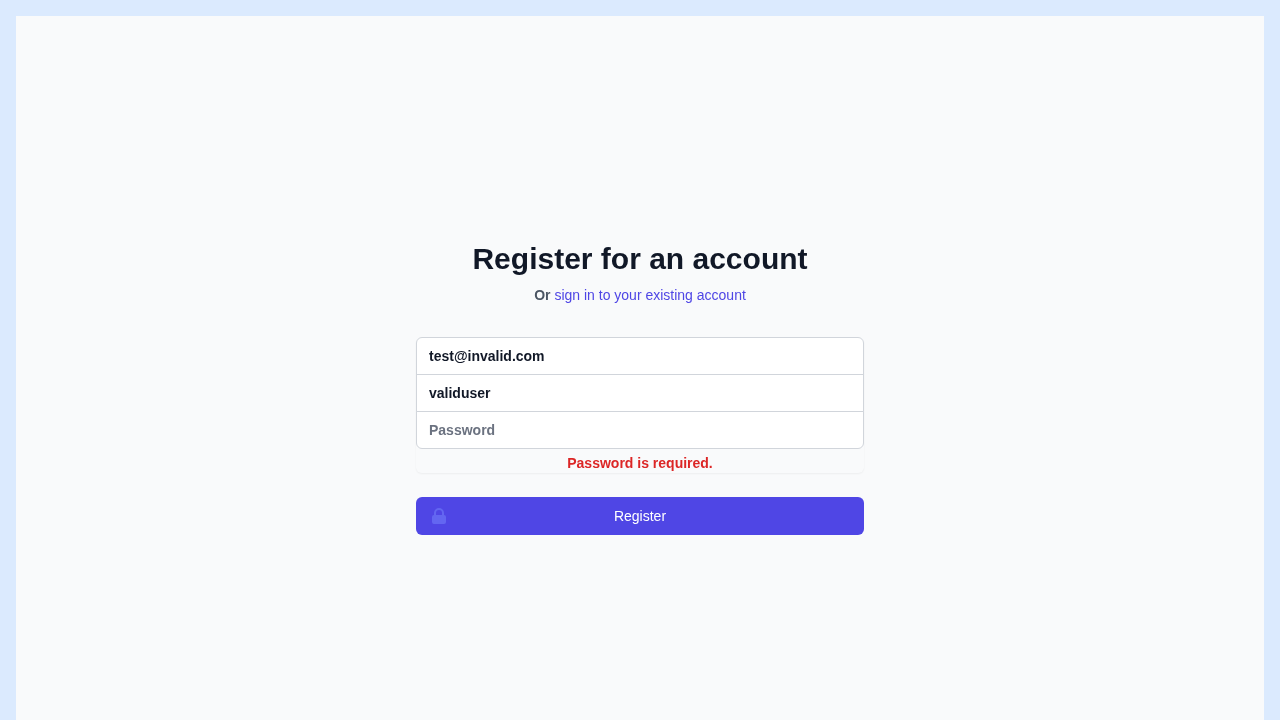
This image displays the user registration form, complete with input fields for email, username, and password. It demonstrates the application's client-side validation, showing a "Password is required" message when the field is left empty.
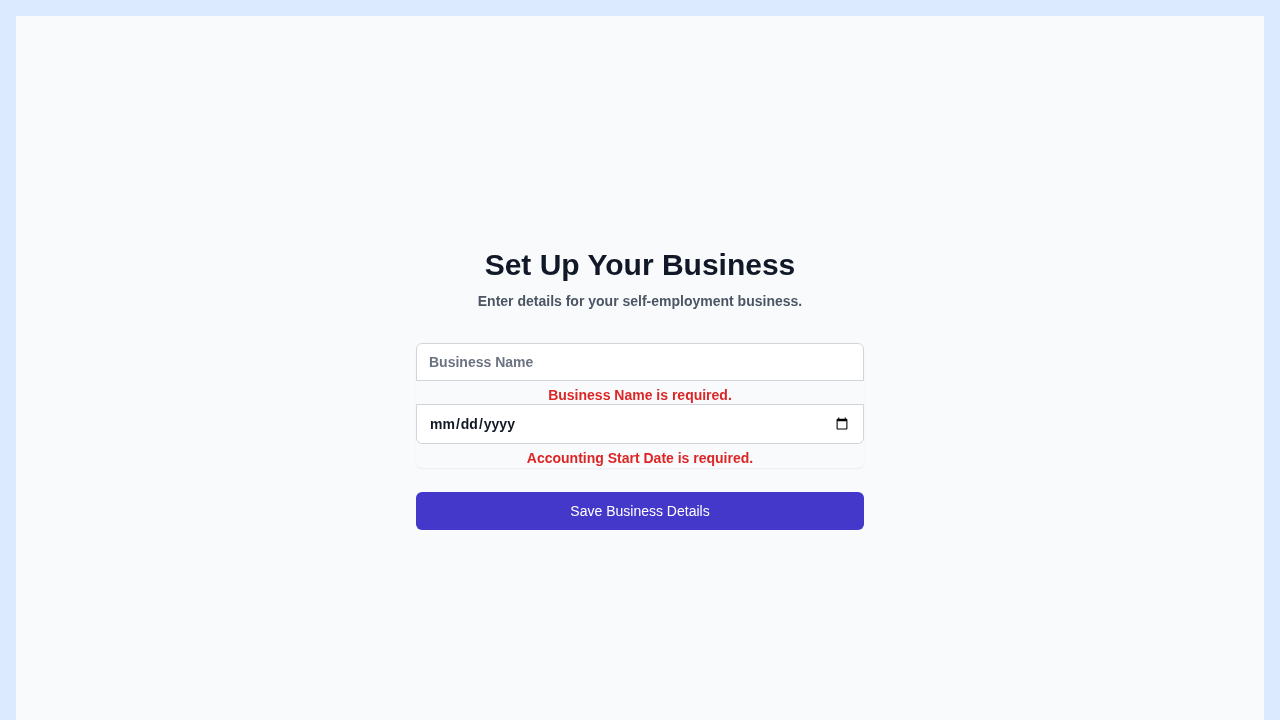
This screenshot captures the "Set Up Your Business" form. It highlights the required fields "Business Name" and "Accounting Start Date" with clear validation messages, ensuring users provide essential information for their self-employment business.
This video demonstrates a seamless user experience where a new user successfully registers a business. Upon successful submission of business details, the application smoothly navigates and redirects the user to their personalized dashboard, showcasing the completed setup process.
setup-Business-Setup-succe-8a9c8--and-redirects-to-dashboard-chromium.webm
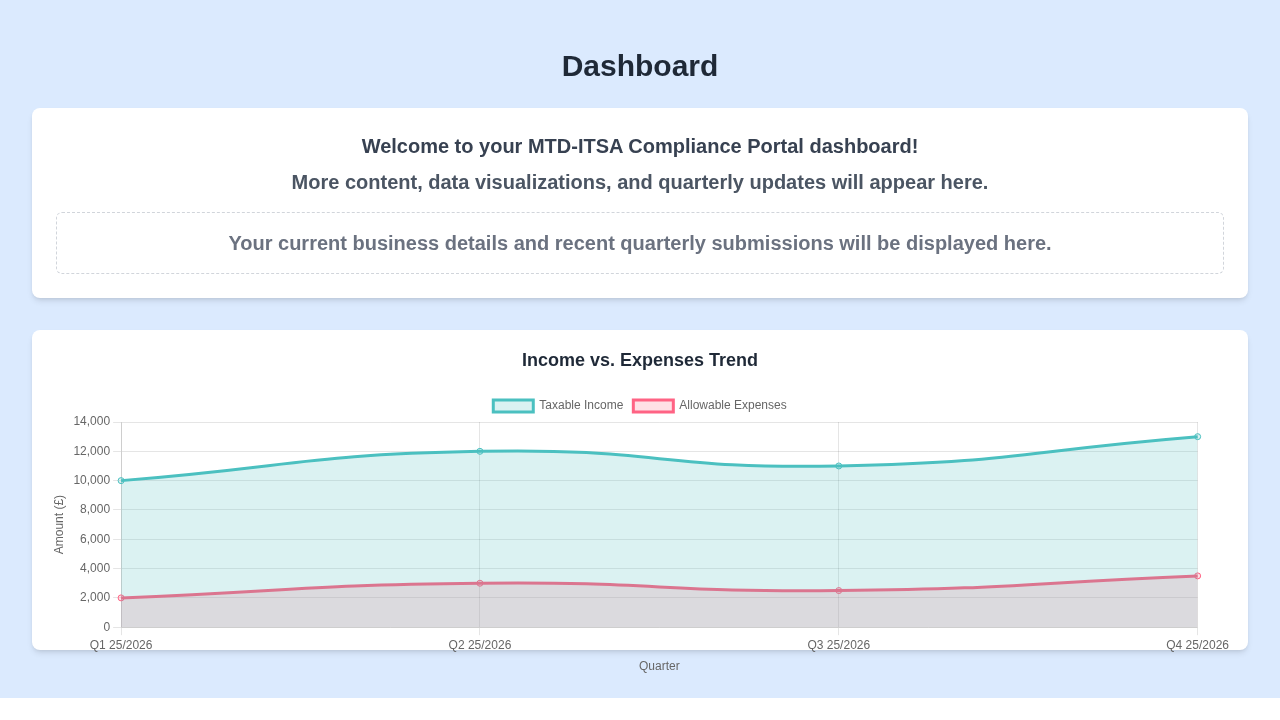
This image presents the main dashboard of the MTD-ITSA Compliance Portal. It welcomes the user and features an "Income vs. Expenses Trend" chart, providing a clear and engaging visualization of key financial data over time.
Observe the dynamic capabilities of the "Quarter Form" in this video. As users input their taxable income and allowable expenses, the system instantly calculates and displays the "Net Profit/Loss," providing immediate financial feedback.
quarters-Quarters-List-Pag-54474-Profit-Loss-in-quarter-form-chromium.webm
This video demonstrates the successful rendering of the Dashboard page after a user has authenticated and the application has received quarterly data. It highlights the 'Income vs. Expenses Trend' chart being dynamically loaded and verified, confirming the correct display of financial data visualization components.
dashboard-chart-Dashboard--7524c-s-setup-and-quarter-updates-chromium.webm
This project is built using a modern full-stack approach:
- Backend: ASP.NET Core Web API (C# .NET 9.0) with Minimal APIs
- SQL Database: SQL Server (for Users and Businesses metadata)
- NoSQL Database: MongoDB (for flexible Quarterly Update documents)
- Authentication: Mock JWT Bearer Token
- Frontend: Angular (TypeScript)
- UI/Styling: Tailwind CSS
- User Registration and Login
- Single Self-Employment Business Registration per user, with automatic quarter initialization.
- Entry and Saving of Taxable Income and Allowable Expenses for quarters.
- Submission of quarters (changing status from DRAFT to SUBMITTED).
- Automatic calculation of Net Profit/Loss per quarter.
- Cumulative Estimated Tax Liability calculation for submitted quarters.
- Data visualization for financial trends (Frontend task).
To set up and run the full-stack application, follow these steps.
- .NET SDK 9.0 (or compatible version)
- Node.js (LTS version) & npm (for frontend development, if contributing there)
- Angular CLI (
npm install -g @angular/cli) (for frontend development, if contributing there) - SQL Server instance (local or remote)
- MongoDB instance (local or remote, e.g., Docker container)
docker run -d -p 27017:27017 --name mongo-db mongo
To run the MTD-ITSA Compliance Portal locally using Docker Compose, including the required backend services and database, you must use the separate deployment repository.
Follow these steps from your terminal:
-
Clone the Deployment Manifests Repository:
git clone https://github.com/eozgit/deployment-manifests
-
Navigate to the Application Directory:
cd deployment-manifests/mtd-itsa-compliance -
Build and Run the Services: Use Docker Compose to build the application containers (including this frontend application) and start all services in detached mode (
-d).The frontend container image will be built from the source code in the
deployment-manifestsrepository.docker compose up --build -d
Once the services are up, the frontend application will be available in your browser at http://localhost:4200.
Navigate to the api directory for detailed backend setup instructions.
cd apiPlease refer to the Backend README for specifics on:
- Configuring SQL Server and MongoDB connection strings (
appsettings.Development.json). - Applying Entity Framework Core migrations.
- Running the backend API.
The Angular frontend for this project is hosted in a separate repository.
Please refer to the Frontend Repository for setup instructions, development server details, API client generation, and testing.
The backend exposes an OpenAPI (Swagger) specification:
- JSON:
http://localhost:5129/swagger/v1/swagger.json
- Backend Integration Tests: Located in
api.Tests.Integration/.dotnet test api.Tests.Integration/api.Tests.Integration.csproj
.
├── api/                   # ASP.NET Core Web API project (Backend)
│   ├── api.csproj
│   ├── Program.cs
│   ├── Endpoints/         # Defines API endpoints (Auth, Business, QuarterlyUpdate)
│   ├── Filters/           # Custom endpoint filters (AuthAndBusinessFilter)
│   ├── Models/            # Data Transfer Objects (DTOs) and database models
│   ├── Data/              # Database context (SQL) and MongoDB configuration
│   └── ... other backend files ...
├── api.Tests.Integration/ # Integration test project for the backend API
│   ├── api.Tests.Integration.csproj
│   ├── CustomWebApplicationFactory.cs
│   └── ... integration test files ...
├── .gitignore
├── README.md              # This file - high-level project overview
├── test_full_flow.sh      # Bash script to test the full API flow
└── ... other configuration files ...