


Turn any video into a GIF, right in your browser.
GIFYD is a client-side web app that lets you trim, filter, caption, and export GIFs from video files. All processing happens locally using WebAssembly: no uploads, no server, no waiting.
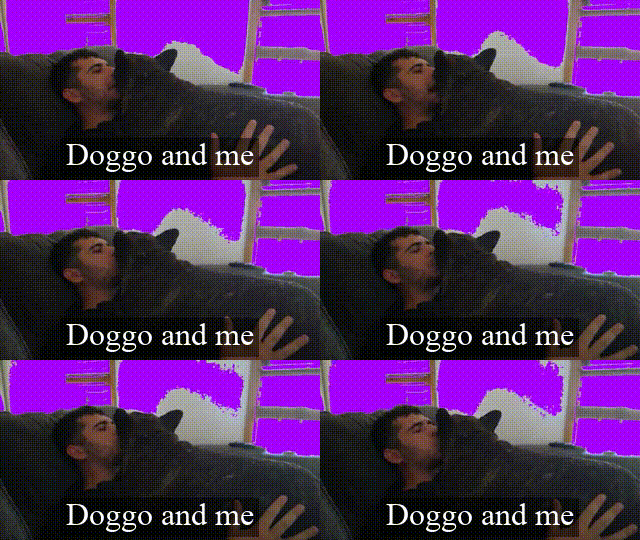
- Trim. Pick a start time and duration (up to 4 seconds) for your GIF.
- Framerate control. Adjust the output framerate for size vs. smoothness.
- Pixel filters. Colour modification, RGB channel splitting, and green screen replacement.
- Captions. Add text with configurable font, size, colour, background, and position.
- Instant preview. See filters and captions applied in real time on a canvas overlay.
- Download. Name your file and download the finished GIF in one click.




| Layer | Technology |
|---|---|
| UI | React 18, CSS (neubrutalism design) |
| Language | TypeScript |
| Video processing | ffmpeg.wasm (client-side WebAssembly) |
| Frame rendering | Canvas API with requestVideoFrameCallback |
| Build | Vite |
| Testing | Jest, React Testing Library |
| Containerisation | Docker, Docker Compose |
GIFYD runs FFmpeg entirely in the browser via WebAssembly. When you hit "GIF it!", the app:
- Seeks the video to your chosen start time
- Records canvas frames (with filters and captions baked in) using
MediaRecorder - Passes the recorded WebM to ffmpeg.wasm for transcoding to GIF
- Serves the result as a downloadable blob. Nothing ever leaves your machine.
- Node.js 18+
- npm
git clone https://github.com/edobusy/gifyd.git
cd gifyd
npm install
npm run dev
The app will be available at http://localhost:5173.
docker compose upnpm run build
npm run previewnpm testUpload a video to get started.

Edit: Set the starting point, framerate, and GIF duration.

Filter: Apply pixel-level visual effects to your video.

Caption: Add and customise text with a live preview.

Export: Hit "GIF it!", name your file, and download.
