A sophisticated AI-powered WhatsApp chatbot that ingests, stores, and recalls multimodal memories (text, images, audio) with advanced features like mood detection, geo-tagging, and semantic search.
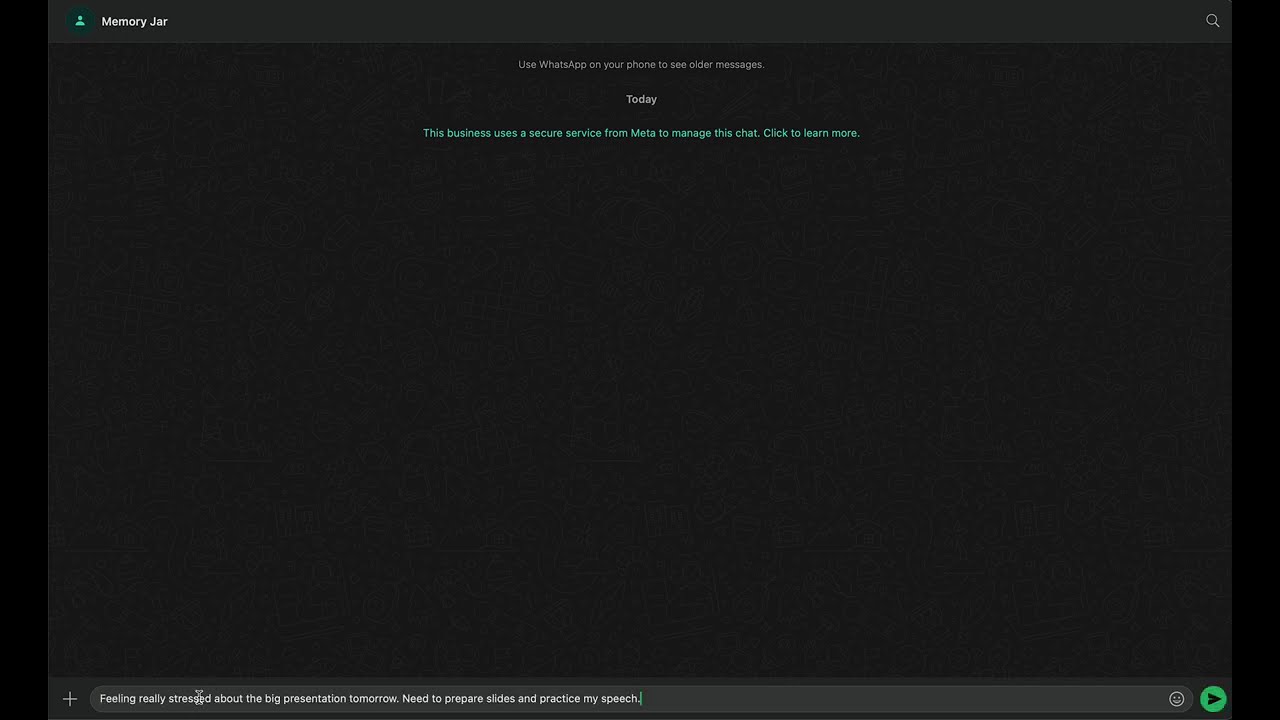
📺 Watch Full Demo - See the complete WhatsApp Memory Assistant in action!
- Multimodal Ingestion: Process text messages, images, and voice notes
- Semantic Memory Storage: Powered by Mem0 for intelligent retrieval
- Natural Language Queries: Search memories using conversational language
- Database Persistence: Custom PostgreSQL schema with full analytics
- Idempotent Processing: Duplicate message prevention using Twilio MessageSid
- Media Deduplication: SHA-256 fingerprinting to avoid storing identical files
- 🧠 AI Mood Detection: Emotional analysis of messages and media
- 📍 Geo-tagging: Automatic location extraction and memory geo-tagging
- ⏰ Smart Reminders: Natural language reminder scheduling
- 🔗 Memory Sharing: Share memories between WhatsApp users
- 📊 Analytics Dashboard: Comprehensive usage statistics and insights
- 🌍 Timezone Awareness: Support for queries like "last week" in user's timezone
- Backend: Node.js + TypeScript + Express.js
- Database: PostgreSQL with Prisma ORM
- AI Services: OpenAI (Whisper, GPT-4), Mem0 Memory Layer
- WhatsApp: Twilio WhatsApp Business API
- Storage: Local file system with deduplication
- Testing: Jest with comprehensive test coverage
Users → Interactions → Memories
  ↓         ↓           ↓
MediaFiles ← Analytics  Reminders
  ↓
SharedMemories
- Node.js 18+ and npm
- PostgreSQL database
- Twilio WhatsApp Business account
- OpenAI API key
- Mem0 API key
# Clone repository
git clone https://github.com/deepam-kapur/memory-jar.git
cd memory-jar

# Install dependencies
npm install

# Copy environment template
cp .env.example .env# Database
DATABASE_URL="postgresql://user:password@localhost:5432/memory_jar"
# Twilio WhatsApp
TWILIO_ACCOUNT_SID="your_account_sid"
TWILIO_AUTH_TOKEN="your_auth_token"
TWILIO_WHATSAPP_NUMBER="whatsapp:+1234567890"
TWILIO_WEBHOOK_URL="https://your-domain.com/webhook"
# AI Services
OPENAI_API_KEY="sk-..."
MEM0_API_KEY="your_mem0_api_key"
# Application
NODE_ENV="development"
PORT=3000
LOG_LEVEL="info"# Generate Prisma client
npm run db:generate
# Run database migrations
npm run db:migrate
# Seed initial data (optional)
npm run db:seed- Log in to Twilio Console
- Navigate to Messaging → Try it out → Send a WhatsApp message
- Follow sandbox setup instructions
- Note your sandbox number and join code
- In Twilio Console, go to Phone Numbers → Manage → WhatsApp senders
- Select your WhatsApp number
- Set webhook URL:
https://your-domain.com/webhook - Set HTTP method to
POST - Save configuration
# Install ngrok
npm install -g ngrok

# Expose local server
ngrok http 3000

# Update TWILIO_WEBHOOK_URL in .env with ngrok URL# Development mode with hot reload
npm run dev
# Production build
npm run build
npm start
# Run tests
npm test- Send any message: Creates a memory with AI analysis
- Send image: Processes and stores with visual analysis
- Send voice note: Transcribes audio and stores with mood detection
- "/list": Shows all your memories
- "remind me...": Creates smart reminders
- Search queries: "When was I stressed?", "Show me happy memories"
POST /webhook
# Handle incoming WhatsApp messages

GET /memories?query=<text>
# Search memories with natural language

GET /memories/list
# List all memories (newest first)

POST /memories
# Create memory manually

GET /interactions/recent?limit=<n>
# Get recent interactions

GET /analytics/summary
# Get usage statisticsPOST /reminders
# Create scheduled reminders
GET /reminders?status=PENDING
# List user reminders
POST /sharing/share
# Share memory with another user
GET /media/:filename
# Access stored media filescurl "http://localhost:3000/memories?query=stressed%20this%20week"curl "http://localhost:3000/analytics/summary"curl "http://localhost:3000/interactions/recent?limit=10"# All tests
npm test
# Watch mode
npm run test:watch
# Coverage report
npm run test:coverage- Controllers: Webhook, Memory, Analytics, Reminders
- Services: Multimodal processing, Mood detection, Geo-tagging
- API Endpoints: All CRUD operations and search functionality
- Database: Schema validation and data integrity
- Integration: End-to-end WhatsApp message flow
- Uses Twilio
MessageSidas unique constraint - Prevents duplicate processing of same message
- Maintains data consistency
- SHA-256 fingerprinting of media content
- Reference counting for shared media
- Significant storage optimization
- User timezone detection from phone number
- Relative time query support ("last week", "yesterday")
- Consistent timestamp handling
- Every memory traces back to source interaction
- Maintains audit trail and context
- Enables advanced analytics
-- Core entities
Users (id, phoneNumber, timezone, ...)
Interactions (id, userId, messageSid, messageType, ...)
Memories (id, userId, interactionId, content, mem0Id, ...)
MediaFiles (id, userId, fingerprint, fileUrl, ...)

-- Feature entities
Reminders (id, userId, memoryId, scheduledFor, ...)
SharedMemories (id, fromUserId, toUserId, memoryId, ...)
Analytics (id, eventType, metadata, timestamp, ...)FROM node:18-alpine
WORKDIR /app
COPY package*.json ./
RUN npm ci --only=production
COPY dist ./dist
COPY prisma ./prisma
RUN npx prisma generate
EXPOSE 3000
CMD ["npm", "start"]- Production Database: Set up PostgreSQL with proper credentials
- Twilio Configuration: Update webhook URL to production domain
- File Storage: Configure persistent storage for media files
- Monitoring: Set up logging and error tracking
- SSL/TLS: Ensure HTTPS for webhook security
# Application health
curl https://your-domain.com/health

# Database connectivity
curl https://your-domain.com/analytics/summarysrc/
├── controllers/ # Request handlers
├── services/ # Business logic
├── routes/ # API routing
├── middleware/ # Express middleware
├── config/ # Configuration
├── utils/ # Helper functions
├── validation/ # Input validation schemas
├── types/ # TypeScript definitions
└── __tests__/ # Test files
prisma/
├── schema.prisma # Database schema
└── migrations/ # Database migrations
scripts/
├── seed.ts # Database seeding
├── reset-database.sh # Database reset utility
└── clear-*.sql # Database cleanup scripts
- TypeScript: Strict type checking
- ESLint: Code linting and formatting
- Prettier: Code formatting
- Jest: Unit and integration testing
- Prisma: Type-safe database operations
- Define API contract in routes/
- Implement business logic in services/
- Add database models in schema.prisma
- Write tests in tests/
- Update documentation
- Usage Statistics: Total users, memories, interactions
- Content Analysis: Memory types, mood distribution
- Performance: Response times, error rates
- Feature Adoption: Reminder usage, sharing activity
// Custom metrics example
logger.info('Memory created', {
  userId,
  memoryType,
  processingTime: Date.now() - startTime,
  moodDetected: mood?.mood,
  hasLocation: !!geoTag
});- Input Validation: Zod schema validation on all inputs
- SQL Injection Prevention: Prisma ORM with parameterized queries
- Rate Limiting: Express rate limiting middleware
- CORS Configuration: Restricted cross-origin requests
- Helmet.js: Security headers and XSS protection
- Media Storage: Local storage with access controls
- User Data: Minimal data collection with explicit consent
- Audit Trail: Complete interaction logging for compliance
- Fork the repository
- Create feature branch:
git checkout -b feature/amazing-feature - Make changes and add tests
- Run test suite:
npm test - Commit changes:
git commit -m 'Add amazing feature' - Push to branch:
git push origin feature/amazing-feature - Open Pull Request
- Follow TypeScript best practices
- Write comprehensive tests for new features
- Update documentation for API changes
- Use conventional commit messages
- Documentation: API Documentation
- Demo: Demo Video
This project is licensed under the ISC License - see the LICENSE file for details.
- Twilio: WhatsApp Business API
- OpenAI: Whisper transcription and GPT analysis
- Mem0: Memory layer and semantic search
- Prisma: Database ORM and migrations
- Express.js: Web framework
Built with ❤️ for intelligent memory management through WhatsApp