






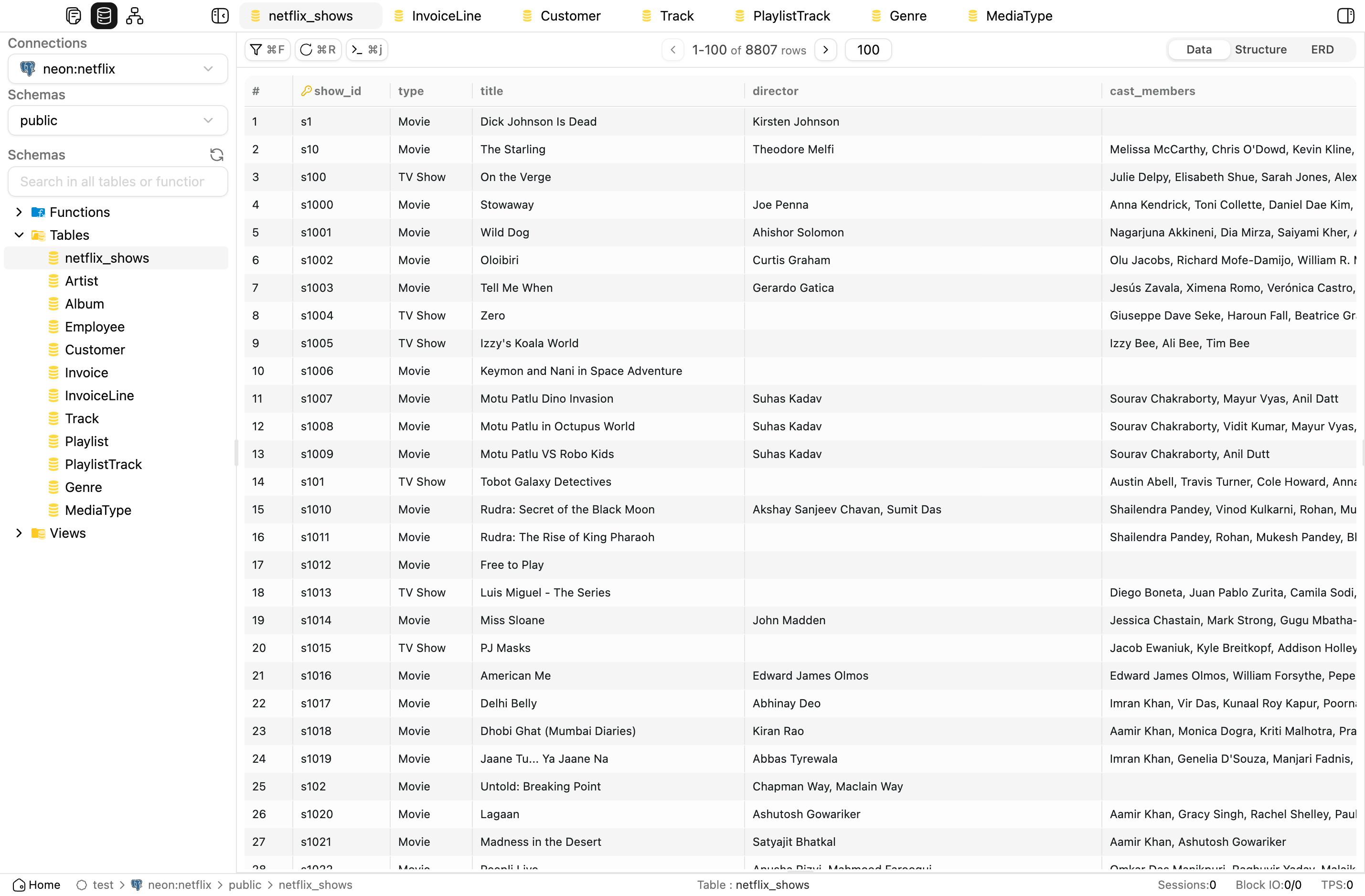
OrcaQ is a modern database editor for managing, querying, and exploring SQL/PostgreSQL data in a fast, intuitive, and secure way.
- 🖥️ Modern UI/UX: Minimalist interface with dark mode support, drag & drop, and flexible sidebar.
- ⚡ Quick Query: Fast data querying with preview, filtering, and dynamic field search.
- 📝 Raw SQL Editor: Write and execute SQL queries with multiple layout modes (vertical/horizontal).
- 🗂️ Explorer: Browse database structures, tables, schemas, and files.
- 🔒 Workspace & Connection Management: Manage multiple connections and independent workspaces.
- 🛠️ Hotkey Support: Supports shortcuts for faster operations.
- 🍎 Desktop App for macOS: Currently in development.
- Node.js >= 18.x
- pnpm or bun
- macOS, Windows, or Linux
-
Clone the repository:
git clone https://github.com/cin12211/orca-q.git cd orcaq -
Install dependencies:
bun install
-
Run in development mode:
npm run nuxt:dev
-
Build for production:
npm run nuxt:build
Run OrcaQ directly with npx if you do not want to clone the repository or build Docker images.
-
Run OrcaQ:
npx orcaq
Requires Node.js >= 18. By default OrcaQ starts on http://localhost:9432 and opens your browser automatically.
Run OrcaQ instantly with Docker — no local Node.js or build tools required.
Use the prebuilt image if you just want to start OrcaQ quickly.
-
Pull the image:
docker pull cinny09/orcaq:latest
-
Run the container:
docker run -d \
  --name orcaq \
  --restart unless-stopped \
  -p 9432:9432 \
  cinny09/orcaq:latest
-
Open OrcaQ:
Visit http://localhost:9432
Note: If you are still using the old image name
cinny09/orca-q, switch tocinny09/orcaq.
Use this if you want to build the image from the current source code.
-
Clone the repository:
git clone https://github.com/cin12211/orca-q.git cd orcaq -
Configure environment (optional):
cp .env.example .env
# Default Docker port is 9432
# Edit .env if you want to change it
-
Start with Docker Compose:
docker compose up -d --build orcaq
-
Open OrcaQ:
Visit http://localhost:9432
Note: The demo PostgreSQL service is currently commented out in
docker-compose.yml. OrcaQ is stateless — it connects to your databases at runtime. If you want a local demo database, uncomment thepostgres-demoservice first.
We welcome all contributions!
-
Fork the repo and create a new branch:
git checkout -b feat/my-feature
-
Follow commit conventions:
feat: ...Add a new featurefix: ...Fix a bugchore: ...Miscellaneous tasksdocs: ...Update documentationrefactor: ...Improve code without changing logic
-
Create a Pull Request:
Clearly describe changes and link to relevant issues (if any). -
Review & Merge:
The core team will review and provide feedback promptly.
See more: CONTRIBUTING.md
- Issues: GitHub Issues
- Discussions: GitHub Discussions
- Email: taccin03@gmail.com
This project is licensed under the MIT License.
- Electron - Build cross-platform desktop apps with JavaScript
- Vue 3 - Progressive JavaScript framework
- Vite - Next Generation Frontend Tooling
- TypeScript
- Zod - TypeScript-first schema validation
- @vueuse/core - Vue Composition API utilities
- Icon design: Figma Community
- Contributions from the open-source community
Many thanks to everyone who has contributed to OrcaQ.
Many thanks to the kind individuals who leave a star. Your support is much appreciated!
Made with ❤️ by the OrcaQ team and open-source contributors.