

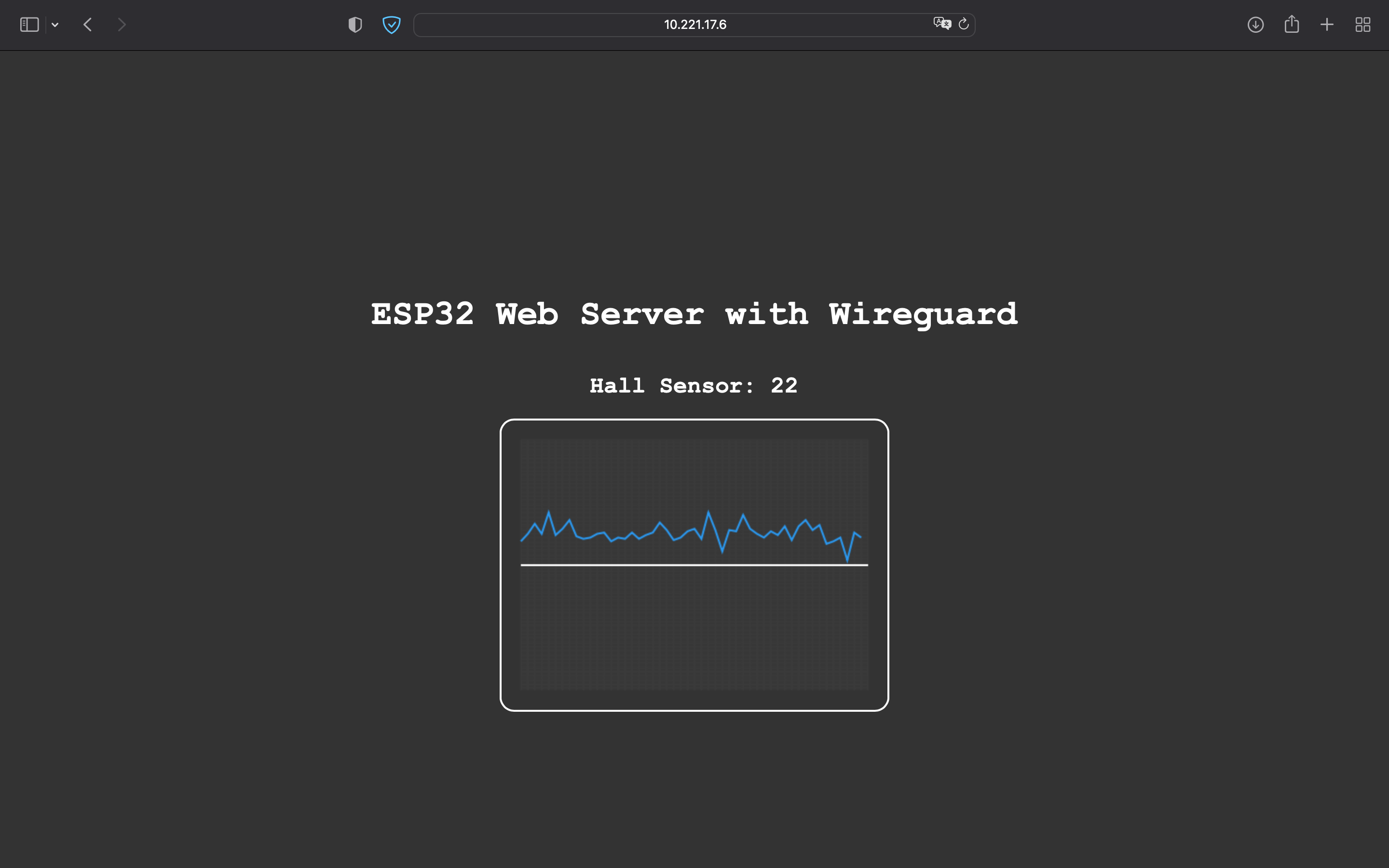
This repository contains a sketch that runs a local server with a small web page on an ESP32 board. The web page displays the data from the built-in ESP32 Hall sensor, which is updated using AJAX. The sketch also implements the logic for connecting to a Wireguard server, which allows secure and private communication over the internet. Wireguard is a VPN protocol that encrypts your traffic and hides your IP address. With Wireguard, you can access your ESP32 web server from anywhere in the world without exposing it to the public network.
To run this sketch, you need the following:
- An ESP32 board (tested on DOIT ESP32 DEVKIT V1)
- A Wireguard server and client configuration
- Arduino IDE version 1.8.19 (higher versions may work but have not been tested)
- ESP32 board package version 2.0.5 (other versions may not work correctly or build at all)
- My WireGuard-ESP32-Arduino library fork
To use this sketch, follow these steps:
-
Download my WireGuard-ESP32-Arduino library repo as a ZIP file. This is a fork of the original library that has some modifications and improvements. Import it to your Arduino IDE by clicking on Sketch > Include Library > Add .ZIP Library
-
Open the sketch in Arduino IDE and edit the following lines with your own Wi-Fi and Wireguard credentials:
// WiFi settings
const char ssid[] = "Your-WiFi-Network-Name";
const char password[] = "Your-WiFi-Network-Password";

// WireGuard settings
IPAddress local_ip(123, 123, 123, 123);                                      // IP address of the local interface
const char private_key[] = "GHlse+ybm/udXEvYs0EDpeUtNsOoKyJuEsQueIVUIEI=";   // Private key of the local interface
const char endpoint_address[] = "123.123.123.123";                           // Address of the endpoint peer
const char public_key[] = "75HF4FoC+tkihfaoksdh43tjkhlqwmlqS5Hk7JYp0qN=";    // Public key of the endpoint peer
const char preshared_key[] = "qo+ewLFqpmwslfavuEHqcPwaPAyHl+Gn+dgKhSzMQP9=";  // Pre-Shared Key
uint16_t endpoint_port = 12345; // Port of the endpoint peer-
Compile and upload the sketch to your ESP32 board and wait for it to connect to Wi-Fi and Wireguard.
-
Open a web browser and enter either the local IP address or the Wireguard IP address of your ESP32 board (displayed on the serial monitor) to access the web page. For example, in serial monitor it may look like this:
Connecting to WiFi...
Local IP: 192.168.178.146
WireGuard IP: 10.221.17.2
Initializing WG interface...
OK
- Enjoy the real-time data from the Hall sensor and the secure connection to your Wireguard server!
If you encounter any problems while running this sketch, please check the following:
- Problem: I followed the instructions exactly, entered the absolutely correct Wireguard credentials, and even got the output in serial monitor that the WG interface was successfully initialized, but ESP32 still wouldn’t connect to my Wireguard server!
- Solution: Try ping ESP32 at the local address, if you don’t see a response to the ping, or you see some packets being lost, that is the main problem. This is a demo sketch and therefore it has no logic for reconnecting to either WiFi or Wireguard. Please bring your ESP32 closer to the access point, or use another WiFi with a high signal and good stability.
If you still have issues, please open an issue on GitHub or contact me directly.
This project is licensed under the BSD-2-Clause license - see the LICENSE file for details.