

scoutty probes your terminal by sending escape sequences and observing what comes back, surfacing what your terminal actually supports.
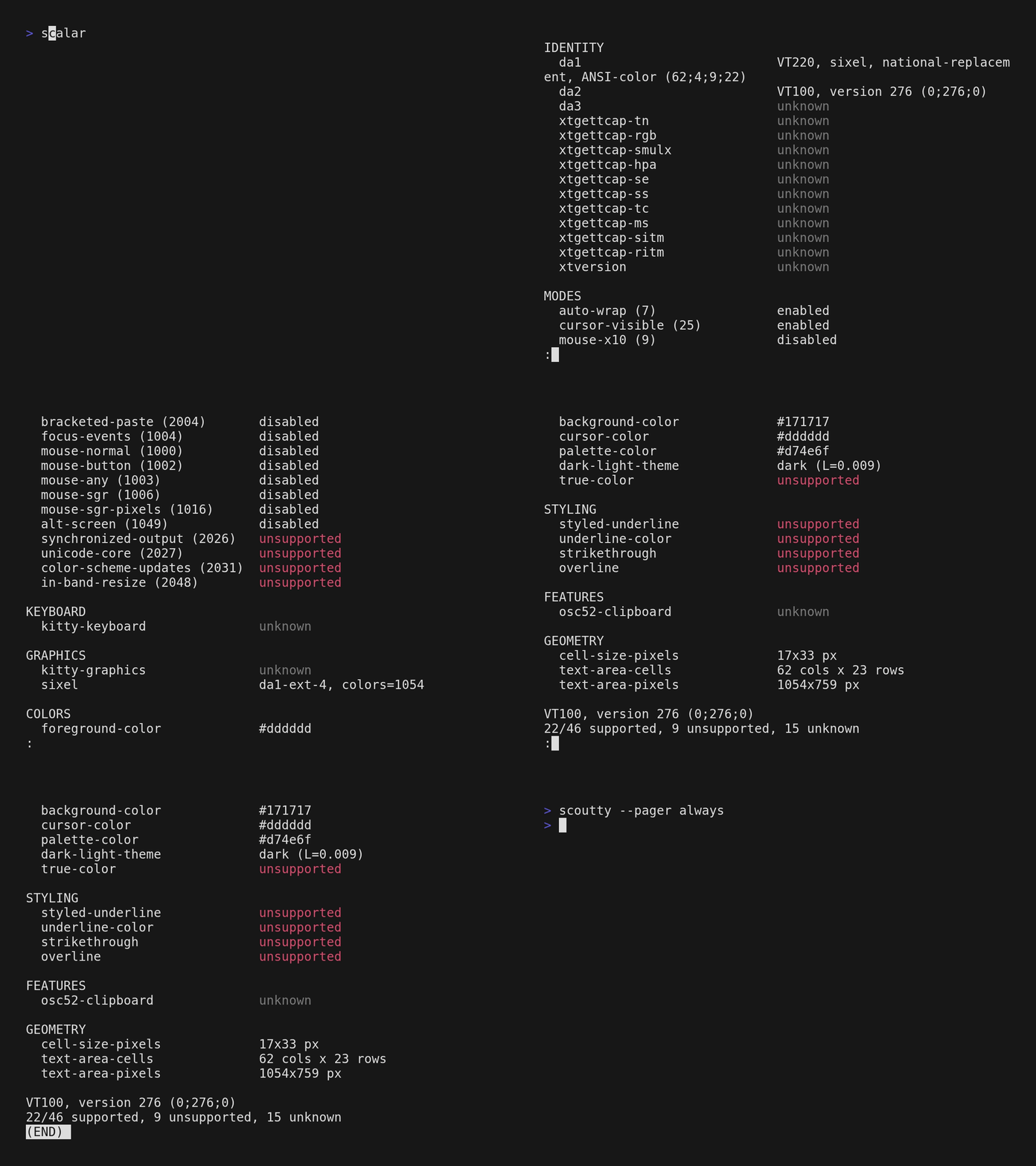
The standard way of knowing what a terminal supports has long been broken.
terminfo/termcap describe what a terminal should support based on $TERM, but many modern terminals set $TERM=xterm-256color regardless of what they actually are. Modern features like kitty keyboard protocol, synchronized output, or sixel graphics don't exist in standard terminfo entries at all.
Terminal multiplexers (tmux, screen, zellij) filter capabilities - may pass some through, SSH forwarding adds another layer of indirection, and nested sessions compound the problem. No static database can account for what actually reaches you in a given session.
Not every terminal is a standalone emulator either - editors, IDEs, and other applications embed their own terminal implementations, often supporting only a subset of features. What works depends on where you are.
By sending escape sequences to the terminal and observing what comes back, you learn what works right now, in this session, through all the layers.
scoutty probes your terminal.
- Debugging: "does my terminal actually support feature X, or is tmux eating it?"
- Shell scripts that want to adapt to real capabilities instead of trusting
$TERM - Terminal emulator developers validating their implementations
- Documenting what a terminal actually does vs what it claims
scoutty may surface less than a well-maintained terminfo entry - it can only
detect capabilities that have a query/response mechanism.
But it doesn't get out of date and works for environments where maintaining
a terminfo entry doesn't make sense.
Scout what your terminal supports by sending escape sequences as probes and observing what comes back. The probes show what works right now, in this session, through all the layers.

Usage: scoutty [OPTIONS]

Options:
      --json
          Output results as JSON

      --category <CATEGORY>
          Filter by category (comma-separated). Available categories:
            identity, modes, keyboard, graphics, colors, styling, features, geometry

      --probe <PROBE>
          Run specific probes by name. Can be repeated.

            scoutty --probe da1 --probe da2

          Use --list-probes to see available probe names.

      --raw
          Show raw query/response bytes in hex. Displays the exact escape sequences sent to the terminal and the raw bytes received back.

      --timeout <TIMEOUT>
          Timeout in milliseconds for the DA1 sentinel response.

          scoutty sends DA1 as the last query - since every terminal must respond to DA1, its arrival signals that all prior responses have been received. This timeout is a fallback for terminals that don't respond at all.

          [default: 1000]

      --list-probes
          List available probes and exit

      --pager <PAGER>
          Control pager behavior (auto, always, never).

          auto:   page through $PAGER when output exceeds terminal height
          always: always use $PAGER (falls back to less -R, then more)
          never:  print directly to stdout

          [default: never]

      --color <COLOR>
          Control color output (auto, always, never)

          [default: auto]

      --completions <COMPLETIONS>
          Generate shell completions and print to stdout.

            scoutty --completions bash >> ~/.bashrc
            scoutty --completions fish > ~/.config/fish/completions/scoutty.fish
            scoutty --completions zsh > ~/.zfunc/_scoutty

          [possible values: bash, elvish, fish, powershell, zsh]

  -h, --help
          Print help (see a summary with '-h')

  -V, --version
          Print version

EXAMPLES:
  scoutty                          Run all probes
  scoutty --category identity      Only identity probes
  scoutty --probe da1 --probe da2  Run specific probes
  scoutty --json                   Machine-readable output
  scoutty --json | jq              Filter with jq
  scoutty --list-probes            Show available probes

Missing a probe? Found a bug? Contributions welcome:
  https://github.com/a-kenji/scoutty
nix run github:a-kenji/scouttycargo install scoutty --lockedContributions are welcome! Bug fixes, new probes for terminal capabilities, and improvements to existing detection are all appreciated.
MIT