EasyControls application for Microsoft Flight Simulator
Zip downloadable here (please report any bugs you encounter). Just download, extract somewhere and run the executable: https://github.com/TheFlyingDutchman77/EasyControlsMSFS/raw/main/EasyControlsforMSFS%20v0.5.zip
Upon first usage, you might be prompted to install a Dotnet core library from Microsoft.
The controls are saved in the controls.xml file. You can manually edit these if you want to, as long as you respect the layout.
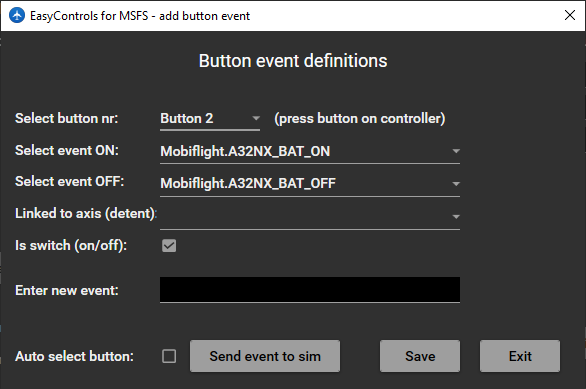
To set LVars using FSUIPC, you can now add events with the prefix "FSUIPC." These events will require the FSUIPC wasm module in the community folder that can be found at www.fsuipc.com (http://www.fsuipc.com/download/FSUIPC-WASMv0.5.6.zip)
Quick explanation of how to use:
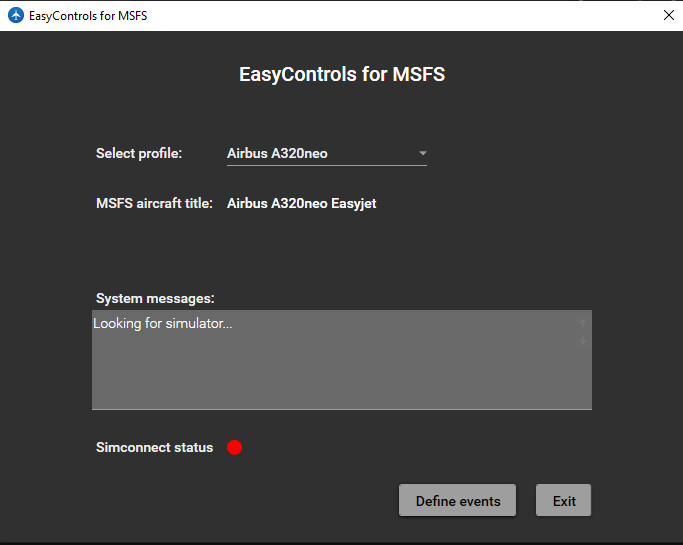
Start program
Click Define Events on first window (it might be that you have to select a random profile first to prevent a crash, this is fixed in the upcoming version)
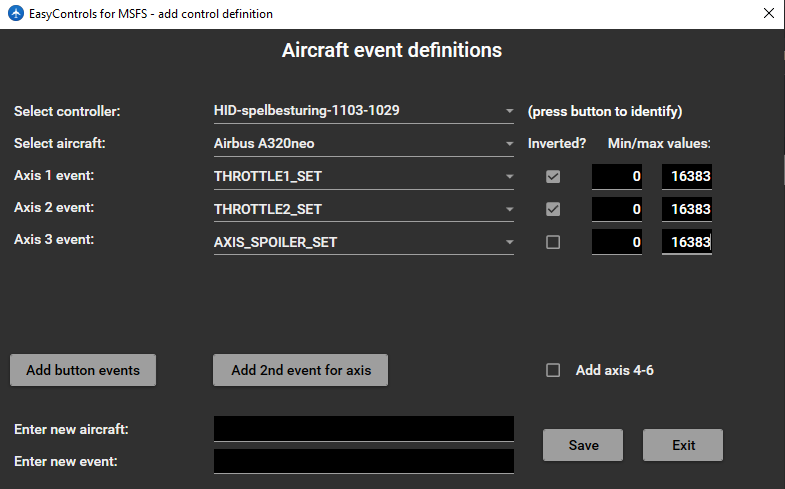
In new window:
Enter new aircraft profile (give description of aircraft you are using) and hit Enter
Select aircraft
Select controller for which you want to set up the controls
Select e.g. an Axis 1 event (or enter new event yourself)
Click Save
Click Exit
In the main window, at select profile select the aircraft description you have just used.
Now you should be able to move the axis and see the effect in the sim.
Editing of the events sent can be done via the menu's, but also quite easily in the controls.xml found in the same folder. Plenty of control profile examples are included in the controls.xml file that comes in the zip.