
A fullscreen TV UI for Linux. Runs on Ubuntu Server, Debian, Raspberry Pi OS Lite, and Arch Linux. Boots straight to a big-screen interface — no desktop environment needed.
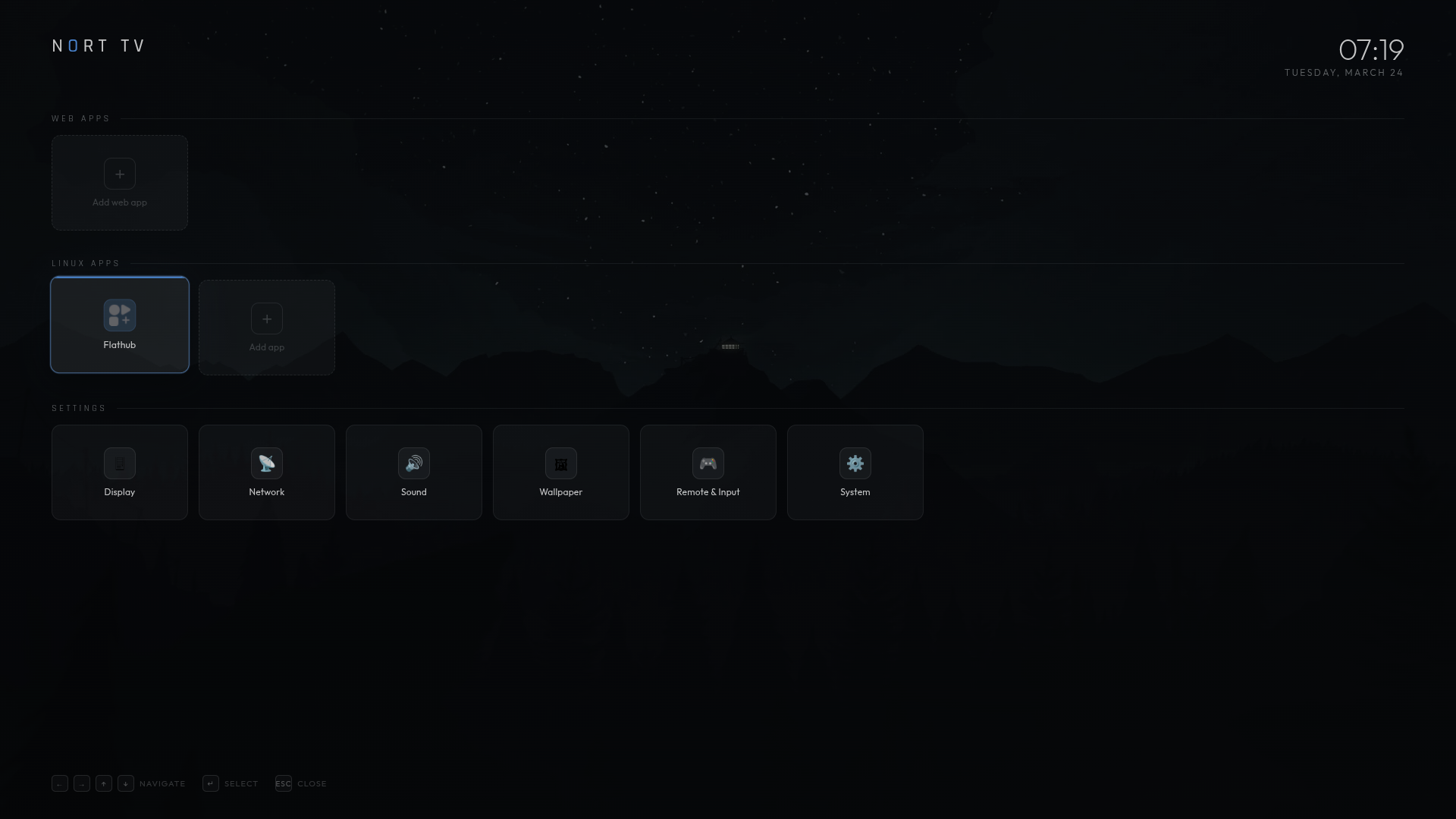
- Fullscreen background (Watchtower wallpaper) with live clock
- Web Apps — add any website as an app card; pulls favicon + name automatically; edit or delete anytime
- Linux Apps — Flathub pinned as default; add more app slots
- Settings — Display, Network, Sound, Wallpaper, Remote & Input, System (panels coming)
- D-pad / arrow key navigation between all cards
- Gamepad support (browser Gamepad API — plug in any controller)
- All added web apps persist across reboots (localStorage)
- SSH keeps working — nothing else on the system is touched
git clone https://github.com/Stradios/Nort-TV
cd Nort-TV
sudo bash install.sh
sudo reboot
On reboot: auto-login → X starts → Chromium launches fullscreen → your UI appears.
cd Nort-TV
sudo bash uninstall.sh
sudo reboot
Removes everything: systemd service, auto-login, openbox config, startx in .bash_profile, and /opt/nort-tv. Your SSH and all other services keep running.
git pull
sudo cp index.html /opt/nort-tv/index.html
sudo systemctl restart nort-tv@$USERNort-TV/
├── index.html ← The entire UI — edit this to change anything
├── install.sh ← One-shot installer (Ubuntu / Debian / Pi OS / Arch)
├── uninstall.sh ← Removes everything for clean testing
├── nort-tv@.service ← Systemd service template (used by install.sh)
└── README.md
# Check if running
sudo systemctl status nort-tv@$USER

# Restart after a UI change
sudo systemctl restart nort-tv@$USER

# Stop (returns to terminal — SSH still works)
sudo systemctl stop nort-tv@$USER

# Watch live logs
journalctl -u nort-tv@$USER -fOpen index.html and find:
const bgSrc = 'https://raw.githubusercontent.com/...';Replace with any image URL or a local path:
const bgSrc = 'file:///opt/nort-tv/bg.jpg';Then copy and restart as above.
- Browser overlay mode (open web apps fullscreen with back button)
- Settings panels (wallpaper picker, network info, display options)
- Ad blocking built into browser mode
- HDMI-CEC / TV remote support