A Hyprland rice with auto-theming from wallpapers
Comes with GUI config tools and desktop widgets


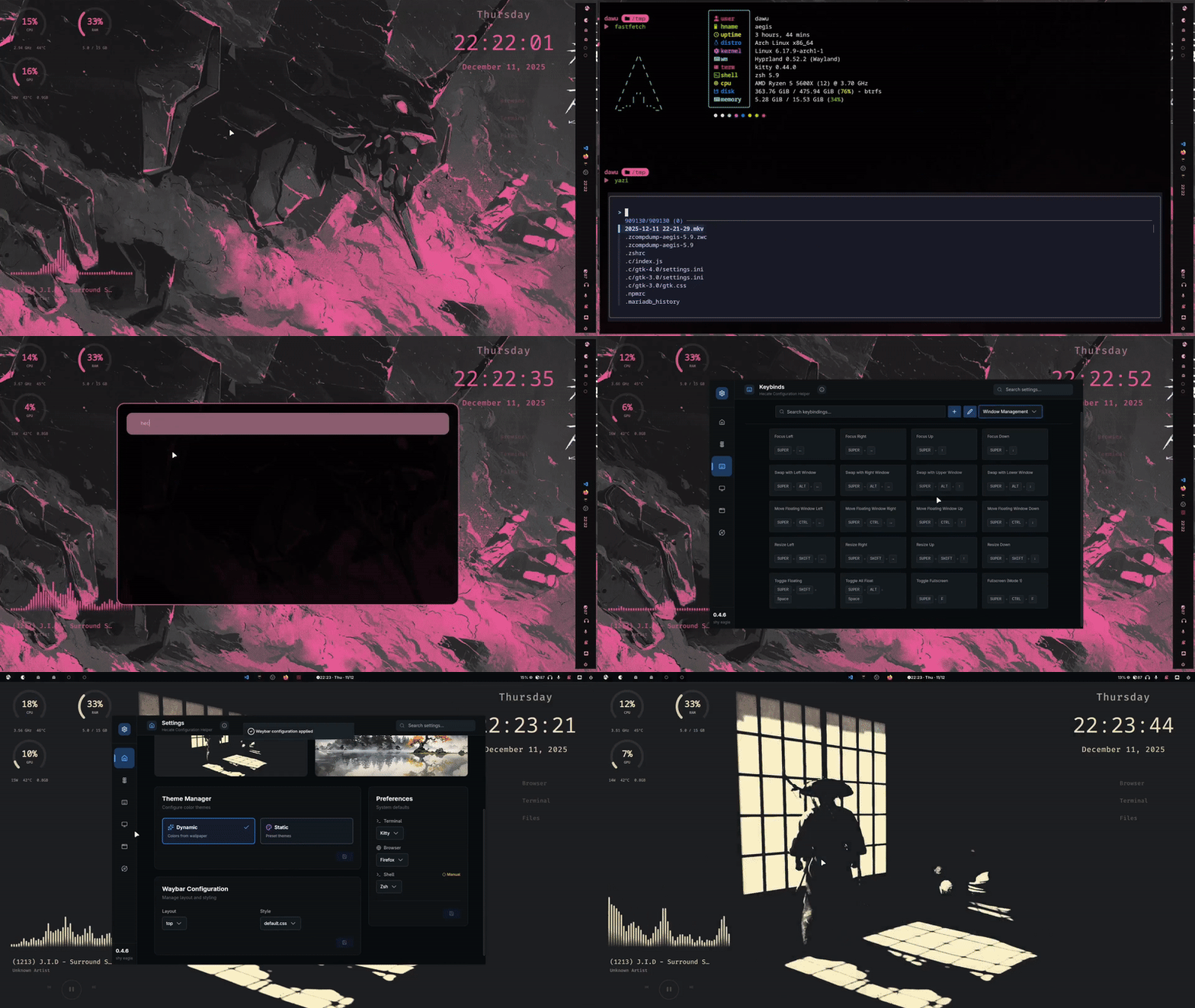
Colors get auto-extracted from your wallpaper and applied system-wide. Change your wallpaper, change your whole vibe. ✦ Uses PyWall under the hood
A graphical tool to tweak your setup:
Alternative: try hyprsettings — another solid Hyprland GUI config tool.
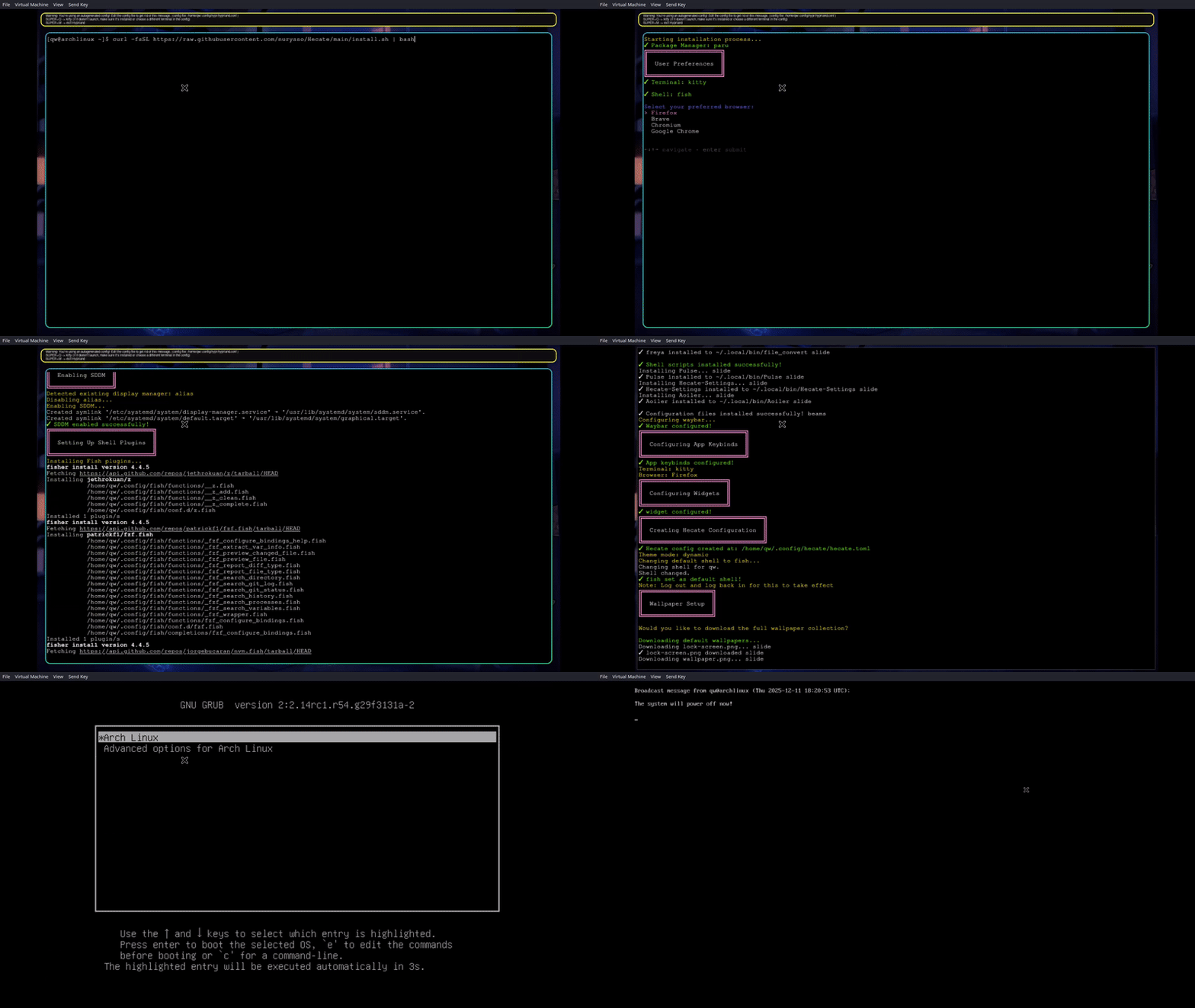
Pick your terminal, shell, browser, and profile during install. Less manual editing later. |
Supports Bash, Zsh, and Fish. Choose during install: Bash • Zsh • Fish
Pick your terminal during install: Alacritty • Kitty • Foot • Ghostty
Backs up existing configs before installing. |
Hecate provides beautiful, coordinated configurations for all your favorite tools
| Category | Applications |
|---|---|
| Compositors | Hyprland |
| GUI Tools | Hecate Helper (Keybinds • Waybar • Themes • Monitors) |
| Widgets | QuickShell (Clock • QuickApps • System Info • Audio) |
| Terminals | Alacritty • Kitty • Foot • Ghostty |
| Shells | Bash • Zsh • Fish |
| Bars | Quickshell |
| Notifications | SwayNC |
| Launchers | Rofi |
| Logout | Wlogout |
| Wallpapers | Waypaper |
| System Info | Fastfetch |
Important
Hecate will detect your Os and package manager automatically (pacman, yay, paru, dnf). If paru is installed on your system, the script selects paru to install packages. For dnf well it works kinda but may need manualaly installing few packages
Ensure you have git, gum, TerminalTextEffects(tte) installed:
paru -S terminaltexteffects git gumcurl -fsSL https://raw.githubusercontent.com/nurysso/Hecate/main/install.sh | bashCheckout Documentaion
Installation complete! 🎉
Continue reading to discover all the features...
This is no longer maintained a new project will be released soon. Try hyprsettings instead. It's another great GUI tool for Hyprland configuration.
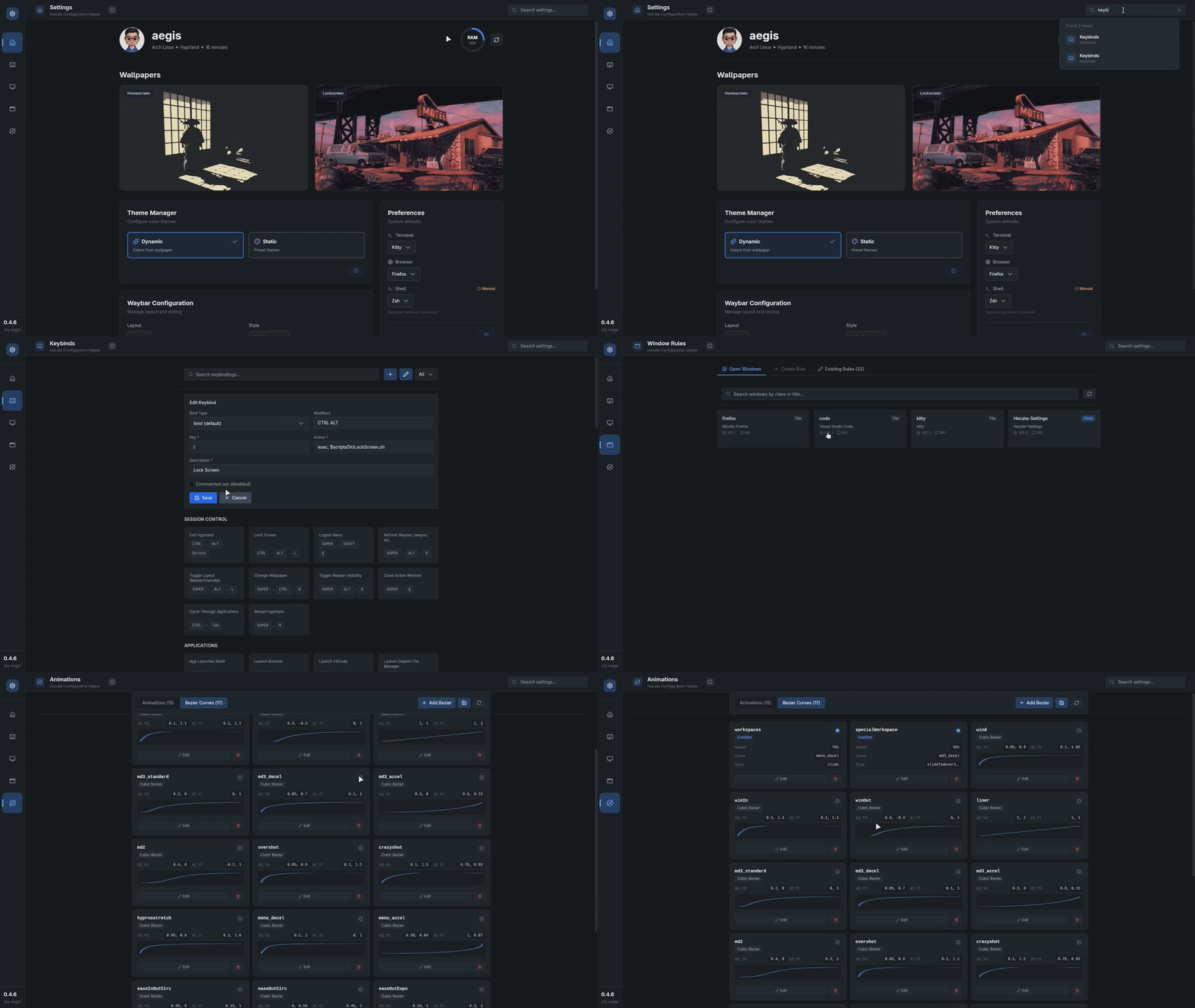
Hecate-Settings is a GUI tool for configuring Hyprland without editing files
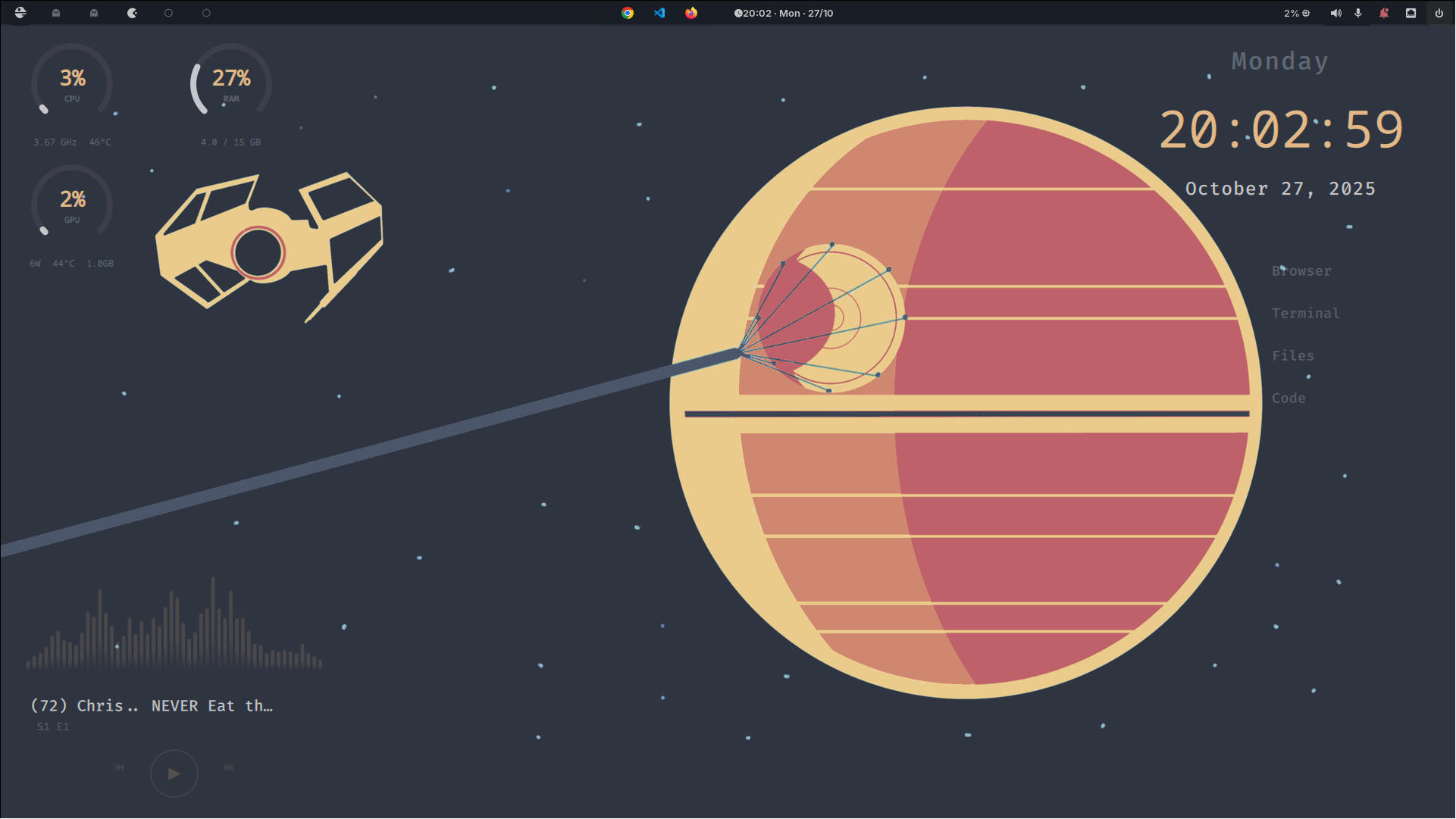
Hecate stores your preferences in ~/.config/hecate/hecate.toml:
# Hecate Dotfiles Configuration
# This file manages your Hecate installation settings

[metadata]
version = "0.4.9 shy eagle"
install_date = "2025-10-15"
last_update = "2025-10-15"
repo_url = "https://github.com/nurysso/Hecate.git"

[theme]
# Theme mode: "dynamic" or "static"
# dynamic: Automatically updates system colors when wallpaper changes
# static: Keeps colors unchanged regardless of wallpaper
mode = "dynamic"

[preferences]
term = "kitty"
browser = "firefox"
shell = "fish"
profile = "minimal"All configuration files are located in ~/.config/:
~/.config/
├── hypr/              # Hyprland configuration
├── rofi/              # Application launcher themes
├── swaync/            # Notification center
├── wlogout/           # Logout menu
├── quickshell/        # Widget And Bar configurations
├── alacritty/         # Terminal configs
├── kitty/             # Terminal configs
├── foot/              # Terminal configs
├── ghostty/           # Terminal configs
└── hecate/            # Hecate main config
Hecate uses PyWall to intelligently extract colors from your wallpaper
Colors are automatically applied to:
|
|
and watch your entire desktop environment transform!
| Key Combination | Action |
|---|---|
SUPER + Return |
Open Terminal |
SUPER + D |
Application Launcher (Rofi) |
SUPER + H |
Hecate Settings Keybind GUI |
SUPER + CTRL + W |
Wallpaper Selector |
SUPER + SHIFT + N |
Toggle Notifications |
SUPER + Q |
Close Window |
SUPER + 1-9 |
Switch Workspace |
SUPER + SHIFT + 1-9 |
Move Window to Workspace |
Note
Full keybinding list available in ~/.config/hypr/config/keybinds.conf or in the Hecate-Settings GUI
╔═══════════════════════════════════════════════════════════════╗
║                                                               ║
║ Fork  →  Create Branch  →  Add feature  →  Push  →  PR        ║
║                                                               ║
╚═══════════════════════════════════════════════════════════════╝
- Fork the repository
- Create a feature branch (
git checkout -b feature/AmazingFeature) - Add feature your changes (
git commit -m 'Add some AmazingFeature') - Push to the branch (
git push origin feature/AmazingFeature) - Open a Pull Request
Hecate-Settings won't launch
# Run in terminal to see the error
Hecate-Settings

# If it doesn't work, try hyprsettings instead
# Install: yay -S hyprsettings-git
# Run: hyprsettings
Widgets not showing up
# Restart QuickShell
pkill quickshell
quickshell
Theme not applying to all applications
# Regenerate theme
wal -n -i path/to/wallpaper.png
#  Check ~/.config/waypaper/config.ini have this line
post_command = ~/.config/hecate/scripts/hecate-system-colors.sh
# If still not changed then try manual running
~/.config/hecate/scripts/hecate-system-colors.sh
This project is licensed under the GNU-gpl3 License
See the LICENSE file for details
Built on the shoulders of giants

Amazing Wayland compositor |

Color palette generation |

Widget framework |

Audio visualizer |
Made with ♥ by nurysso
Hecate — Greek goddess of magic, crossroads, and transformation
