MacFossils scans your Mac for leftover files from uninstalled apps and helps you clean up your system.
Version 1.0 – developed by Kevin Tobler 🌐 www.kevintobler.ch
Over time, macOS accumulates many hidden files such as preferences, caches, launch agents and support data that remain even after an app is removed. These files often stay in your system libraries and can slowly clutter your Mac.
MacFossils searches common locations where applications store their data and identifies orphaned files that likely belong to apps that are no longer installed.
The app analyzes bundle identifiers and detects associated applications. MacFossils helps you keep your system clean, organized and transparent by showing you what macOS normally hides.
- 1.0
- 🧭 Initial release of MacFossils
- 🖥️ Simple and modern SwiftUI interface
- 🍏 Optimized for modern macOS versions and Apple Silicon (macOS 14.6 Sonoma+)
- 🔍 Scan macOS for leftover files from removed apps
- 🦴 Detect orphaned app data ("fossils")
- 📂 Browse results by category and location
⚠️ Risk indicators to help avoid deleting important files- 🔗 Identify associated apps via bundle identifiers
- 🗑 Move unnecessary files safely to the Trash
- 🧭 Open file locations directly in Finder
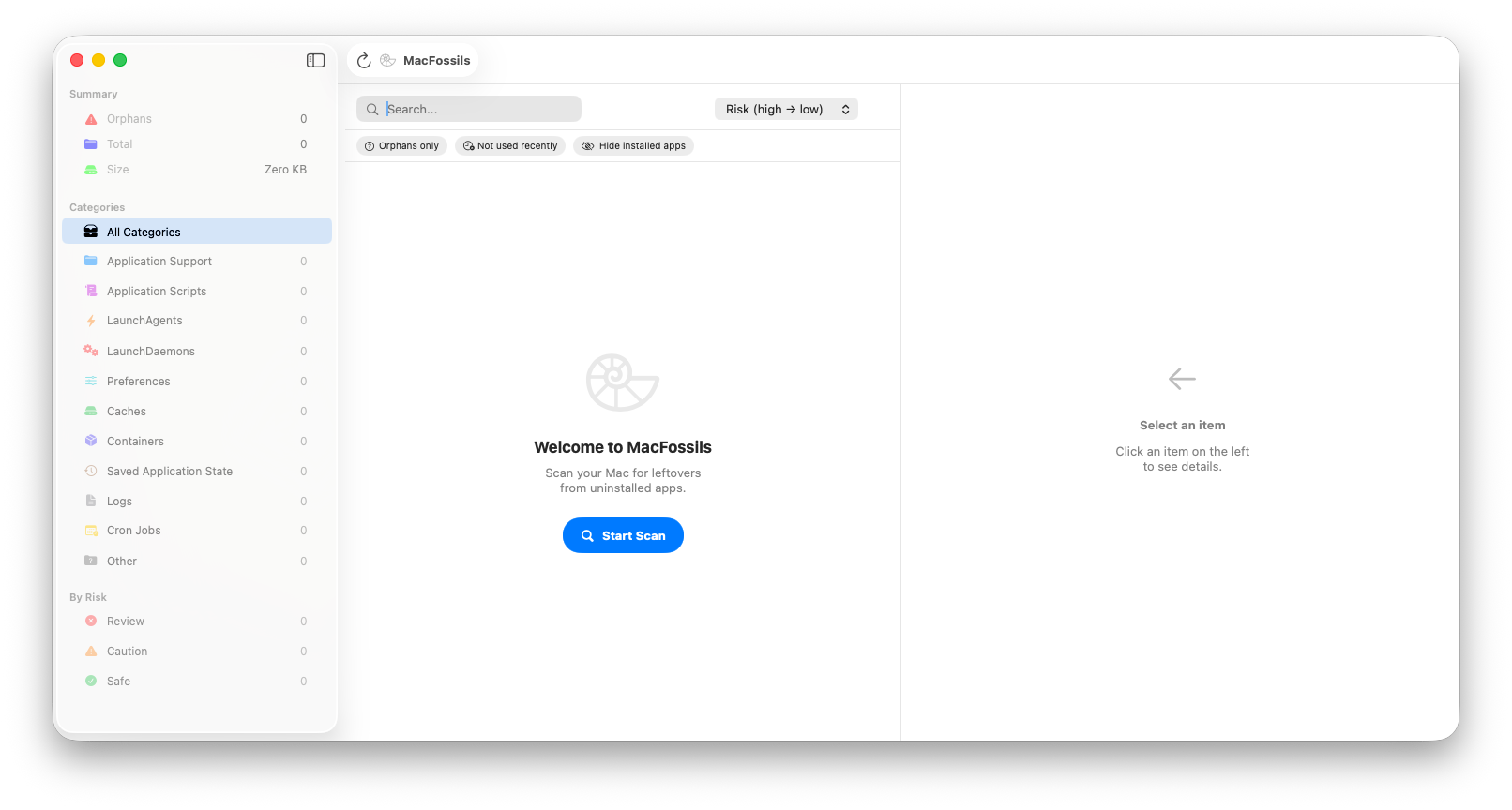
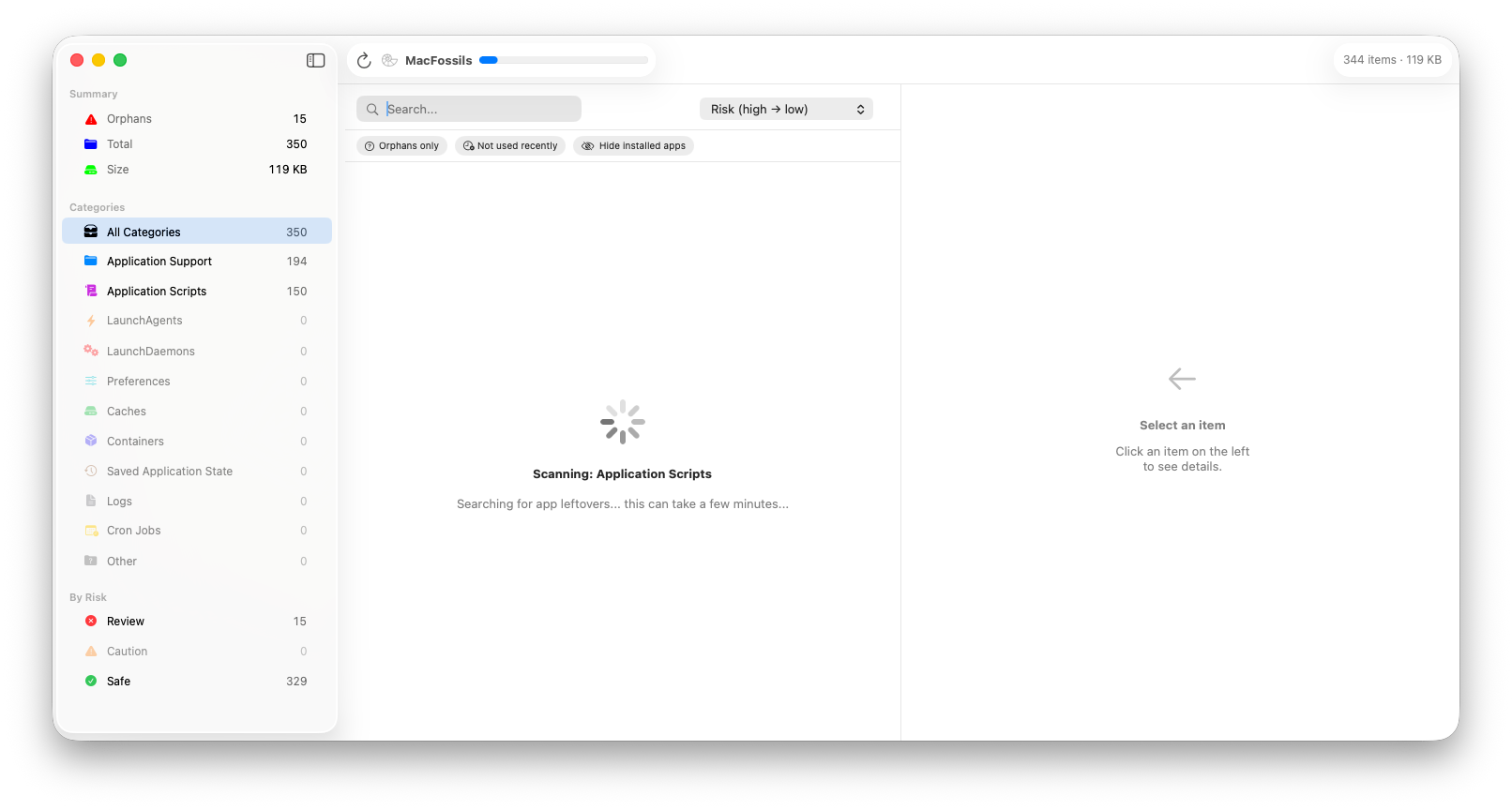
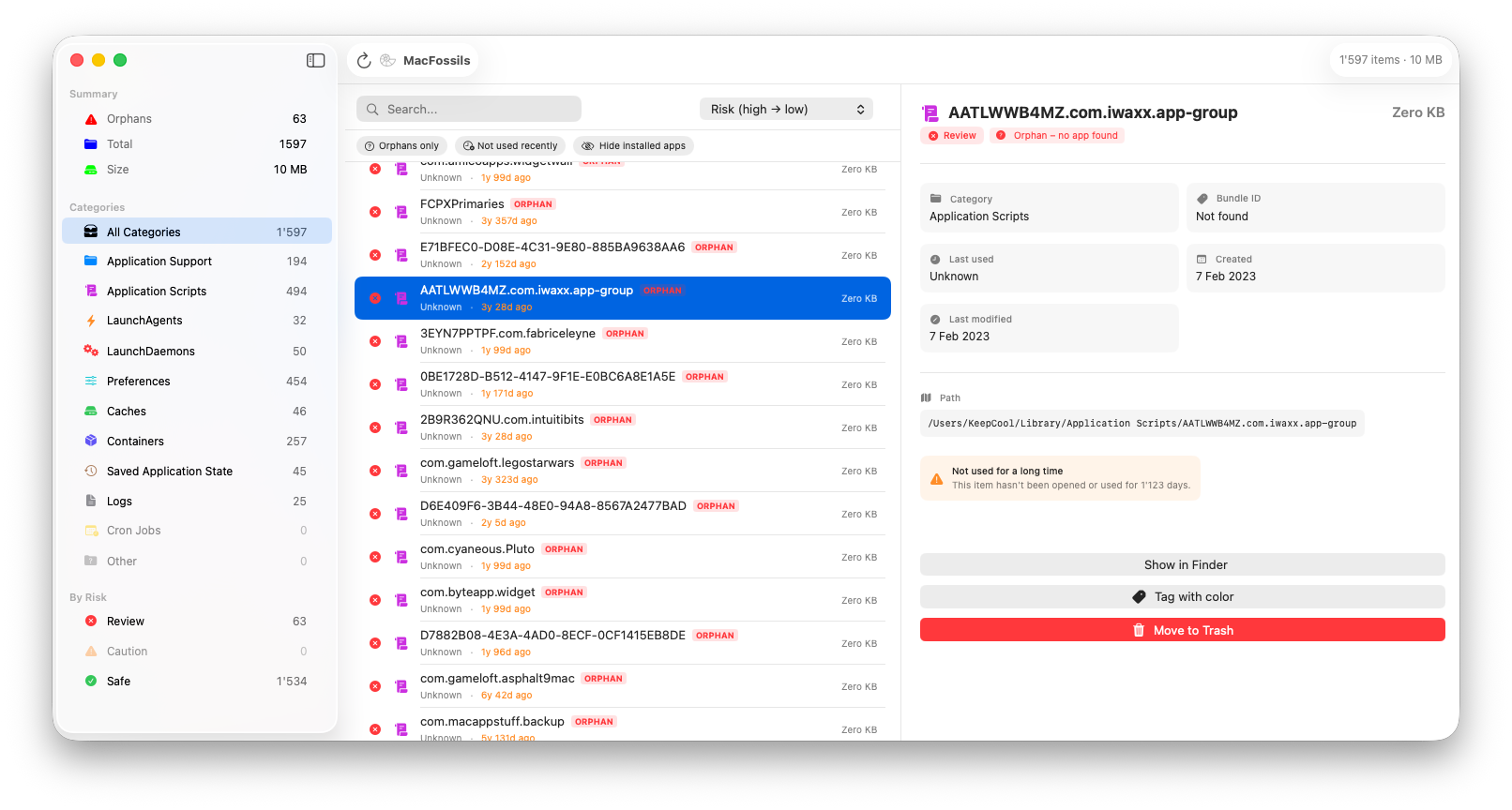
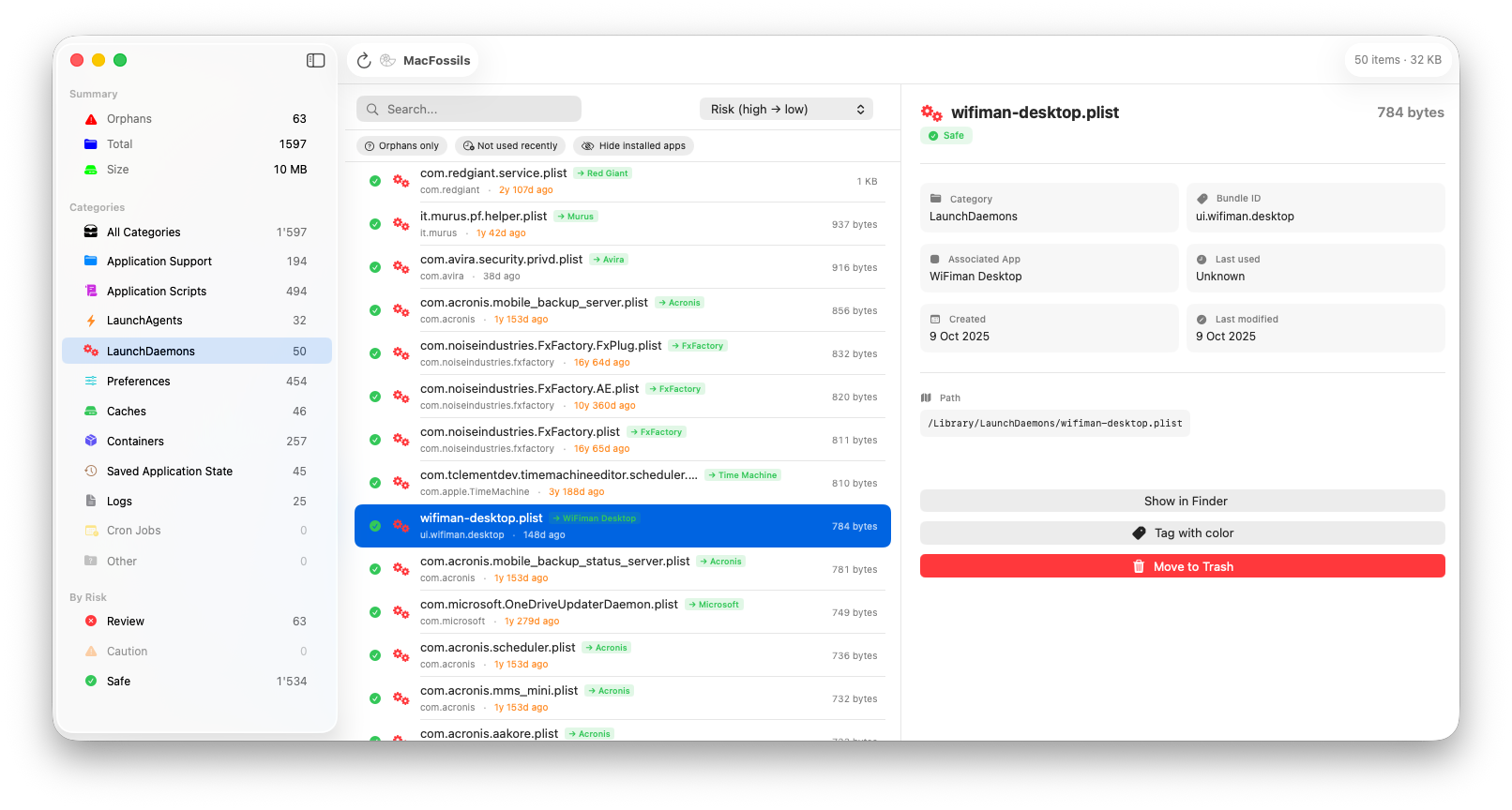
MacFossils scans common macOS directories where applications store their data.
| Folder | Description |
|---|---|
~/Library/Application Support |
Application data and resources used by apps |
~/Library/Application Scripts |
Scripts used by sandboxed applications |
~/Library/LaunchAgents |
User-level background services that start automatically |
/Library/LaunchAgents |
System-wide background services available to all users |
/Library/LaunchDaemons |
System daemons that run with elevated privileges |
~/Library/Preferences |
Application settings stored as .plist files |
~/Library/Caches |
Temporary cache data created by applications |
~/Library/Containers |
Sandboxed app containers used by Mac App Store apps |
~/Library/Saved Application State |
Stored window and session states for applications |
~/Library/Logs |
Log files generated by applications |
MacFossils does not delete anything automatically. All detected files can be reviewed before removal.
Always verify items before deleting them to avoid removing files still used by active applications.
- Download the latest MacFossils.app release
- Move MacFossils.app to your Applications folder
- Launch the app
- Allow the app to access the required files
- Scan your Mac for app leftovers
- Analyze and remove old app leftovers
- Done – Your Mac is now "fossils"-free!
🧱 Requires macOS 14.6 Sonoma or newer
Kevin Tobler
🌐 www.kevintobler.ch
This project is licensed under the MIT License – feel free to use, modify, and distribute.