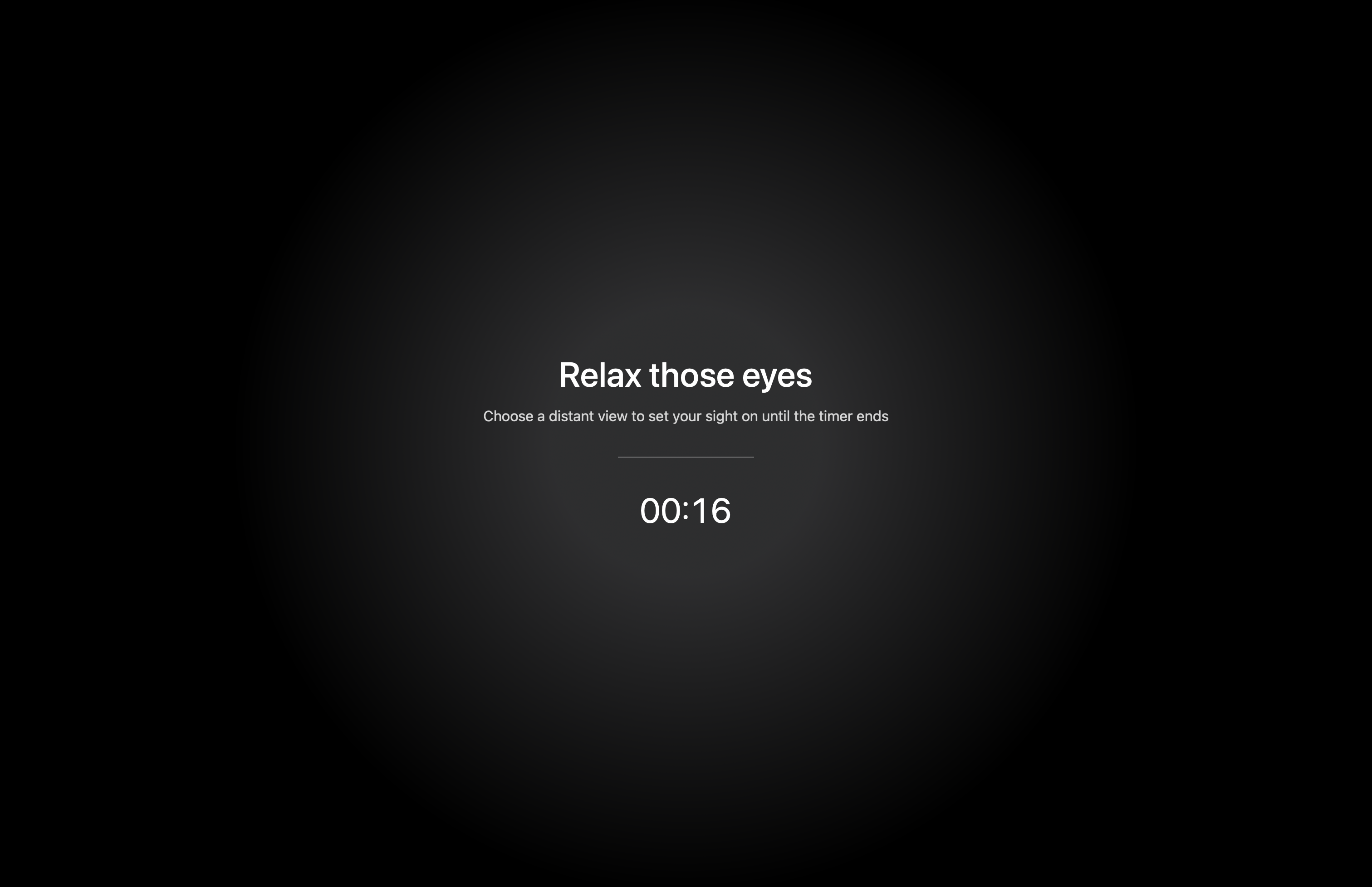
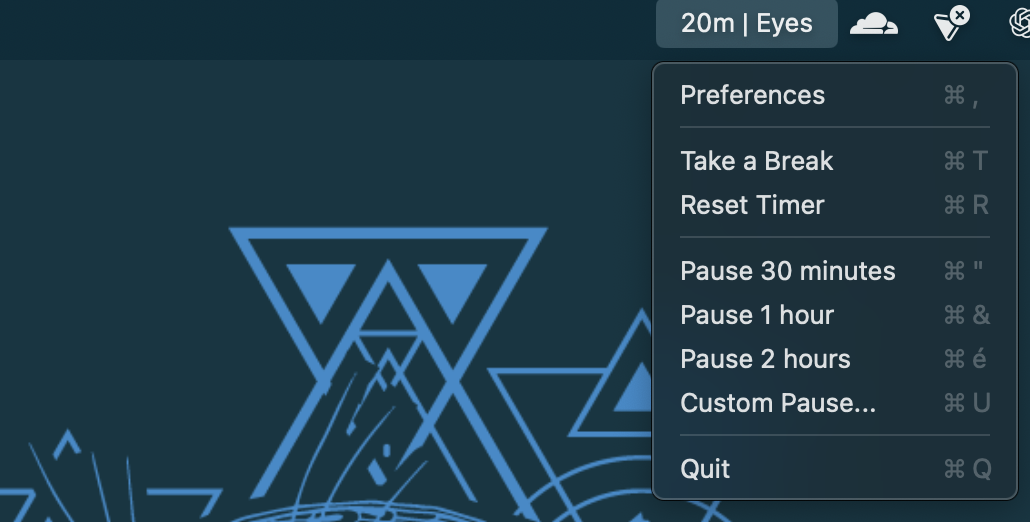
🛠️ A macOS menu-bar application to protect your eyes by prompting regular breaks.
✅ Menu Bar Only No Dock icon – the app lives entirely in your status bar
✅ Configurable Breaks Set the frequency and duration of your eye breaks
✅ Customizable Overlay Change the title and description text shown during break time
✅ Pause and Resume Easily pause or cancel a break when needed
✅ Launch at Login Optionally start LookAway automatically when you log in
1️⃣ Download the last version of the app here
3️⃣ Add it to your startup items so that it launches automatically on startup
- Timer Management: The app counts down based on your configured "Break Every" interval. When the timer reaches zero, an overlay appears prompting you to take a break.
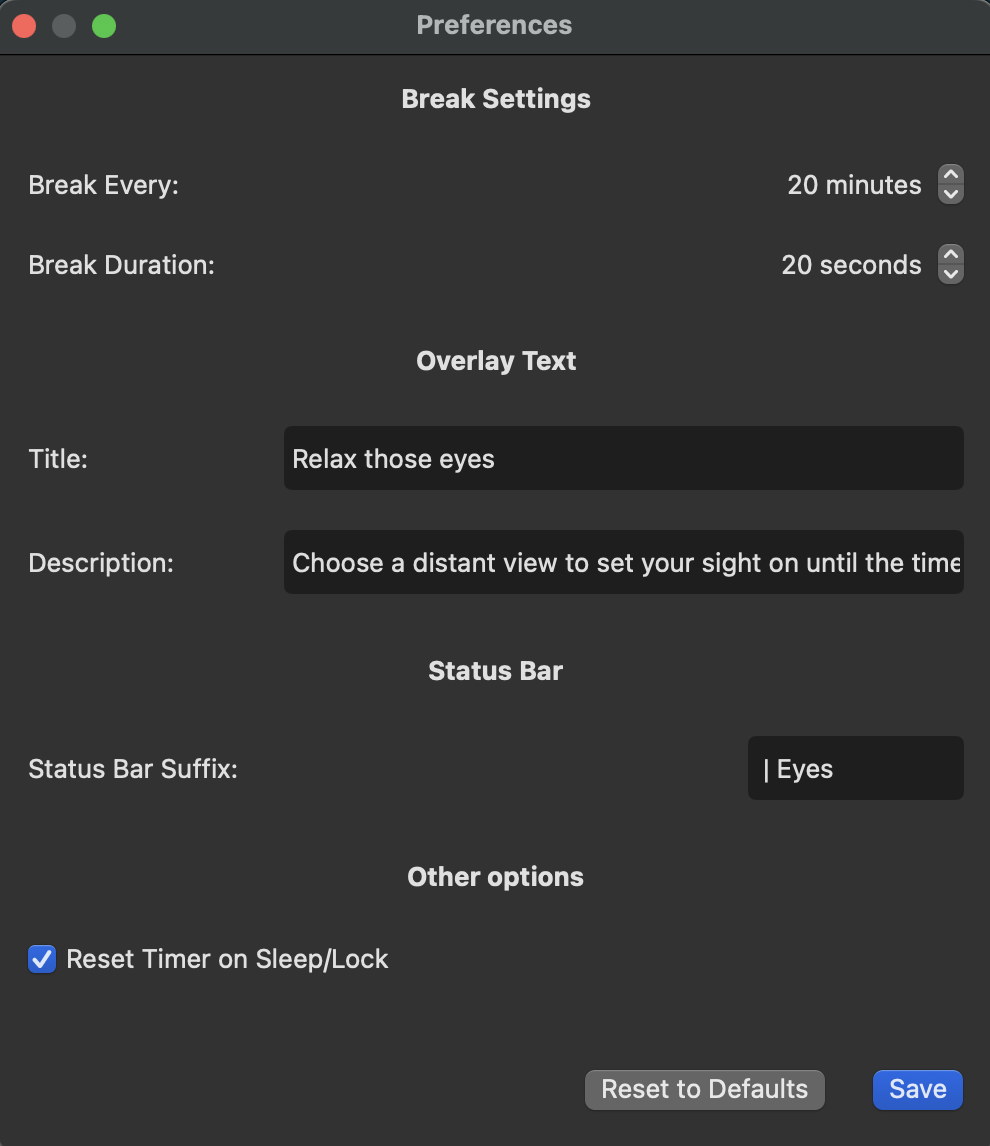
- Preferences: Using the preferences panel, you can customize:
- The interval between breaks (in minutes)
- The duration of the break overlay (in seconds)
- The overlay’s title and description
- The status bar suffix
LookAway/
│── LookAway/                           # Main application
│    ├── AppDelegate.swift
│    ├── LookAwayApp.swift              # Entry point (menu-bar only)
│    ├── Controllers
│    │    ├── OverlayWindowController.swift
│    │    ├── PreferencesWindowController.swift
│    │    └── StatusBarController.swift
│    ├── Managers
│    │    ├── SettingsManager.swift      # Configurable settings (e.g., break duration, interval)
│    │    └── TimerManager.swift         # Handles countdown and triggering breaks
│    ├── Resources
│    │    └── Assets.xcassets
│    ├── Views
│    │    ├── OverlayView.swift          # Break overlay UI
│    │    └── PreferencesView.swift      # Preferences UI
│    ├── LookAway.entitlements
│    └── Info.plist
│── LookAway.xcodeproj                   # Xcode project file
│── LookAwayTests/                       # Unit tests
│── LookAwayUITests/                     # UI tests
└── README.md                            # Project documentation
You can easily update the look and behavior of LookAway:
- Preferences: Use the Preferences panel (accessible from the status bar menu) to change break intervals, durations, overlay texts, and more.
- SettingsManager: Modify default values or add new settings in
SettingsManager.swift. - UI Updates: Customize the overlay UI in
OverlayView.swiftor the preferences UI inPreferencesView.swiftusing SwiftUI.
This project is licensed under the GPL v3.
Feel free to modify and improve the code!
💡 Got ideas, suggestions, or bug reports?
Please open an issue or submit a pull request on GitHub!
📧 contact@gaetandev.fr
🌍 Website
💬 Discord: GaetanDev
If you have any questions or suggestions, don't hesitate to contact me!