FadeTop is a real-time in-terminal visualiser for Python stack samples.

Watch as call stacks are entered and exited, threads spawn and terminate, iterations proceed, and loss functions get optimised.
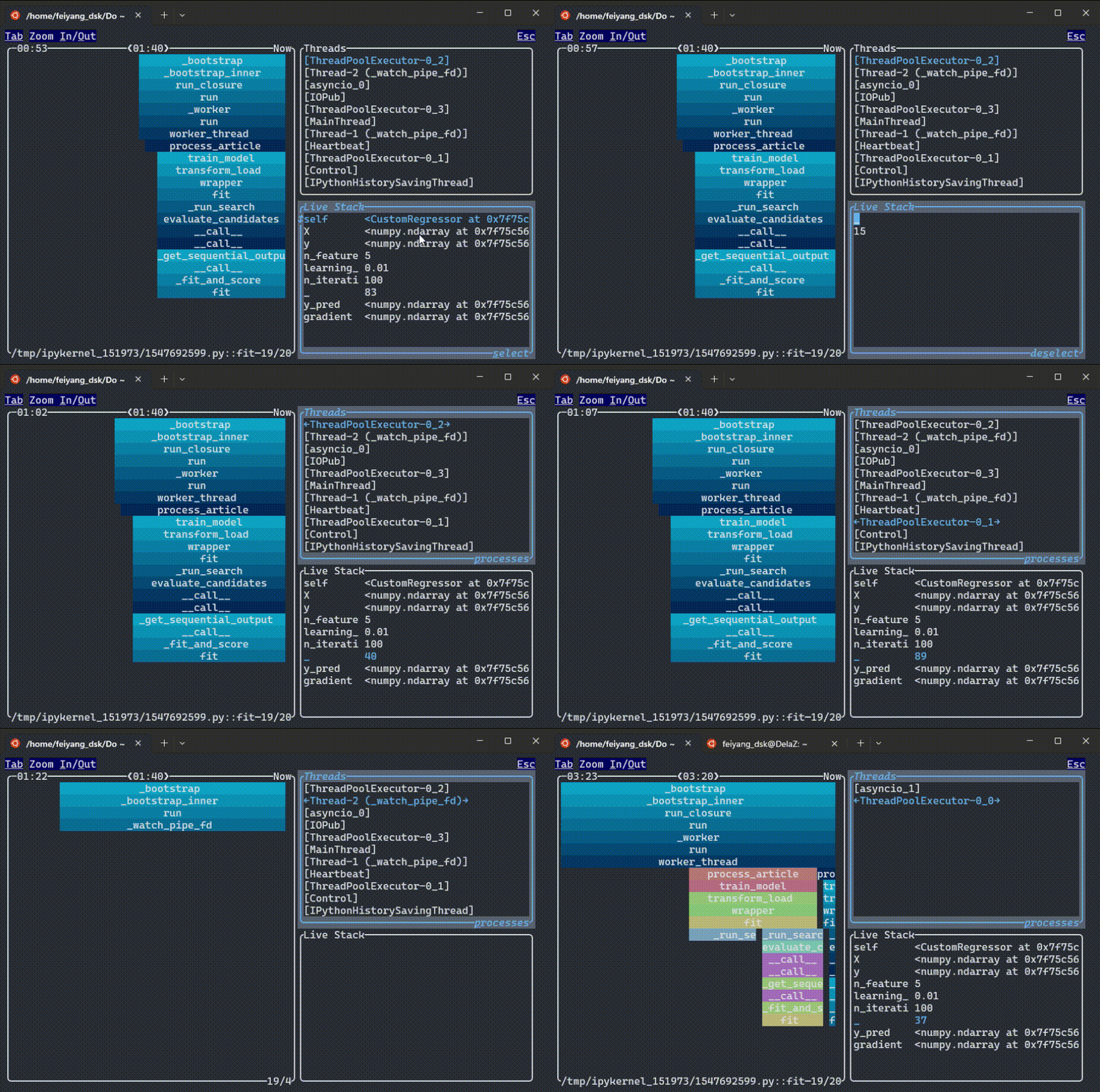
FadeTop relies on py-spy for generating stack traces and ratatui for its front-end interface.
# Attach to a specific Python process by PID
fadetop $PID_OF_YOUR_RUNNING_PYTHON_PROCESS

# Or run without arguments to open a dashboard that discovers running Python processes
fadetop

# Run the demo with mock data (no real process needed)
fadetop demoFadeTop is published to PyPI as pyfadetop. Pre-built binaries are available for Linux, macOS, and Windows.
Run directly with uv:
uvx pyfadetopOr install it:
uv pip install pyfadetop
# or
pip install pyfadetop
Alternatively, build from source with cargo build.
FadeTop requires the same permissions as py-spy for ptrace. On Linux, either:
- Set
/proc/sys/kernel/yama/ptrace_scopeto0, or - Run as
sudo
In Docker/Kubernetes environments, add --cap-add=SYS_PTRACE to your container.
FadeTop can be configured via a TOML file (fadetop_config.toml, or set $FADETOP_CONFIG) and environment variables. Environment variables take precedence.
Check your current configuration with fadetop show-config.
TOML config file:
# Sampling rate in Hz (samples per second)
sampling_rate = 120
# Time window width for visualization
window_width = "100s"

# Rules dictate how long events are remembered after they have finished as a function of how long they took to run.
# The config below means an event is remembered for the shorter interval between (100 seconds + three times its duration) and (70s + 1.0 times its duration)

[[rules]]
type = "rectlinear"
at_least = "100s"
ratio = 3.0
[[rules]]
type = "rectlinear"
at_least = "70s"
ratio = 1.0
Environment variables:
export FADETOP_SAMPLING_RATE=120