Hello! If you’re enjoying the script and feel like supporting the work that went into it, consider buying me a coffee ☕ https://buymeacoffee.com/core_scripts
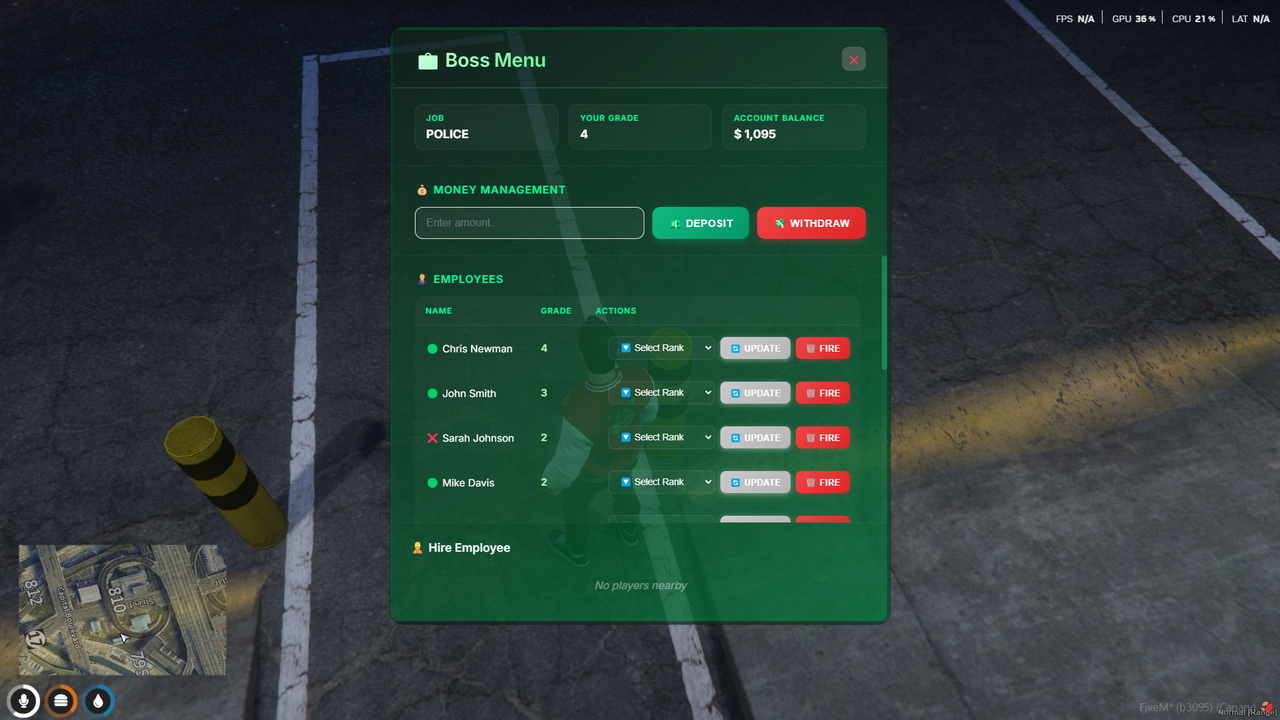
A modern boss menu for FiveM for managing jobs.
- Modern UI
- Shows job, grade, account balance, and employees
- Pay, promote/demote and fire/hire employees directly from the menu
- Uses NUI for a smooth experience
- QBCore Framework
- oxmysql
- Banking Script: qb-banking (or any other banking script - see Custom Banking Integration section)
- Optional: qb-target or ox_target (configurable)
- Run the SQL query in
install.sqlto create the database table. - Place
core_bossmenuin yourresourcesfolder. - Add
ensure core_bossmenuto yourserver.cfgif not in an ensured folder. - Configure
config.luato your preferences.
This resource uses qb-banking by default for managing job accounts. If you're using a different banking script, you'll need to replace the banking exports in server/main.lua:
Look for these sections marked with comments:
- Get Account Balance (Line ~306-310): Check if job account exists and get balance
- Deposit Money (Line ~397-398): Add money to job account
- Withdraw Money (Line ~421-425): Remove money from job account
Each section is clearly marked with:
-- ====================================
-- BANKING INTEGRATION - qb-banking
-- ====================================
Replace the exports with your banking script's functions:
GetAccount(job)- Check if job account existsCreateJobAccount(job, 0)- Create a new job accountGetAccountBalance(job)- Get current balanceAddMoney(job, amount)- Deposit moneyRemoveMoney(job, amount)- Withdraw money
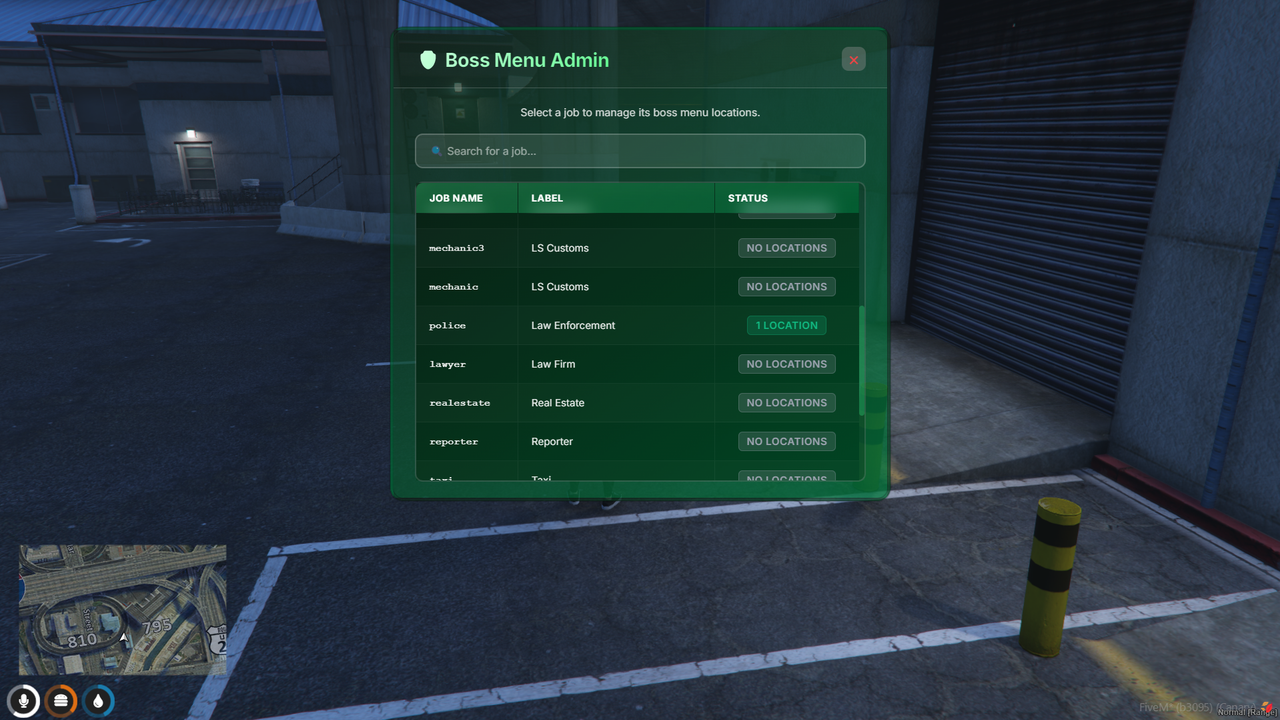
- Admin Management: Use
/bossadminto open the admin menu:- Select a job from the list
- View existing locations or add a new one
- Add Location Here: Places location at your current position
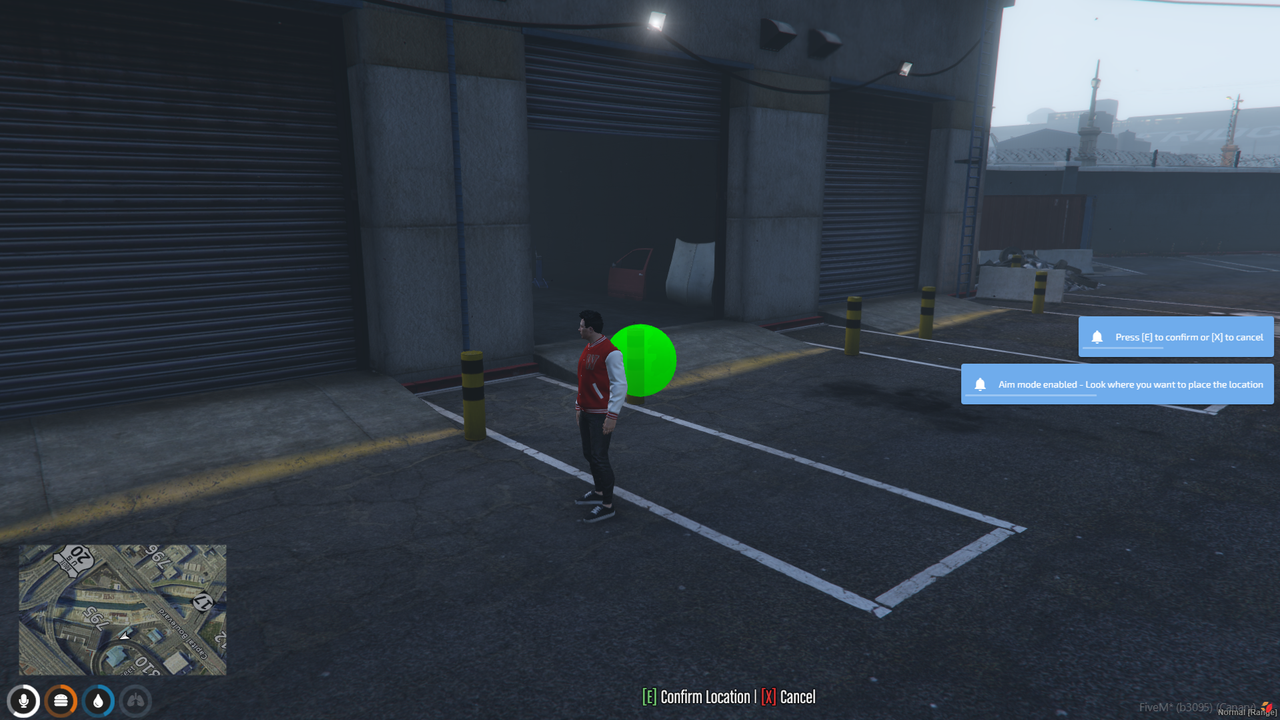
- Aim & Place Location: Enter free-aim mode - look where you want to place the location, press [E] to confirm or [X] to cancel
- For each location you can:
- Move Here: Update the location to your current position
- Remove: Delete the location from the database
- Teleport: Instantly teleport to that location
- Access Menu: Boss employees can interact with placed locations using:
- qb-target - Target the location and select "Open Boss Menu"
- ox_target - Target the location and select "Open Boss Menu"
- Key Press - Stand near the location and press [E] (configurable in config.lua)
- Command Access: If enabled in config, use
/bossmenucommand to open the menu from anywhere (requires boss rank). - Keybind Access: If enabled in config, press the keybind (default: F6) to open the menu. Can be rebound in
Settings > Key Bindings > FiveM. - The menu will show job info, account balance, employee management options, and nearby players to hire.
- Hire Employees: Boss can hire nearby players (within configurable range) directly from the menu.
- Players within the hire range will appear in the "Hire Employee" section
- Click the "✅ Hire" button next to a player to hire them at the starting grade
- Hired players will be notified and added to the job immediately
Edit config.lua to customize:
- Currency Symbol: Change
Config.Currency(default:$) - Enable Command: Set
Config.EnableCommandto enable/disable/bossmenucommand (default:true) - Enable Keybind: Set
Config.UseKeybindto enable/disable keybind for boss menu (default:true) - Keybind Key: Change
Config.Keybindfor the default key (default:F6) - players can rebind in game settings - Admin Command: Change
Config.AdminCommandfor managing locations (default:bossadmin) - Admin Permission: Set
Config.AdminPermission(default:admin) - Target System: Set
Config.TargetSystemto choose interaction method:'qb-target'- Use qb-target for interaction'ox_target'- Use ox_target for interaction'none'- Use key press interaction with markers
- Interaction Key: Change
Config.InteractionKey(default:38= E key) - used when TargetSystem is set to'none' - Interaction Distance: Adjust
Config.InteractionDistancein meters - Marker Settings: Customize marker appearance when using key press interaction (TargetSystem =
'none') - Webhooks: Configure Discord webhook URLs in
Config.Webhooks:AdminActions- Logs location placement, moves, and removalsMoneyWithdraw- Logs all money withdrawals from job accountsMoneyDeposit- Logs all money deposits to job accountsEmployeeActions- Logs grade changes, employee terminations, and new hires
- Hire Settings:
Config.HireRange- Distance in meters to detect nearby players for hiring (default:5.0)Config.HireGrade- Starting grade when hiring a new employee (default:0)
Additional customization:
- Edit
html/style.cssfor UI changes. - Edit
html/app.jsfor menu logic.
The script includes an automatic version checker that runs when the server starts. It will:
- Check for new versions on GitHub
- Display the latest version information in the console
- Show changelog entries for new updates
- List specific files that need to be updated
- Provide a download link to the latest release
Enjoy your advanced boss menu! 💼📋
- Framework: QB-Core
- Developer: ChrisNewmanDev