Visualize JSON as interactive graphs, trees, and diagrams directly inside Visual Studio Code.
Stop scrolling through large, nested JSON files. This extension transforms raw JSON into a clean, visual, node-based graph, helping developers quickly understand complex data structures, debug APIs, and analyze responses.
Perfect for developers, backend engineers, API testers, and data analysts.
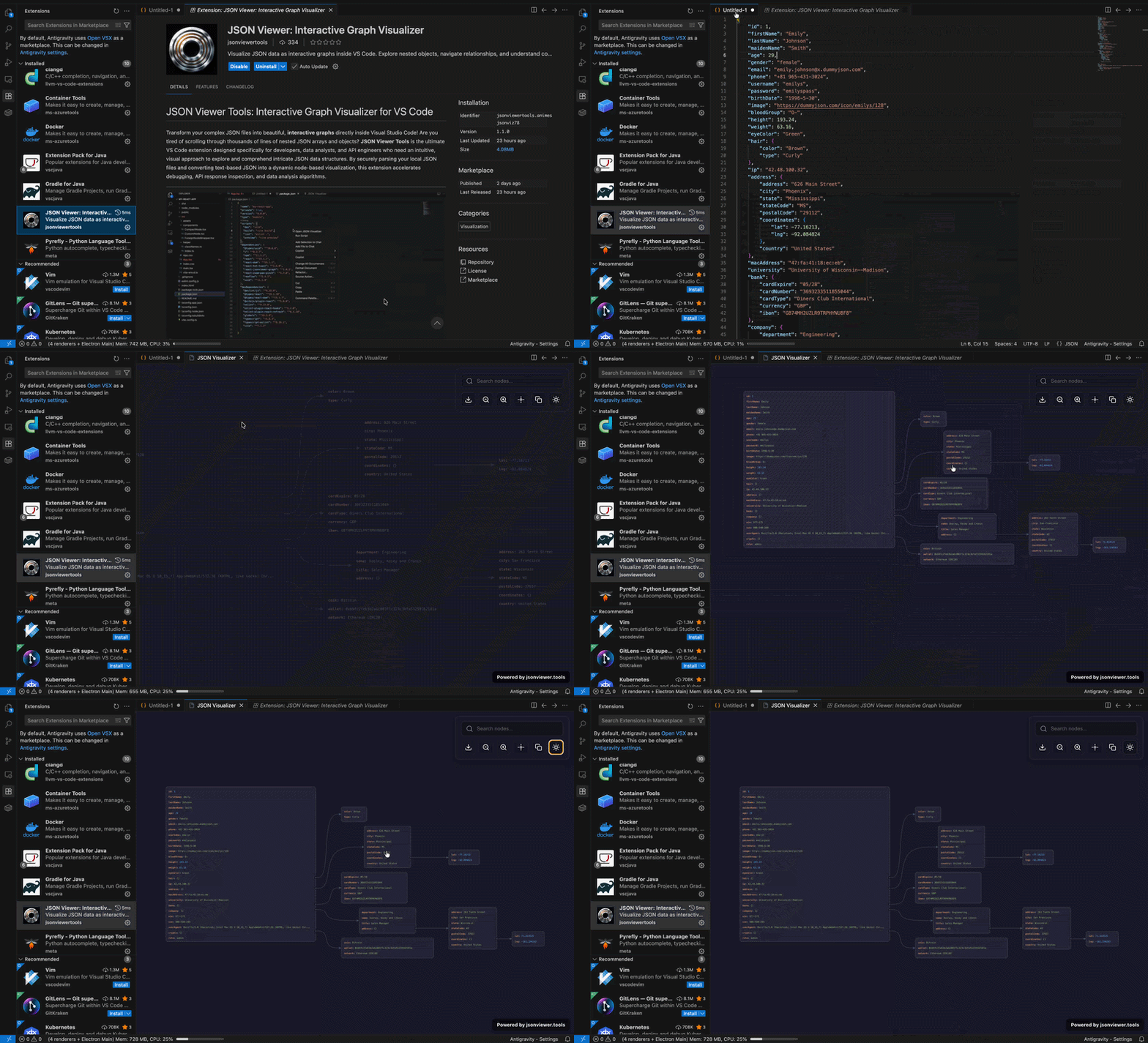
-
📊 Interactive JSON Graph Viewer
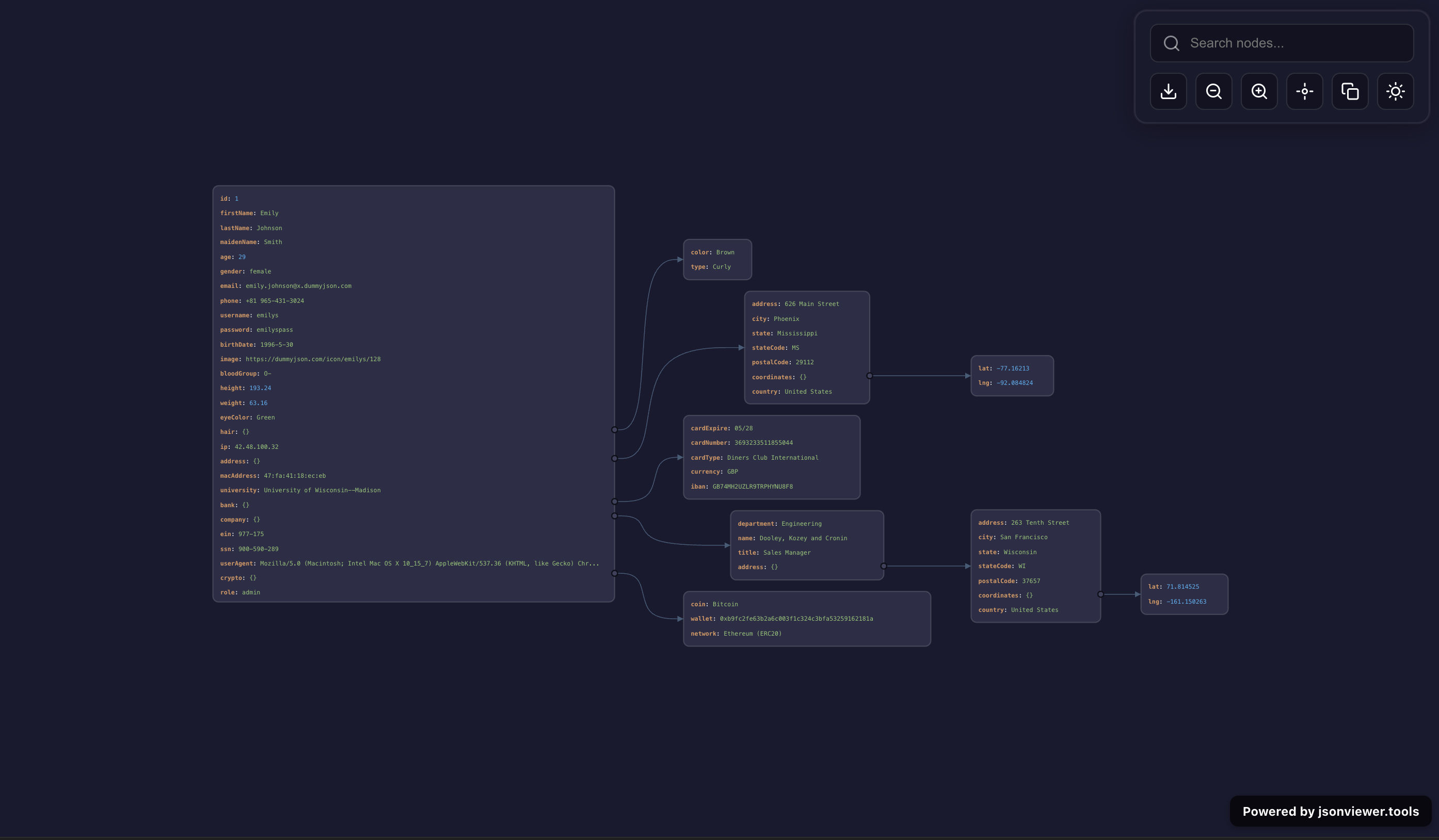
Convert JSON into a visual graph and explore relationships instantly. -
🌳 Tree & Structure Visualization
Understand nested objects and arrays without manual tracing. -
🔍 Search & Highlight Nodes
Quickly find keys, values, and deeply nested data. -
🧭 Zoom & Pan Navigation
Smooth navigation across large JSON datasets. -
📸 Export JSON Graph as Image
Share diagrams with your team or documentation. -
🌗 Dark & Light Theme Support
Matches your VS Code theme automatically. -
📂 One-Click Open (Context Menu + Command)
Launch visualizer instantly from editor. -
🔐 100% Local & Secure
No data leaves your machine.
- Debug REST API responses
- Explore large JSON files
- Visualize configuration files
- Understand nested data structures
- Inspect MongoDB / API payloads
- Analyze complex JSON schemas
- Open VS Code
- Go to Extensions (
Ctrl+Shift+X) - Search:
👉 JSON Viewer
👉 JSON Visualizer
👉 JSON Graph Viewer - Click Install
- Open any
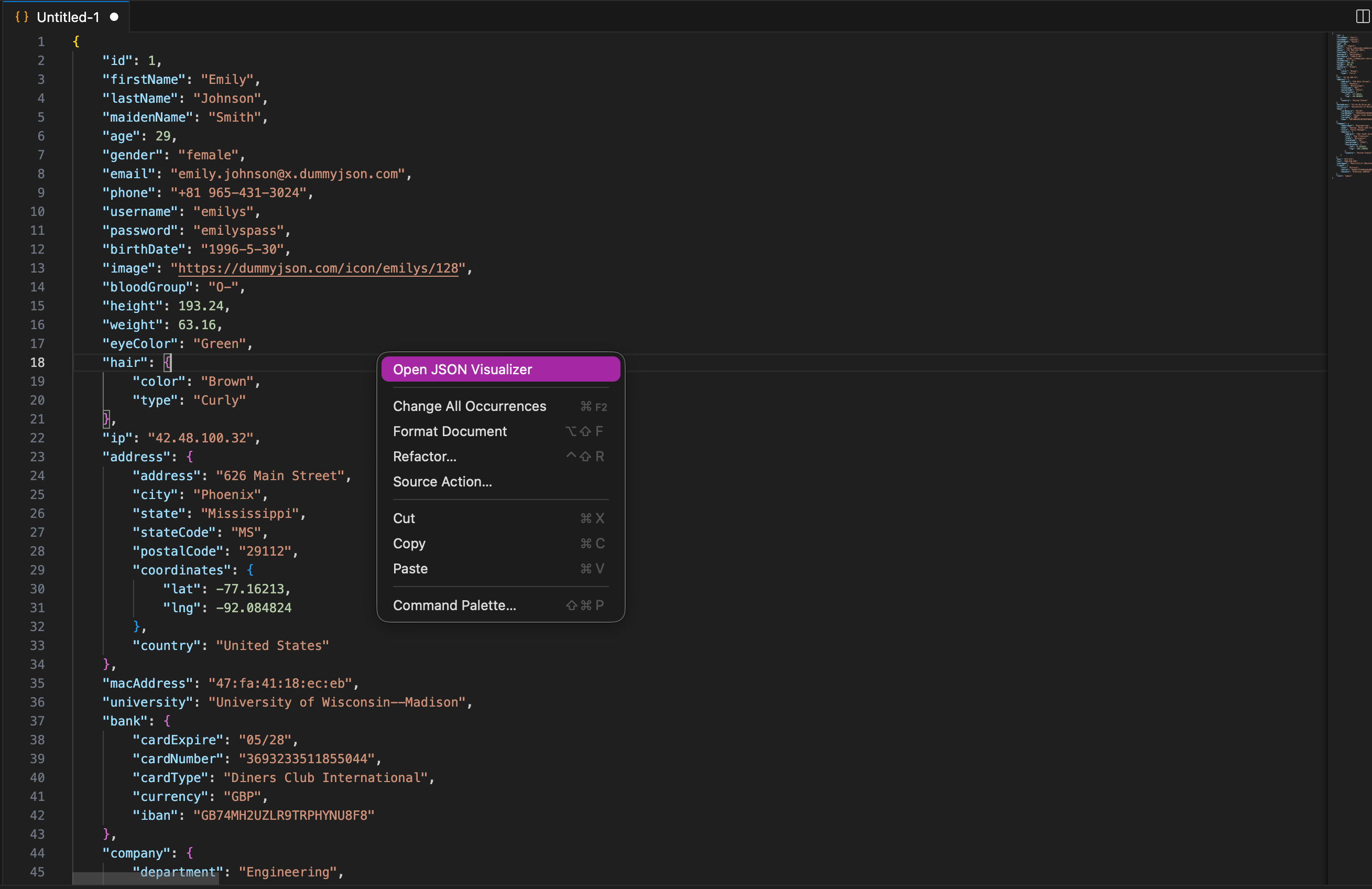
.jsonfile - Right-click → Open JSON Visualizer
OR
PressCtrl+Shift+P→ Search JSON Visualizer - View your JSON as an interactive graph
| Command | Description |
|---|---|
Open JSON Visualizer |
Open JSON as interactive graph |

json viewer, json visualizer, json graph viewer, json tree viewer, vscode json extension, json explorer, json diagram, json data visualization, json inspector, json parser
If this tool helps you, support development ❤️
Buy Me a Coffee
MIT License
