



中文说明 | English | TestFlight Beta
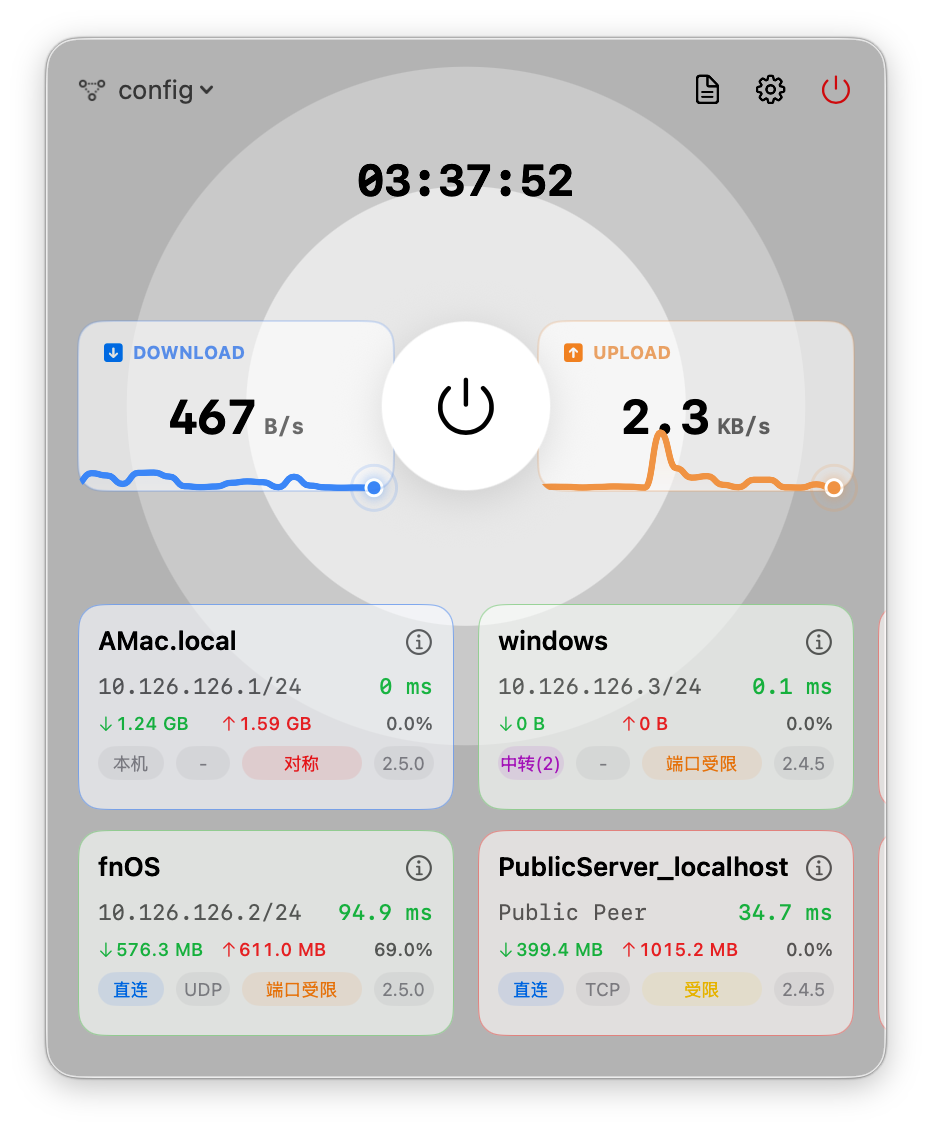
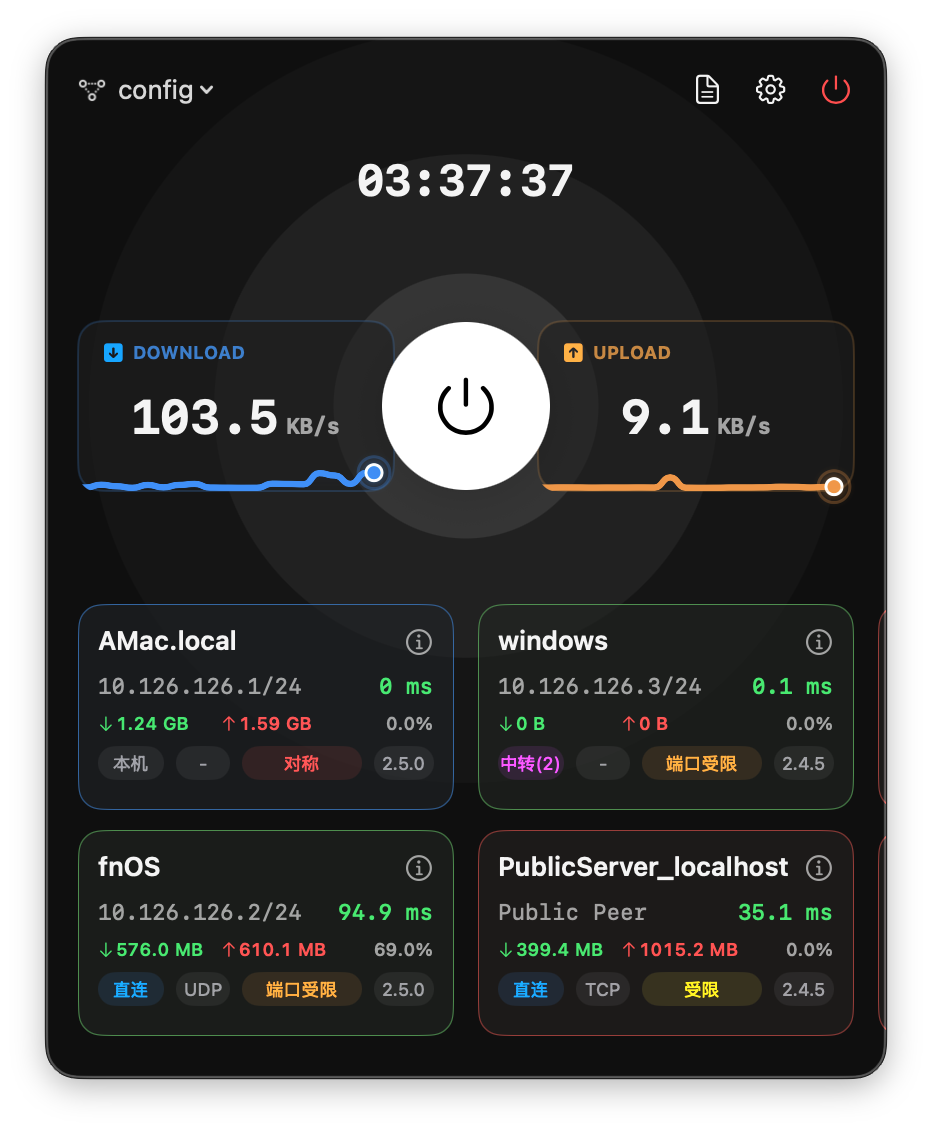
Spotier is a native, modern GUI wrapper for EasyTier, designed to simplify decentralized mesh networking on your Mac. Built entirely with SwiftUI, it offers a clean, responsive, and powerful interface for managing your virtual network.
Important
This project was entirely generated using Antigravity vibe coding.
Join our public beta via TestFlight: 👉 Join Spotier TestFlight Beta
- ✨ Native macOS Experience: Designed with modern SwiftUI components, dark mode support, and smooth animations following the latest macOS guidelines.
- 🤖 Background Service: Utilizes a privileged Helper tool to run the VPN core in the background, ensuring your connection stays alive even when the main app is closed.
- 🛠 Visual Configuration: A comprehensive editor to generate and modify EasyTier configurations without touching text files.
- 📊 Real-time Monitoring: Visualize peer connections, latency, and traffic statistics instantly with a beautiful UI.
- 📝 Activity Timeline: A dual-mode log viewer that separates high-level "Interaction Events" (peer join/leave) from low-level debugging logs.
- 📦 Auto Core Management: Automatically detects, downloads, and manages the correct
easytier-corebinary for your system architecture.
⚠️ "Spotier is damaged and can't be opened"Since this app is not notarized by Apple (requires a paid developer account), you may see a warning that the app is damaged. To fix this, run the following command in Terminal:
sudo xattr -cr /Applications/Spotier.app(Adjust the path if your app is not in the Applications folder)
- macOS 13.0 or later
- Xcode 15+ (for building)
- Clone this repository.
- Open
Spotier.xcodeprojin Xcode. - Select your Development Team in the "Signing & Capabilities" tab.
- Build and Run (
Cmd + R).
- Developer: Alick Huang
- Email: minamike2007@gmail.com
- GitHub: AlickH/Spotier
Distributed under the MIT License.
中文说明 | English | TestFlight Beta
Spotier 是专为 macOS 打造的原生 EasyTier 图形客户端。它采用最新的 SwiftUI 技术构建,为您提供简单、美观且强大的去中心化组网管理体验。
Important
本项目完全采用 Antigravity vibe coding 模式开发生成。
点击下方链接加入我们的 TestFlight 公开测试: 👉 加入 Spotier TestFlight 测试版
- ✨ 原生体验:遵循 macOS 最新设计规范,原生支持深色模式,拥有流畅的动画和细腻的交互。
- 🤖 后台服务:内置特权辅助程序(Helper),支持将 VPN 核心作为系统服务在后台运行,主界面关闭后网络依然保持连通。
- 🛠 可视化配置:提供完整的图形化配置编辑器,无需手动编辑
.toml配置文件即可完成所有设置。 - 📊 实时监控:直观展示节点列表、P2P 连接状态、延迟和实时流量统计,并配有可视化拓朴指示。
- 📝 活动时间轴:独创的双模式日志视图,通过“交互事件”时间轴清晰展示节点加入、断开等关键动态,同时保留详细的调试日志。
- 📦 核心管理:自动检测系统架构(Intel/Apple Silicon)并自动下载管理
easytier-core内核,真正实现开箱即用。
⚠️ 打开时提示“应用已损坏,无法打开”这是 macOS 安全机制对未签名应用的拦截。由于没有付费开发者账号进行公证,您需要在终端运行以下命令来解除限制:
sudo xattr -cr /Applications/Spotier.app(如果应用不在“应用程序”目录,请修改为实际路径)
- macOS 13.0 或更高版本
- 编译需要 Xcode 15+
- 克隆本项目到本地。
- 使用 Xcode 打开
Spotier.xcodeproj。 - 在 Project 设置的
Signing & Capabilities中选择您的 Apple Developer 账号并配置签名。 - 运行项目 (
Cmd + R)。
- Developer: Alick Huang
- 电子邮箱: minamike2007@gmail.com
- GitHub: AlickH/Spotier
本项目基于 MIT License 开源。