Releases: AdguardTeam/AdGuardMiniForMac
2.1.4

This patch polishes up the visuals and interface for a smoother experience. The Updates section now has cleaner, more scannable text formatting, and Rules editor scrollbars stay visible so long rules are easier to handle.
Changelog
Fixes
- AdGuard Mini does not warn about exceeding the rule limit when too many filters are enabled #1177
- The editor removes escaping in scriptlets
- Scroll bars in Rules editor disappear
- Text color and bold styling are displayed incorrectly on the Updates page
- The Advanced Rules (true/false) parameter is not passed when submitting an in-app report
How to install AdGuard Mini
2.1.4 beta
This patch polishes up the visuals and interface for a smoother experience. The Updates section now has cleaner, more scannable text formatting, and Rules editor scrollbars stay visible so long rules are easier to handle.
Changelog
Fixes
- AdGuard Mini does not warn about exceeding the rule limit when too many filters are enabled #1177
- The editor removes escaping in scriptlets
- Scroll bars in Rules editor disappear
- Text color and bold styling are displayed incorrectly on the Updates page
- The Advanced Rules (true/false) parameter is not passed when submitting an in-app report
How to install AdGuard Mini beta
2.1.3

Your feedback helps us keep making quick improvements on the fly. In v2.1.3, we performed a bunch of UI tweaks that make the user experience better. Here’s some of them: AdGuard Mini’s main window now opens in the current active Space, the menu bar screen keeps the dark theme after the app’s update (if the system theme is dark), and the User rules screen doesn’t scroll to the top after the changes are saved. Let us know if you encounter any similar problems — we will fix them in the closest update.
Changelog
Fixes
- Menubar UI defaults to light mode after update #1173
- Hovering above scrollbar #1164
- Layout is broken on “Contact Support” screen #1166
- Popup opens on initial Space instead of current active Space #1170
- User rules screen is scrolled to the top after “Save” button is pressed, and the cursor position is lost #1169
How to install AdGuard Mini
2.1.3 nightly
Minor fixes
2.1.3 beta
Your feedback helps us keep making quick improvements on the fly. In v2.1.3, we performed a bunch of UI tweaks that make the user experience better. Here’s some of them: AdGuard Mini’s main window now opens in the current active Space, the menu bar screen keeps the dark theme after the app’s update (if the system theme is dark), and the User rules screen doesn’t scroll to the top after the changes are saved. Let us know if you encounter any similar problems — we will fix them in the closest update.
Changelog
Fixes
- Menubar UI defaults to light mode after update #1173
- Hovering above scrollbar #1164
- Layout is broken on “Contact Support” screen #1166
- Popup opens on initial Space instead of current active Space #1170
- User rules screen is scrolled to the top after “Save” button is pressed, and the cursor position is lost #1169
How to install AdGuard Mini beta
2.1.2
We’re constantly monitoring user feedback so we can quickly make adjustments to AdGuard Mini for Mac. In v2.1.2, we reduced the frequency of the “Something not working right? Let us know” tooltip — it now appears only once after the app is launched and the Safari Protection screen is opened. Additionally, we’ve made minor UI tweaks to improve your experience.
Changelog
Fixes
- The tooltip appears every time the Safari Protection screen is opened #1165
How to install AdGuard Mini
2.1.1
AdGuard Mini keeps evolving to become more polished and intuitive. Version 2.1.1 focuses on refining the rule editing experience — everything now feels tidier, faster, and more predictable.
Rule editor improvements
We’ve repositioned the search bar to the top-right corner of the rule editor, making searches faster and more comfortable to use. It’s a small but noticeable enhancement that helps you focus on what matters — managing your filtering rules efficiently.
UI fixes in rules list
Some inconsistencies in how the rules list behaved were ironed out. Scrolling and selecting elements now work more smoothly, providing a more stable user experience.
Changelog
Fixes
- Search field in the Rule editor covers the first string of the user rules list
- User rules disappear or are overwritten when moved to the bottom via Option + Arrow keys
How to install AdGuard Mini
2.1.0
AdGuard Mini’s recent debut was packed with new features, but there’s always room for improvement. That’s why this update brings you some slight yet good-looking upgrades that enhance usability.
Manual theme selection
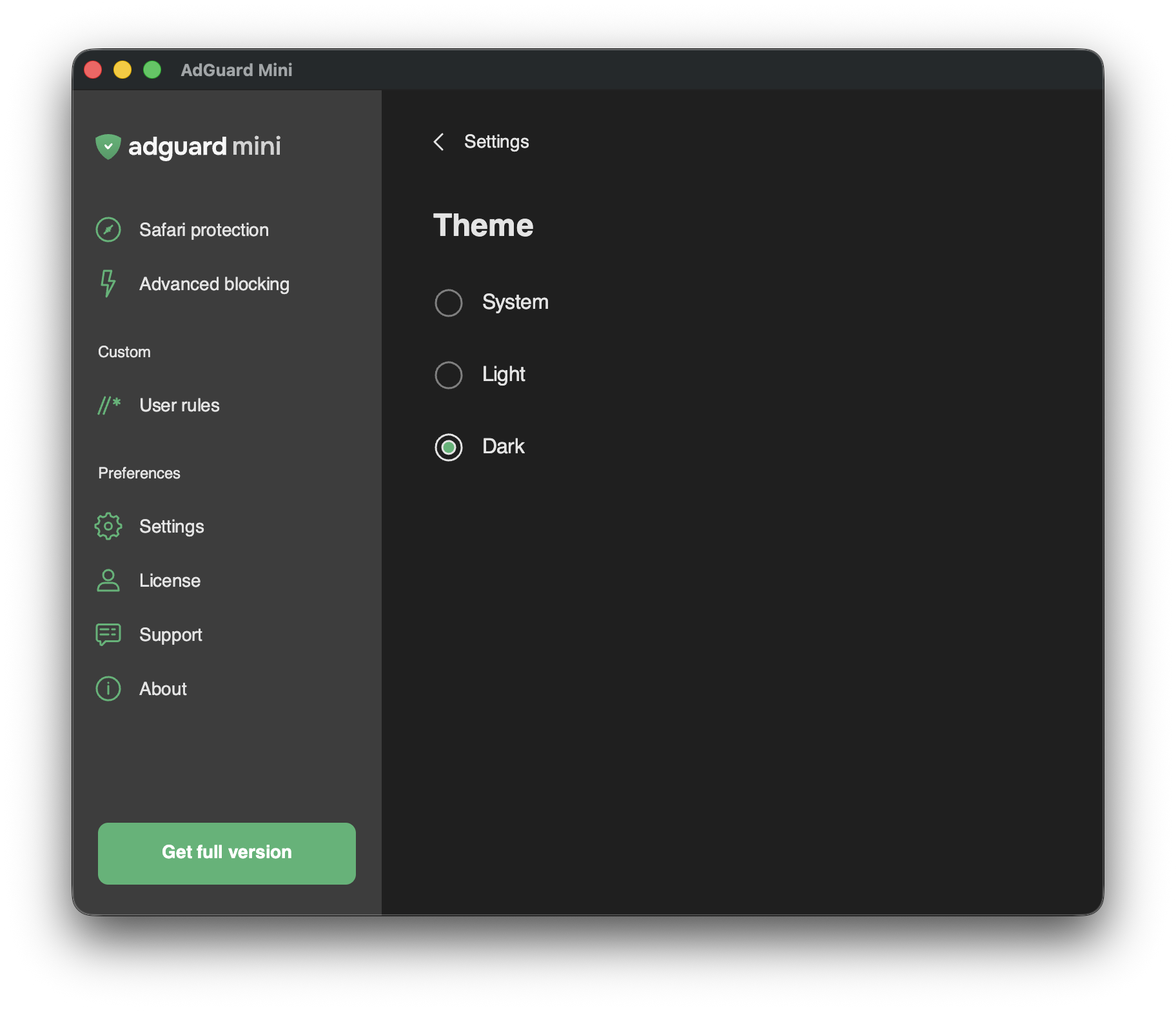
This feature is for those who want the AdGuard Mini app to have a light or dark theme regardless of what the current system theme is. Choose between three options and enjoy more flexibility in how the app looks.
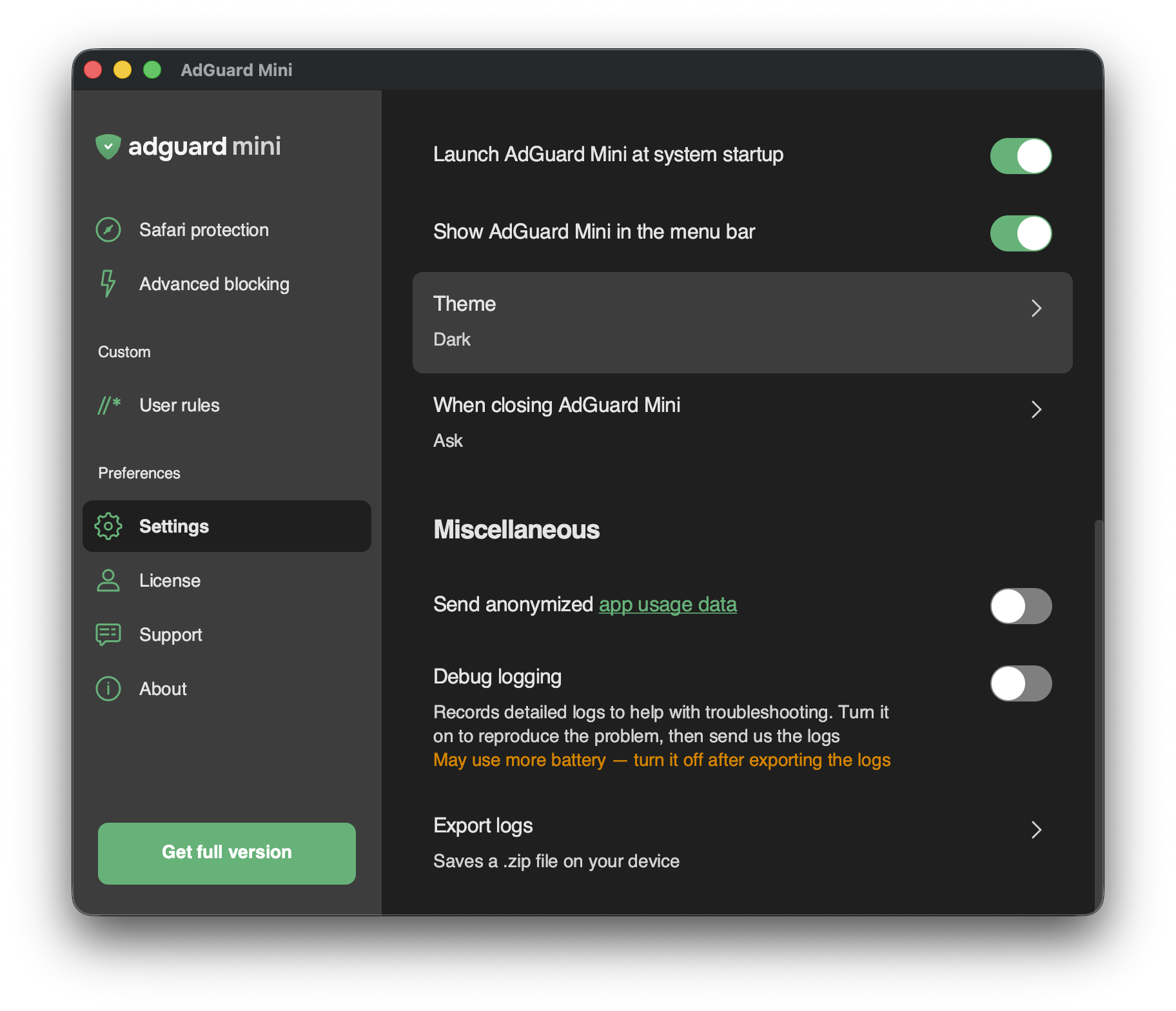
To access this new setting, go to Settings → Theme:
Dark app icon
For AdGuard Mini to look even better when your macOS is in dark mode, we added a dark version for the app’s Dock icon.
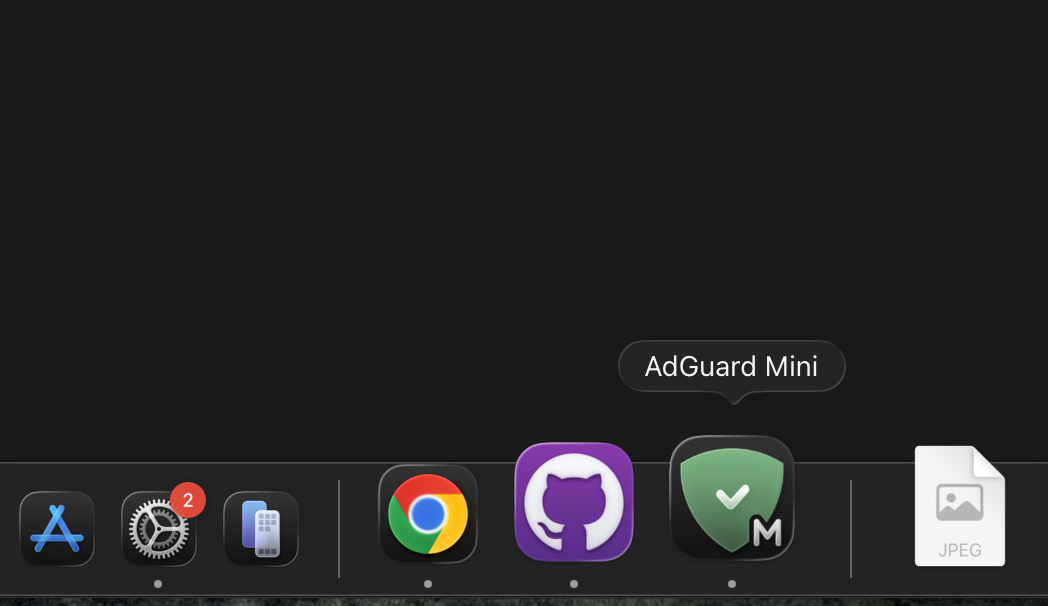
Tip: To see apps’ dark icons in the Dock when in dark mode, go to System Settings→ Appearance and set Icon & widget style to Dark.
This update also includes some fixes that improve the app’s stability and performance.
Changelog
Improvements
- Implemented application theme selection
- Added support for the dark icon #1120
Fixes
- The position and size of AdGuard Mini’s windows are not persisted #1148
- Rules are converting endlessly after installation #1140
SafariConverterLib (Converter of AdGuard rules to Safari content blocking rules)
- SafariConverterLib updated to v4.1.0 #1146
How to install AdGuard Mini
2.0.0

AdGuard Mini — formerly AdGuard for Safari, is now released.
The core ad-blocking function of the app remains the same, but we restyled it, added in-app support section, improved usability and Safari toolbar item (quick reminder: it lets you block ads manually right in the browser).
We also added advanced features as an optional in-app purchase.
Now real-time updates and AdGuard Extra are available, if you wish to boost your ad-blocking capabilities.
1.11.24
AdGuard for Safari v1.11.24 is out! This is good news. The not-so-good news is that we will have to cease support for macOS 11 and older operating systems after this update.
AdGuard for Safari v1.11.24 will remain functional on macOS 11 and prior versions, but no further updates will be available. In the near future our app will be replaced by a significantly reworked and renamed version for macOS 12 and above. This could be a valid reason to update to a newer OS and get access to an excellent ad-blocking tool. Stay tuned for more information!
Changelog
Improvements
- Added pop-up warning about discontinuing future updates of the extension for macOS versions lower than 12