


Repository of DevOps home works of the student 4CS-22 group of Vitalii Povstenko
Teacher: Oleh Skoropad
- Create repo hometask1 (do not forget .gitignore)
- Push your project to github (and add user sko-lv as colaborator)
- Create Vagrantfile
- Centos 7
- Provision Nginx server
- Forward port 80 → 8888
- Place site content to ~/www-content (*)
Commands to install nginx on Centos
yum install -y epel-release
yum install -y nginx
systemctl start nginx
systemctl enable nginx
$ vagrant up
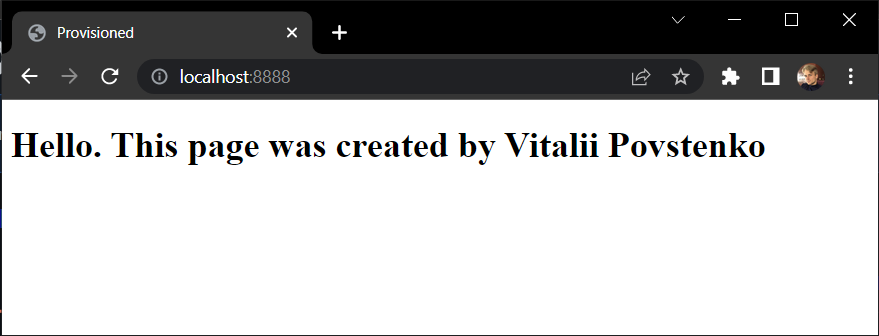
- In your browser goto localhost:8888
- See content placed to ~/www-content (*):
- Vimtutor (run vimtutor on your ubuntu vm)
- .bashrc
- Terminal shortcuts
- Tricky question: how to prevent command to save in history
- create repo hometask2 .
- create VM using the same Vagrantfile as hometask1
- create new git branch
doublevm - update Vagrantfile for create two VM’s named: centos and ubuntu from single Vagrantfile (RAM 2GB, centos/7 and ubuntu/focal64) See here for manual. https://www.vagrantup.com/docs/multi-machine
$ git clone <your-repo>
$ cd <your-repo>/hw2
$ vagrant up
$ vagrant ssh vm1; vagrant ssh vm2
- create repo hometask3
- create VM using ubuntu/focal64 (like a hometask2)
- configure cron job (/etc/cron.d/…) which write every minute on workdays (Mon-Fri) next information to log file /var/log/sysinfo :
- current system time and date; (use date command)
- system uptime, logged-in users and CPU load; (use w command)
- memory usage and disk space usage; (use free -m and df -h )
- list of programs used open TCP ports; (ss -tulpn)
- check connection to ukr.net host; (ping find options for command)
- list of SUID programs in local system. (find see options in man)
Tips: best way is to create script /root/sysinfo.sh ran by cron job. Do not forget make your script executable (use chmod).