Steps to reproduce:
- Go to https://lv487node-client.herokuapp.com/
- Click on Sign up button in right upper corner of Home Page
- Click on Register link.
- Fill in Email address field with valid data.
- Fill in Password field with more than 30 characters
Actual result:
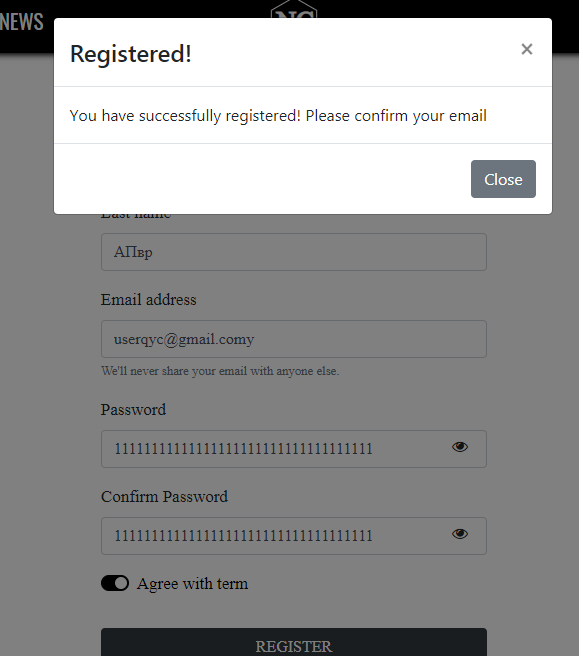
User is successfully registered (see attachment)
Expected result:
Error message 'Password must be from 8 to 30 characters long' appears under the field
Windows 8.1 (64), Chrome Google Chrome 81.0.4044.138

Steps to reproduce:
Actual result:
User is successfully registered (see attachment)
Expected result:
Error message 'Password must be from 8 to 30 characters long' appears under the field
Windows 8.1 (64), Chrome Google Chrome 81.0.4044.138